On Sale: GamesAssetsToolsTabletopComics
Indie game storeFree gamesFun gamesHorror games
Game developmentAssetsComics
SalesBundles
Jobs
TagsGame Engines

casgabe

14
Posts
2
Following
A member registered Aug 17, 2023

Recent community posts

(1 edit)

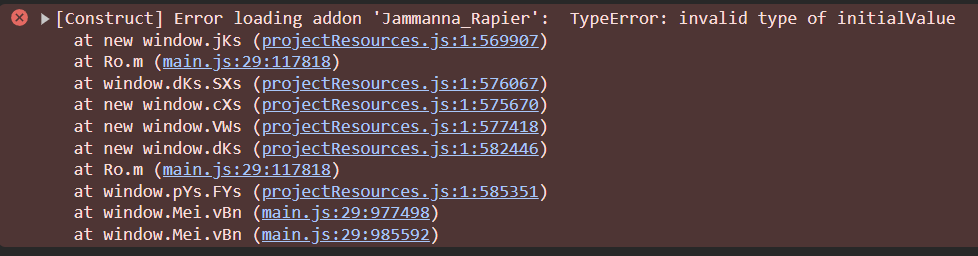
The car example is working now, but I still can’t install the Rapier addon.

Hey! I just bought the plugin and I'm having some trouble. The car example it's not working and I can’t get the Rapier addon to install.

Now, when I start the layout, I can see the model as soon as I move the camera for the first time , but everything else disappears, like the 3D shapes and the text that’s on a 2D layer. I’m also getting these errors in the console.

Images and File

I made a separate file to debug the issue, but now I'm getting a totally different console error, and the black screen still persists. I'm really excited to use your plugin in my project in the future, so I’d be happy to help with testing :) 

File

Yes, I’m using the same configuration as the one in your example files

Whenever I try to add Rendera to my project, the preview goes completely black and the console keeps spamming this message: 

I’m having some crashes when trying to use the plugin. It usually happens when I add a new RenderaController in your “RenderaLight.cp3”. Sometimes it also crashes when I try to close the project through the Construct menu.

I’ve uploaded a file with the model that for some reason doesn’t load, and also a screenshot of the crashes I’m getting.

Drive Folder

I get this error when trying to load a glb with skeleton animations. 

actions.js:122  [rendera] Failed to load model Objectid: "Player.glb"[[Prototype]]: Object Player.glb Objectcode: "INVALID_DATA"message: "Unsupported attribute semantic: TEXCOORD_1"modelId: undefinedname: "ModelError"[[Prototype]]: Object

I have already tested different models and they all get this error. Files without animation are working fine.

Great stuff! I’m really confused about how the scaling works, sometimes I have a large object in the editor, but when I preview it in-game, it appears really small. Am I missing something? 

Glad it helped, thanks for fixing it!

I've uploaded a sample project and a debug video to my Drive. Let me know if you can see it.

Hey, I notice the shapecast doesn't update it's "hasHit" property to 0 when it's not colliding. is this a bug or has something changed?   

It worked. Tysm!

Hey Mikal, thanks for the great plugin. I'm getting some trouble with my objects when I use effects on them. Even the SSAO effects is bugged. I'll link an example with it enabled: