Indie game storeFree gamesFun gamesHorror games
Game developmentAssetsComics
SalesBundles
Jobs
TagsGame Engines

Mecha Aster

6
Posts
1
Topics
28
Followers
7
Following
A member registered Sep 04, 2019 · View creator page →

Creator of

Recent community posts

(1 edit)

Thank you for all of your work on this incredible game! I was planning on splurging on the Steam Summer sale but it looks like I've got a new obsession instead. I'm a new player, only up to day 15 on Story mode, so I can't comment on the changes to the controls. I think the controls are a bit complex but mostly fine once you get over the initial learning curve.

I don't love that the number keys are assigned to a lot of inventory functions, as they aren't very intuitive. I'd prefer a context menu that I could click on or similar inputs to the general gameplay. For instance, it would be nice if holding E while the number key list is visible for an item would let us scroll through the options with mouse wheel the same way that you can with items that have multiple use actions like the backpack.

Also please consider toggle options for the crouch and run keys.

(1 edit)

A save file-level option to enable "true pausing" that lets you pause during Meta Paranoia would be appreciated. I'm fine with not being able to save.

(2 edits)

The controls in VotV are pretty complex and slightly unconventional, but surprisingly elegant. The only big gaps I can think of are:

  1. I can't take an item from my hotbar straight into a Grabbed state.
  2. I can't take a Held item into a Grabbed state.
  3. I can only rotate Grabbed items along one axis, and it's almost never the axis I need. This is mapped to Right-Click + moving the mouse. I had been trying to use the mouse wheel.
  4. No crouch toggle.
  5. No run toggle.

I think there are probably modifier inputs for #3 that I haven't figured out. If that is the case, please let me know.

Also, please consider adding an option to change the throw / precise placement modifier key to the Run key instead of the Drop/Hold key.  I understand the logic of throwing and precise placement being variations on Dropping, but it makes the input weirdly timing-based. Run is already used as a modifier with the Use key for tilting large objects, so it would make the "Run is a modifier" behavior more consistent in my opinion.

Extremely good game. Fantastic. Maybe the world's first ever real-time visual novel web comic horror anthology zine, and probably the best one.

I'm curious if BB's head is supposed to look kind of like a bird, or if that's just a happy accident. Like, if you take her bow as a beak, then ignore her facial features other than her eye, there's very much some Falco (Star Fox) type bird energy going on.

(1 edit)

Sorry it took me so long to get back to you, I fell into a Fallout New Vegas-shaped hole for a while.

It's definitely possible to convert this into use for a vertical shmup, but it's not within the scope of the project at this time. Since using the UI Interactable mod for a HUD is very popular in the GB Studio community, I targeted specifically horizontal shooters since they'd have the most screen space for most users.

THAT SAID, here's a secret: you can totally do this with the engine as it is right now, you just have to get a little outside the box. When you format your player sprite for vertical shmup sections, have the right-facing sprite frames rendered as facing up, and make sure the player's facing is set to the right. Then you can simply have the fire button mapped to fire upwards. The only limitation here is that the firing arc stuff isn't designed to work with a vertical shmup.

Here's an example sprite I whipped up for what I mean (you're free to use it, if you like):

Since this method won't allow you to flip the sprite to face down on the fly without changing the player sprite, there's no reason to use the left two frames for the ship. It's a good place to put the death explosion animation for your ship, for instance.

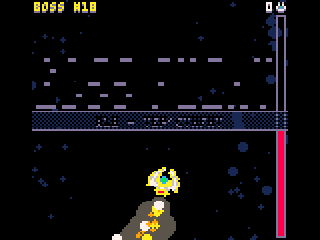
Looks like 4 Giga Boss Fights has text palette issues in tac08 - the boss kill counter is yellow when it's supposed to be white, and the white text for the title screen and boss name splash screens renders as the same black as the background, making them unreadable.

Thanks for all your hard work!