Indie game storeFree gamesFun gamesHorror games
Game developmentAssetsComics
SalesBundles
Jobs
TagsGame Engines

Binbun

63
Posts
603
Followers
82
Following
A member registered Apr 20, 2025 · View creator page →

Creator of

Recent community posts

Hey!

Yes they use bent normals for the lighting.

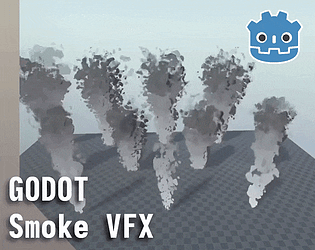
I tried to make the shape of the smoke very customizable. 

Regarding how it acts/is emitted: there are a few properties you can change from the inspector with the custom tool script , but for more control it's basically a standard GPUParticles3D node with a basic ParticleProcessMaterial, so you can customize it like any other particle emitter.

Keep in mind that the effect has a second particle emitter too, which is used to emit transparent spheres to cast a shadow (that's what the "fake shadows" property in the custom tool script controls), so if you want to tweak the particles directly from the process material, I'd advise to copy the process material onto the shadowcaster particles as well so that the shadows follow the smoke!

hey! If you bought the bundle you should have access to everything added after your purchase from this pack: https://binbun3d.itch.io/effects-collection-vol1

Unfortunately itch doesn't give access to new packs added to a bundle after purchase, but I still wanted to give earlier customers a chance to get them so I mostly update all new assets from this bundle to that page as well!

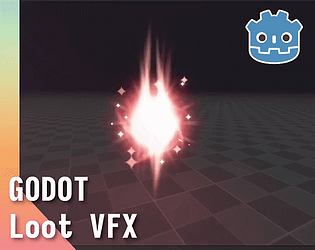
It is included. The extra download file includes everything and a lil extra, it's just named Loot VFX there. I'll rename it for clarity

Thank you. Trying my hardest not turn to the dark arts and become evil, so your kind words keep me from that path

Yes I'll add it in like an hour. It was very late for me when I posted this and just wanted to get it done, so didn't add it yet

Oh my god I didn't even notice that typo and I've added that button to every single pack of mine. Thanks for notifying

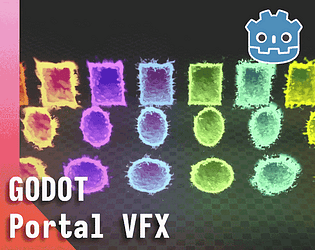
In the portal effect, try hovering over the "portal mode". The tooltip should include the stwps you need to make objects appear in the portal

Thank you very much. No it does not. 

thank you! I'll include a fix in the next update

should be available for download now!

Holy moly I was doing something while updating this pack and forgot to add the file and description. Thanks for notifying me. Yes it will be included I'll add it right away

thanks. Your words keep me goin!

Thank you very much!

Thank you!

Hey. I updated the shader here. I mentioned you in the update post

Thank you so much for this! I'll take the time to add this when I have the time

Thanks for the suggestion!

Haha thank you! 

yes it does

You're right my mistake. 

Hey! Thank you very much! I'm very interested in making 2d effects and I am planning on doing them. I just haven't started yet. I can't say when, but just know that they are something I'll make eventually

ah okay makes sense!

Hey. By demo files do you mean demo as in an example scene, or demo as in a free sample of what's included? 

No problem! May I ask why you work only in compatibility? Just out of curiosity.

Thank you!

(1 edit)

Hey! Good question. These are designed for Forward+/Mobile, so there's no guarantee they'll work on compatibility, but some effects should work. 

I deliberately chose to make them using Forward+/Mobile, because Compatibility introduces some hard limitations without any workarounds specifically so that games can run in the web.

That isn't to say that these are entirely incompatible with the Compatibility renderer, just that there's no guarantees. You can try grabbing the demos on the individual pages and see how they work in Compatibility, but since compatibility uses a different rendering pipeline the results can be weird in unexpected ways. 

Hope I gave some clarity! If you like my stuff I implore you to leave a review, but no pressure!

This works like the Standard Material in that you apply it to your 3d assets

That's the plan!

Thanks! If you like my stuff I kindly ask to leave a review, but no pressure!

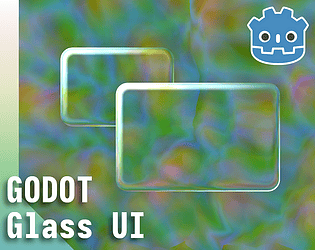
hey! Thanks for informing about this! Admittedly this is not something I thought through entirely. I think this happens because the text is built in to the tab container, so the shader applies to each letter as well. I don't have a solution to give right now but I'll try things out and get back to you if I come up with something!

Thank you! It means so much hearing that!

Should now be fixed!

Should be fixed in the latest update!

oh thanks for notifying me! I'll fix it when I get home.

That's a possibility. It's not hard to set up, it's just that I'd want to make it as intuitive as possible and have been floating around different ideas and I can't really choose

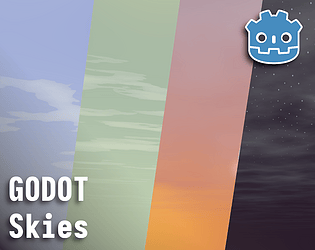
Yes it's not a feature yet. I have to figure out how I should do it, since the sun follows a directional light having the moon be opposite of that would mean the directional light points upwards, which is kind of pointless

Some of the images in the sidebar should be working gifs. The inline images within the text should also be gifs but I've been having issues with them not playing on some of my pages. 

thanks! That's definitely doeable and I'll do that in the nect update!

Are you using this pack with or without any of my other packs?

Hey! Thanks for bringing it up. Would you be possible for you to send me an email at binbun3d@pm.me I'd like to ask a few questions so we can get that sorted out!