






Thank you!
Apho
Creator of
Recent community posts
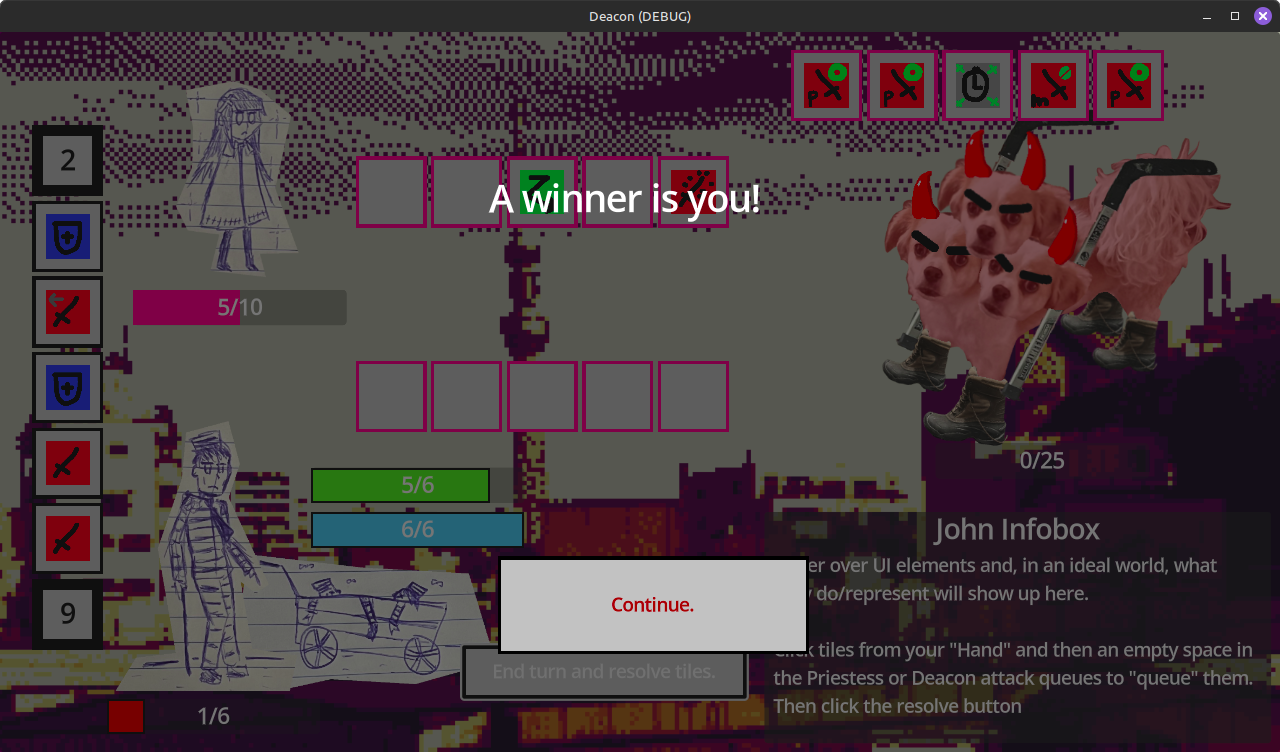
I like the concept. The writing is pretty interesting and funny too.
Couple of bugs/issues I noticed:
- If you give up and go back to title, then start a new game, it gives you back your old deck (in addition to letting you pick 3 new cards.), while also starting you at the same stage you died at. And if you do so after beating the third boss, you fight nothing and only have 1 slot. Easily fixed by closing and restarting the game though.
- Reroute Anger can't be dodged?
- See Colour always deals 4 damage, even if the tiles resolved by Priestess and Deacon are of different colours? (I used a green and a gray, I think it was dodge/rest, and still took 4 damage)
Also managed to beat the 3rd boss, didn't find it that hard, tbh.
Quite a good game overall!
Okay, I tried it again, I think I got the ending? (the part where you turn back to face Meguri and have some dialogue which eventually gets stuck at the line "Through everything, I still thought she was shining brightly.")
Found a couple more bugs though, if you die while trying to input the password, the input window never closes but remains on screen; it can't be interacted with and just obstructs the view. And in the final dialogue, there's a line where the text reads "set Meguri meguriColor_6", and a line where Meguri says "meguriColor_7".
Quite good overall though!
For anyone wondering how to play, I think I got it more or less figured out. Honestly not too sure myself though, so feel free to correct me if I'm wrong.
At the top of the screen, the number after "player" and "opponent" are your health and opponent's health respectively. You win if you deplete your opponent's health, and lose if your health is depleted.
The number on the top left of each card is the mana cost. Bottom left is attack, bottom right is defense.
Some cards also have an "!" icon after the attack or defense numbers, which is an additional effect that occurs whenever they are used for attacking or defending respectively. Mouse over the icon to check the effect.
Not sure how to trigger the effects at the top or bottom though, or what are "build points"? Also, mouseover for tooltips doesn't seem to work when checking defending cards.
The stack of cards on the left is your deck, the one of the right is your discard pile.
Drag cards to the left/red section to have them attack, the middle/yellow section to send them home and increase your max mana for the rest of the game (effective starting from your next turn), or the right/blue section to have them defend. Attacking or defending requires mana, sacrificing does not.
Cards that attack or are sent home get discarded after the turn, while cards that defend remain until they are defeated. You can see defending cards from previous rounds by clicking the button that says just that; the ones on the left are yours, while the ones on the right are your opponent's.
After ending your turn, your attackers attack the opponent's defending cards and reduce their remaining defense, directly attacking their health instead if they have no defenders. The "attack" value is the total amount of damage they can deal, either to defenders or your opponent, before they are discarded; so a card with high attack can take out multiple cards with low defense. Then your opponent does the same.
As for actually winning, a couple of strategies I found were:
- Human: They have a Priestess (of victory) card that auto wins the game when used to attack or defend, provided you can pay the 10 mana cost. Stall and defend until you can amass the mana to play it. With the exception of Crane who has 0 defense, I'd use any other card for defense, even if they aren't good at it, and send home the Cranes. Since defending cards don't get discarded or returned to the deck until their defeat, doing so allows me to thin my deck to 2 Cranes and 1 Priestess, guaranteeing I'll always draw Priestess (unless one of my defenders die)
- Elves of the Blue Library: Seems like most of their cards have effects when attacking, so the best strategy I found was playing as many attackers as I could while sending home whatever I couldn't afford to play.
- The Battle Dogs: Their deck has two Media acies cards, which scale based on how many cards you've sent home, and two Postrema acies cards, which gain extra defense every round. Defend with the Postrema acies, attack with the Media acies, and send everything else home (even after reaching max mana)
Overall, pretty fun once you get the hang of it, and great art, too. Though I do agree that it needs more explanations; there's still a few things I don't quite understand.
Couple of bugs and typos: "opponent" in the top right is misspelled, and some tooltips say "%d" instead of whatever the value is supposed to be.
Interesting concept, with great graphics and audio. The music changing whenever Meguri is nearby is a nice touch, too.
There's an error in the second stage (the one after the tutorial, after meeting Meguri), after inputting the passcode, which prevents progress.
An error occurred running the Unity content on this page. See your browser JavaScript console for more info. The error was:
TypeError: AudioParam.value setter: Value being assigned is not a finite floating-point value.
unityFramework/jsAudioCreateChannel/channel.setPosition@https://html-classic.itch.zone/html/19116348/LastColorWebGL/Build/LastColorWebGL...
_JS_Sound_SetPosition@https://html-classic.itch.zone/html/19116348/LastColorWebGL/Build/LastColorWebGL...
@https://html-classic.itch.zone/html/19116348/LastColorWebGL/Build/LastColorWebGL...
_JS_CallAsLongAsNoExceptionsSeen@https://html-classic.itch.zone/html/19116348/LastColorWebGL/Build/LastColorWebGL...
@https://html-classic.itch.zone/html/19116348/LastColorWebGL/Build/LastColorWebGL...
callUserCallback@https://html-classic.itch.zone/html/19116348/LastColorWebGL/Build/LastColorWebGL...
runIter@https://html-classic.itch.zone/html/19116348/LastColorWebGL/Build/LastColorWebGL...
Browser_mainLoop_runner@https://html-classic.itch.zone/html/19116348/LastColorWebGL/Build/LastColorWebGL...
Also, "immediately" is misspelled in the intro.
Unfortunately I couldn't get past that stage due to the aforementioned bug. Looking forward to whenever it gets fixed though!
Hi, there should be a "Synch Monitor FPS" in the options, please try toggling that and see if it fixes it (you can use the mouse if keyboard is too fast).
The issue is caused by the engine I used processing on a per-frame basis under the assumption that the game runs at 60 FPS, which means that if you had a monitor that could run at say 120 FPS, the game might run twice as fast. The "Synch Monitor FPS" should be able to fix this and force it to run at the intended speed.
There are no plans to upload this to steam, because doing so is expensive, and this is admittedly not my best game anyway.