
update: dug around in the modules section of the documentation and discovered that the module.value is the same thing as calling “dd” at the card-level. so i can simply do dd:deck.modules.dd.value in my prototype script and it works! it just doesn’t show up in the prototype-view itself, but that’s fair since it is a script on the deck
anniesden
Creator of
Recent community posts
hi i just started learning Decker! i’m trying to make a prototype which contains a button, with a script on the button that uses the dd module. i have the dd module working directly on contraptions on my card, but for some reason it doesn’t work within a prototype. i’m confused because i can access all the info about the card (which is just the prototype), and the deck, but i cannot access dd (which i figured was part of the deck itself).
i have copied and pasted the same example code to make sure i’m not typing anything in wrong.
I noticed that when in the albums tab, clicking an album unfolds it and shows the page using the color scheme generated by apple’s API. However, when going to the album fully, it doesn’t use that color scheme. Is there any way to enable the usage of those colors in the full album view? Or has this not yet been implemented?
Thanks :)
The chase music was called “Welcome to the Basement” by Tim Palumbo
The credits music was called “Trance” by stk13
:( Unfortunately, I cannot find either of these online any more, they were either from Freesound or from Free Music Archive (not as likely). I have the files in my repository for the project, though. Lmk if there’s any way I can send them your way
Thank you so much for being a fan! Means a whole lot to me that someone likes this game that much!
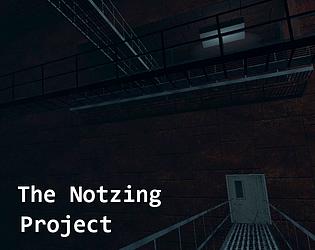
After all these years, this one still feels like the coolest game I’ve made solo. I knew so little about Unity at the time, and had to learn SO much to get it done. I’ve found that the better I get at making games, the harder it is to make and finish them.
Maybe a remake of this game is in order. Would be cool to expand on it in ways I couldn’t before, and improve on it too.
Happy to hear you’re in a better mental place now. Thank you for taking the time to come back to this as well! I don’t normally check my notifications anymore on itch, but I saw this comment and I think it’s awesome that you’re still here and are strong enough to say that. Hope life is treating you well now, and thanks again for this reply :)
It's a really neat idea. You were right about it being similar to mine, but really that's only in the fact that you can divide and re-merge. Yours takes a more mathematical approach which I think is really neat. The level took me a while to figure out, but once I did it was pretty satisfying, so you definitely accomplished that with it! I wouldn't be so hard on yourself about it just because you ran into issues with collisions and such. It was an experimental idea, and you should be proud of what you accomplished and also learn from your mistakes too!
I just bought Master Plan, after following it's development for a while. I've extracted the files, but launching MasterPlan.exe does not do anything. When I try to delete the extracted folder, it says it can't be deleted because it's contents are being used in a currently running process, but I cannot find any application related to MasterPlan open on my dock. Every time I run it, MasterPlan.exe appears in my task manager though. It created a log.txt, but the log is completely empty.
I assume this is a bug, but it could be that I have simply missed some extra instructions on how to open the program. Either way, help would be appreciated!
My computer is running Windows 10, version 2004
UPDATE: After ending the task in task manager, deleting the files, and re-extracting them multiple times, I finally got it working. I have no clue why it wasn't working until now, as nothing has changed. Unfortunately there wasn't any details given to me about WHY it wasn't working, so I can't help much with solving that issue :(
Thanks for all the great feedback! Honestly, the mouse locking thing had a lot of difficult decisions behind it. I considered making it not lock when he’s behind a wall, which was easily implemented, but then the issue became: “How do I snap the player’s vision back to locked when it’s no longer behind a wall?” If it only became locked the moment you looked at it, then it would be too easy for the player to just not look at the monster and run to the elevator. So I designed the level in a way where the entire gimmick is that you have to walk backwards to the elevator. I had to make sure the path to it wasn’t too complex.
But at the end of the day, it was my first real 3d game. It has tons of other flaws, such as optimization issues and bugs, but I learned a ton through it, and through my mistakes. I’m glad you enjoyed it for what it is!
Been working on a system like this for a while now. I worked on one for a few weeks back in December, and I just started trying to solve the issue of making an animation play at a lower framerate. I've tried countless methods, none of which fully encompassing the use cases that one would use the animator component for. I finally found this, and hoped it would work (and hoped to look at the source code to figure out how you got it working). However, upon adding it to my project, none of it works. The example scene doesn't work. The script does nothing when added, because all it's doing is playing the animation at the calculated frame in update, despite the animator speed being 1, which means it basically just plays the animation like normal, regardless of the values passed into the variables. I'd love to understand why it works in the gif, but does not work when imported.
(Update: The reason it wasn't working is because, in the script, the "Play" function requests a normalized time, and this script assumes you're giving a frame-based time. Unfortunately, this method, while simpler than anything I ever did, still has the same pitfalls as my previous methods. Lowering the framerate also slows down the animation itself, which is not satisfactory or encompassing of all the use cases, unfortunately.)
Thanks! I'm sorry to say I have not planned to update the game. I'm aware of many of the optimization issues, I've learned a lot more about making games with Unity since then. If I were to do anything relating to it at all, it would be remaking the game from the ground up lol.
Thanks for the feedback!