Indie game storeFree gamesFun gamesHorror games
Game developmentAssetsComics
SalesBundles
Jobs
TagsGame Engines

Amber Webb - Programmer

3
Posts
3
Topics
1
Followers
7
Following
A member registered Nov 15, 2023 · View creator page →

Recent community posts

Author: Amber Webb

Posted on: 11/20/2025

The Problem:

This week I had some trouble adjusting the animation on the player. We had wanted to change the player to hold up the weapon while running instead of just swinging it in the hand. But blending the animations proved to be more of a hassle than I originally thought.

The Solution:

Note: I have recreated the problem for this example.

So for starters I added a sword and shield Idle animation, Seen Below:
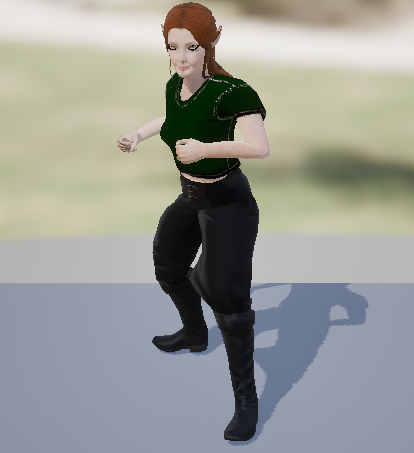

But if I added this to my current animation blend split it wouldn't give the effect I want. The player would still be able to walk and run but the Player would be holding a shield that doesn't exist.

The way I fixed this was to split up the animation using another layered blend per bone, after setting that up it should work the way I intended, right? ....Wrong, for some reason the player would hold the sword properly but the Light and Heavy attack animations no longer played properly.


So I thought that maybe I got the order wrong and I should blend together the upper body animation with the right arm animation and then blend the upper and lower body animations together, unfortunately that absolutely did not work either. It actually gave me the same exact result. After much research and a lot of trial and error I finally came up with a solution that worked.

The way I got this working was:

Step 1: caching a LowerBody pose from the locomotion functions

Step 2: caching the animation I'm using for holding the sword as 'RightArm'

Step 3: adding a Layered blend per bone and setting the branch filter to the right shoulder

Step 4: plug the LowerBody cached pose into the first pin

Step 5: plug the RightArm cached pose into the second pin 

Step 6: add another Layered blend per bone and sett the branch filter to the spine

Step 7: connect the cached LowerBody to the first pin and the previous blended pose to the second pin

With this we finally have the player using just the right arm to hold the weapon and is able to run properly, but this causes one more issue. We are now unable to use any attack animations. This is because we didn't hook up the slot that is holding those animations when they are triggered. We had saved them in the 'UpperBody' slot so all we have to do is disconnect the second pin that connects the first blend to the second and first set the lower body/right arm blend to the 'UpperBody' slots input and then connect that to the second blend function as the second pin again. Now we finally have the final animation blend we were looking for.

Original animations:


Final animations:
Author: Amber Webb

Posted on: 11/14/2025

The Problem:

NOTE: For this post I have taken screenshots where I have recreated the problem to show here.

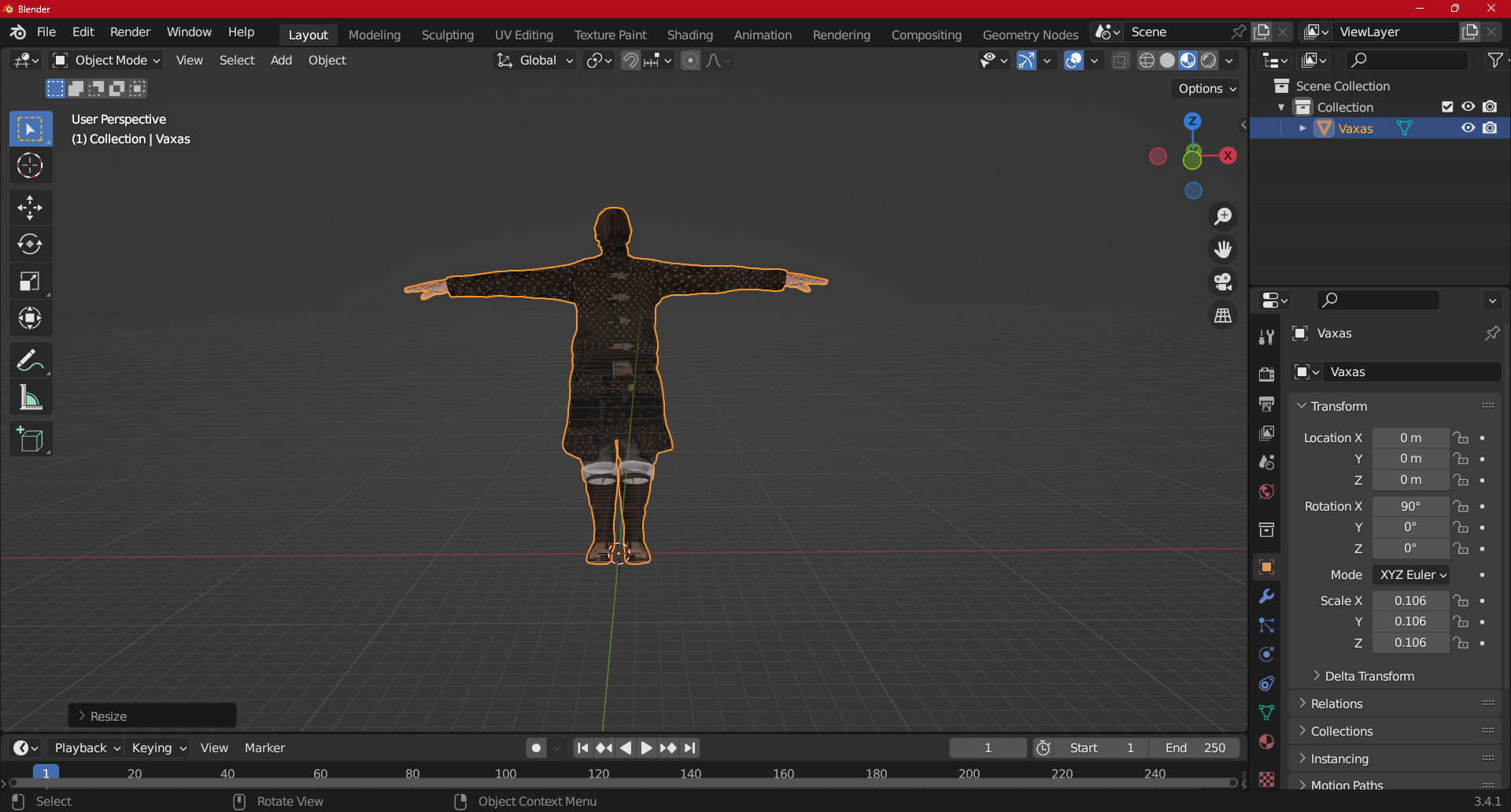
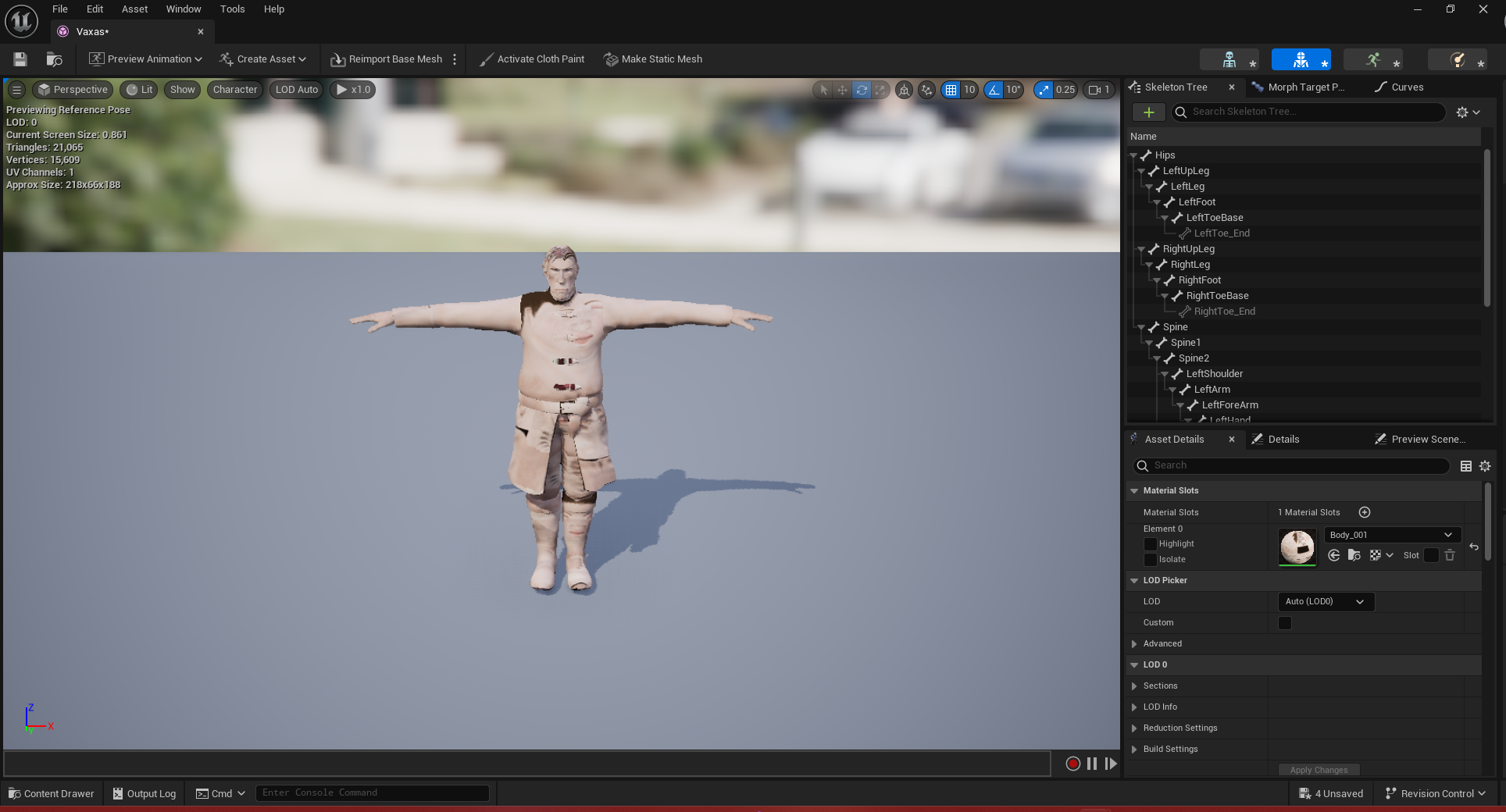
This week we had a problem with the Vaxas character model, while he's not yet in this version of the game, we still were adding him for later use. Upon importing the character skeletal mesh, he only had one material slot set. Meaning that his model could only have one material set over his entire character.

The Solution:

I had a feeling this has something to do with the way it was imported so I asked my team mate to send me the file so I could tweak it in blender before importing into the project again. Since I had already done this with the Ryssa character model it was pretty straight forward. I took the obj file that was sent over and opened it in blender using the wavefront legacy importer and fixed the scale slightly. But importing a .obj file sometimes causes a back face culling problem seen here:

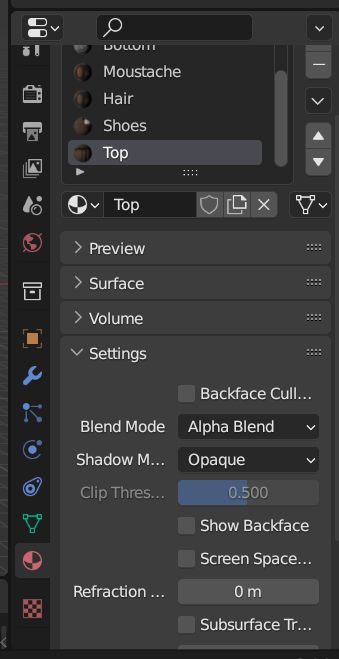
Which is a pretty easy fix as well, to fix this you have to go to the material properties for each material and un-tick the show back face option in the settings dropdown. Seen here:

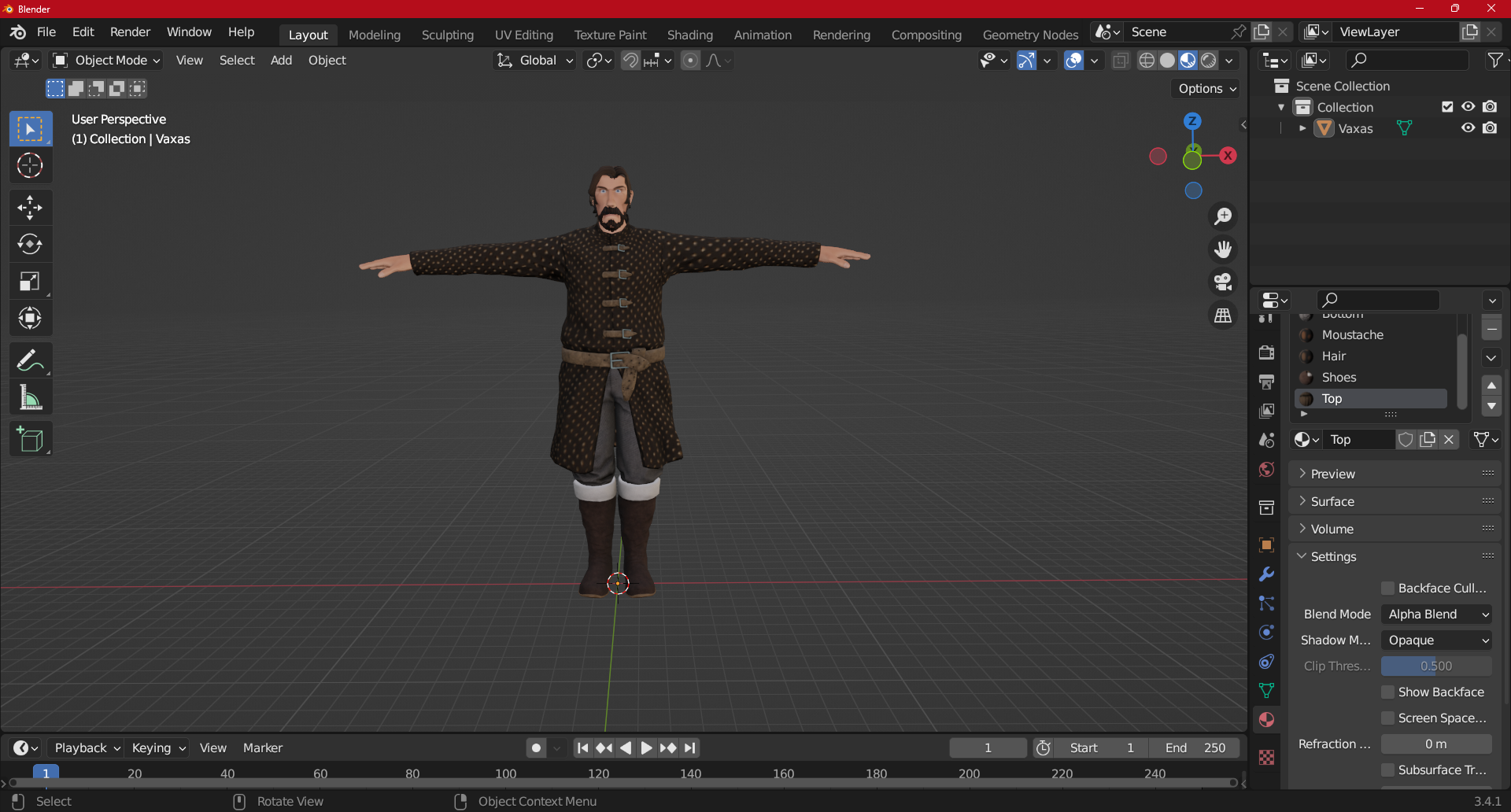
After this the model will then look correct:

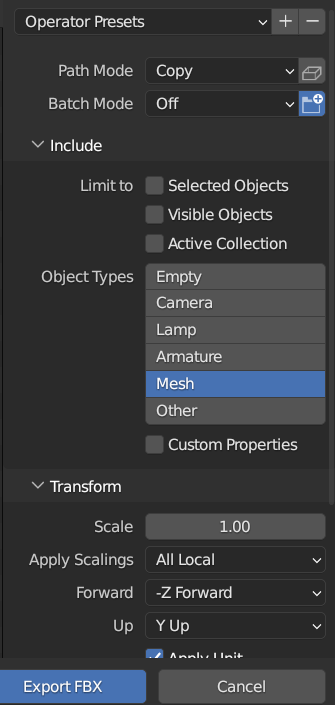
But this isn't all, we have one more step to fix before being able to use this model in Unreal Engine. To export you want to use the FBX exporter, set the path mode to copy, and select the Mesh object type. Use these settings:

Now all you have to do is drop the files into your Unreal Engine and the model should have all of its material slots properly set. Note: this is just for the model, you will need to rig the character for animations which can be done in blender or a program like Mixamo.

Posted on: 11/07/2025

The Problem:

This week I noticed that, after I added the player death animation as well as a debug button to injure/kill the player, the healthbar did not reflect the players health. But upon adding some debug statements within the code I saw that the player health variable would slowly lose health over time but not call the death animation once it reached 0. So I realized that the code for the healthbar may need a rework.

The Solution:

The first thing I though to check was the way the player HUD widget was created so I went in and created the User Widget from the player controller and the HUD class properties and added it to the viewport, after making sure the widget did not return nullptr, before casting it to the playerHUD variable. This got rid of the error saying that create widget was trying to use a nullptr. But this did not allow the Healthbar to update quite yet, so I went into our health component class where I took the player health variable and set it equal to the clamped value of the player health minus the damage amount and the max health variable, then broadcasted our OnDamaged delegate if the health was greater than zero. While this fixed the slow leaking of health, it did not update the Healthbar quite yet. Finally, while I was following the flow of the code piece by piece, I noticed that in the player HUD set health function, we never set our health bar variable. So after setting the HealthBar to our Progress bar variable from our HUD blueprints the health bar then reflected the player health.