If I have more than the required items in crafting I would like to still be able to choose which one gets used, like say I have a 60% scrap metal and a 90% scrap, I'd want to choose the higher if it changes the durability of the item or the lower if its just a set requirement. Given that stacking is also a thing with the scrap I may want to use the 90% for the requirement one just because i am on the way to go back and pick up a 40% to combine with my 60%.
Another example would be since there are multiple types of bandages that can be sterilized and sterilizing agents I might want to use the bleach in my hand over the soda can full of soap in my bag, but I have no idea which is in use until the crafting is complete.
Anyway, It'd be nice to have a autofill thing that i can then manually trade the items out of if I intended on using a different one.
i gathered 16k and went to procya but they still said i didn't have the funds to cover it, can there be a flavor text option for just paying him and leaving/pretending you don't have the money for it
OS is windows 10. Yes, unzipped and ran the application. It goes into a loading screen displaying the location of the settings.stg file. it stays on the loading screen and does not continue.


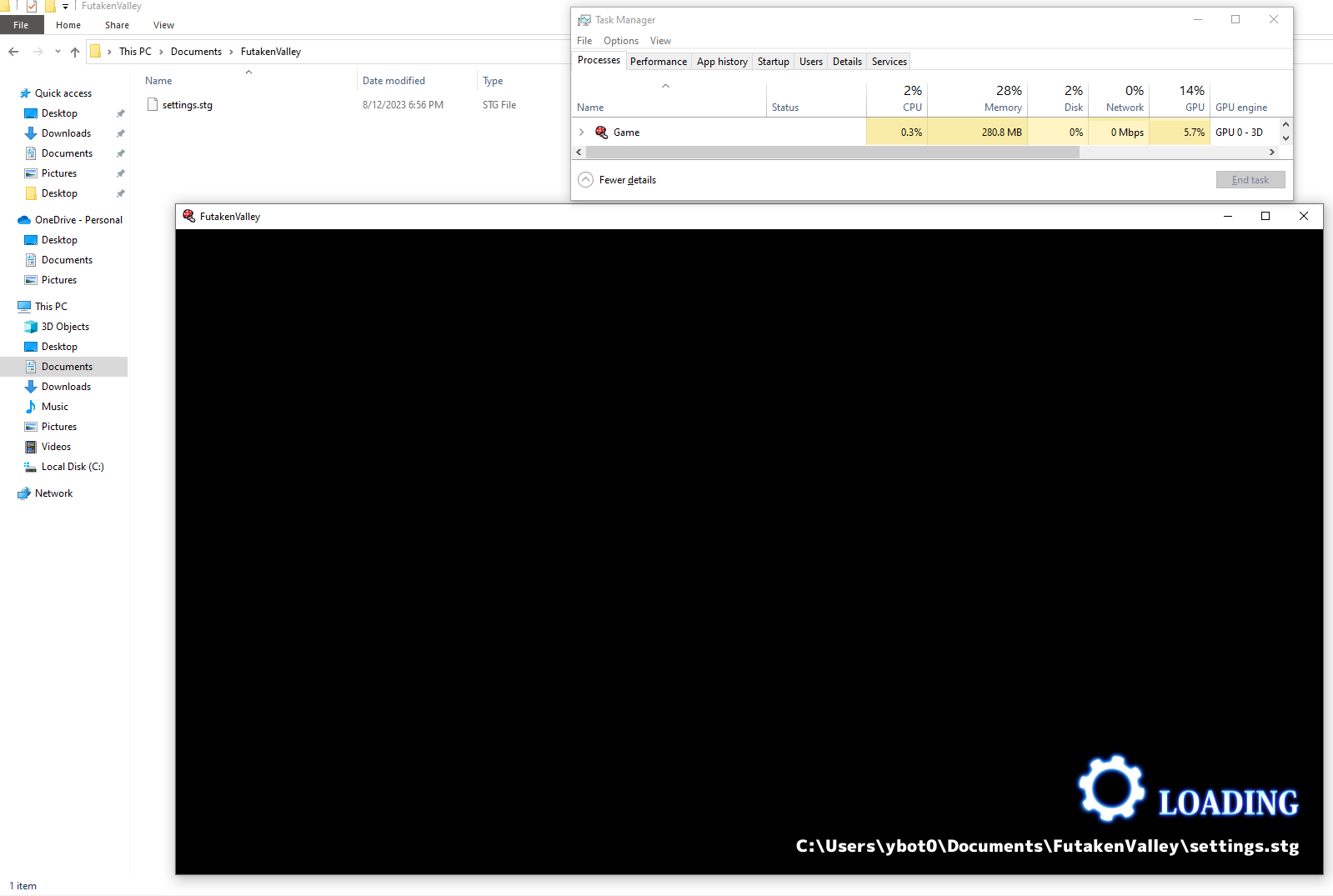 OS is windows 10.