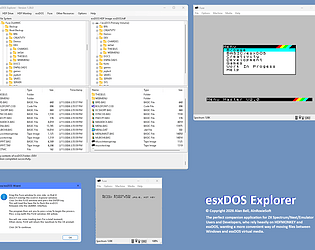
Just a quick update....I don't think I mentioned it before, but Fuse has a max limit of 4GB 32 Bit formatted virtual drives. In the last couple of releases, I have updated the HDFMONKEY version to a more robust version, which seems to be okay (so far) with 4GB 32 Bit formatted virtual drives. I would make a backup just to be sure, but this definitely seems to be working better so far for me.
AlanBell68
Creator of
Recent community posts
UPDATE
I have just released an update to address this.
You will be prompted to update the application when you next launch.
From the options menu, there is a new menu option where you can set the default drive size when running the Fuze esxDOS wizard. Just choose the required size from the available submenu options.
Currently the maximum limit has been reduced to 1GB, as previous sizes above 1GB were causing issues with the HDF content becoming corrupted after continued use. This is apparently a common issue with some emulators.
I therefore set the maximum size to 1GB.
If you want to use the Fuse Wizard on a volume above 256MB, up to 1GB, the approach would be as follows:
- From the HDF Drive menu, select Create HDF Image.
- Choose the volume name and size that you want.
- Select the path where you want to save your HDF file (Reccommeded location is %LocalAppData%\AlnRoxieSoft\esxDOS Explorer\
- Click Create HDF
- When asked Would you like to open the newly created HDF image?, click Yes
- After the image has been loaded, run the Fuse Wizard. This will detect a mounted volume, and install everything on this.
I can add sizes above 1GB back in for a future update, and add a warning when selected to use at own risk, due to the potential of content or file corruption. This way you would have the option, should you wish to try.
Another user this last week had been using a 4GB file with Fuse and had to recreate everything from a backup from files saved in a Windows folder, so I would definitely advise against it.
Let me know your thoughts.
Regards,
Alan
- Do you typically work with a single virtual drive file, or multiple files?
- Do you keep all of those files in one place
- Do you use the default esxDOS Explorer repository for those files?
The next biggest change will be the support of multiple concurrent files, so the answers to these questions will help shape how this will be implemented.
Thanks for your feedback!
The following is a list of ideas for future updates, what may or may not implemented soon, and in no particular order:
Check for App Update: this will check for updates to the program.
Multiple, concurrent, virtual volumes mounting, with mounted volumes remembered between sessions.
Virtual clipboard support for cut/copy/paste of files and folders within the same virtual volume, across different, mounted virtual volumes, and with the Windows file system.
Additional hotkey support
Support for additional third party tools, for optional or manual installation when installing esxDOS.
So far, this includes:
Fossimon
