Also, the other post in the thread apparently wasn't actually a reply since I don't actually comment too often and don't understand the format too well (despite the name), so apologies if you didn't see it!
4commenting
Recent community posts
Actually, I was poking around at it some more and, after reworking the layer inherits and changing the pixel values by magnitudes (1000's then 100's then 10's) I have it roughly dialed in.
I can always fiddle around with it manually some more later, but thank you for the help!
Never did find those global settings though... /shrug
Manual is fine, plus I can learn more about settings I didn't know about.
Thank you!
Ah, I see!
And there's the Distance Factor as well, that limits the edges of the 'movement box', as it were.
Definitely something to play around with...
With that in mind though, it's still hit-or-miss with knowing where exactly that neutral center point is at, from a pixel-number perspective. Is there some tool you use or can recommend that highlights a certain pixel on a screen so that you know what values to use?
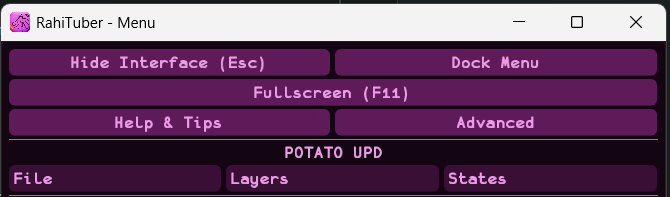
As a second semi-related point, I'm not sure where to find the "Global Tracking" option, as I don't seem to have a Preferences tab, only the layer specific Tracking options:
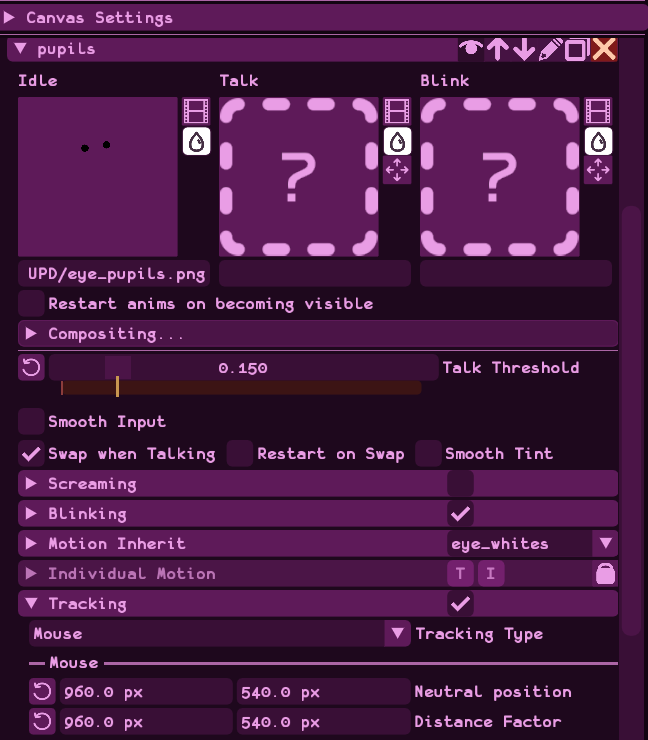
Do you know where I can find those options?
Also, thank you for the help so far!
For the mouse-tracking option, it's great to let people know where the cursor is or just generally helping to make the model more mobile, but would it be possible to have the central tracking point be a click-and-drag-able point?
(Or otherwise set-able, similar to layer placement via variable X/Y co-ordinates)
Instead of defaulting to the center of the screen, it'd be amazing if the tracking point could be moved to right in front of the model's face, so that way it is always looking at the action unless the cursor is literally under where the model is placed.
If my model's eyes/head are set to tracking, any time I mouse over the same side of the screen as it (model is bottom left corner, but I mouse over to the left half or bottom half of the screen relative to the central point) it makes the model look off-screen or away from the game.
Is this already an option and I just don't know what I'm doing?
Is this a feature that could be tossed into the development pile?
Will Pinky and the Brain ever take over the world?!
Tune in next week to find out more!
So I've been playing the game for the last few days, and have a small issue.
I seem to be unable to upgrade/process signals.
In the in-game help menu, it says that upgrading computer power at least once is required to start doing this, but I have multiple levels in computer power and yet every time I import a lvl.0 file to the rightmost console and press the green button, I get a buzzer sound effect.
At this point I'm at game day 6 and can only mail out level 0 signals meaning less point return and very slow progression.
Is the signal processing aspect a thing that is scripted and unlocks on 'Day X' but I just haven't gotten there yet, or is this a bug? I have found some really neat sounding ones, maybe static maybe not, but without the option to process or refine them I don't know what's good vs what's nothing.
Please advise.