

Indie game storeFree gamesFun gamesHorror games
Game developmentAssetsComics
SalesBundles
Jobs
TagsGame Engines

25BlueFall

4
Posts
3
Followers
A member registered Jun 18, 2024 · View creator page →

Creator of

Recent community posts

Yes, a Windows version of AzuleStudio is currently being worked on.

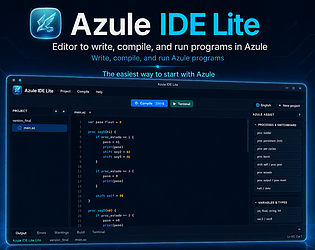
AzuleStudio is not just a set of libraries. It is a complete visual IDE for creating native desktop applications. The interface is designed using HTML and CSS, while Azule is used as the core programming language and application logic.

You can think of it as something similar to Delphi: you visually design the application, place controls such as buttons and input fields, assign events to them, write the application logic, and then export the project as a native application.

AzuleStudio is intended to include everything needed to build an application without depending on large external frameworks or additional systems. For example, AzuleDB is its embedded database system, so applications can include database functionality without requiring an external database server.

Regarding FFI, Azule has a native module system that allows Azule code to call functions implemented in C. This currently serves a role similar to an FFI and is used to extend the language and integrate native functionality. A more general-purpose FFI for directly loading external native libraries can also be expanded in the future.

Apologies for that! The GitHub link is now fixed and fully accessible: https://github.com/AzuleScript/Azule
Regarding your question: Yes, a Windows version is definitely in the works! Since the main compiler implementation is written in C and targets native code generation via GCC, porting it is highly feasible. I am currently setting up the build environment and dependencies to ensure predictable performance on Windows. Stay tuned for updates on the upcoming releases!

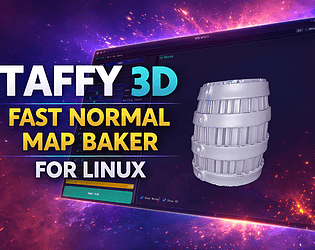
While I can't help with the baking of actual banana cakes, I can help with your 3D assets. Please try out the new version 1.2 that I just uploaded. It includes several bug fixes and enhances the overall baking performance. Feedback is always welcome!

Hi! Thanks for trying Taffy 3D 🙂

Blank maps are usually caused by one of two things. Let's start with the most common:

**1. UVs on the low-poly mesh**

Make sure your low-poly has a proper UV unwrap before baking. If the mesh has no UVs (or only auto-generated ones), the baker has nowhere to write the result and outputs a blank map.

**2. Scale mismatch between high-poly and low-poly**

This is very important: both meshes need to be exported at the same scale. Taffy 3D has some internal protection against scale differences, but it is not perfect — if the high-poly and low-poly are at very different scales, the ray projection may miss entirely and produce a blank result.

A good rule of thumb before exporting:

- Apply scale on both meshes (in Blender: Ctrl+A → Apply Scale)

- Make sure both are roughly aligned in world space

- UV unwrap the low-poly with no overlapping islands

Could you let me know which software you are exporting from? That will help narrow it down further.

And yes, you can open issues right here on this page — would love to get this working for you! 🍬