

Version 0.002
Download the latest version here.
Today we have implemented a couple of interface improvements.
1. Unit Menu
During a battle you can cycle through your units using the keyboard (by default the V, B, N, M keys). We have now implemented the Unit Menu buuton

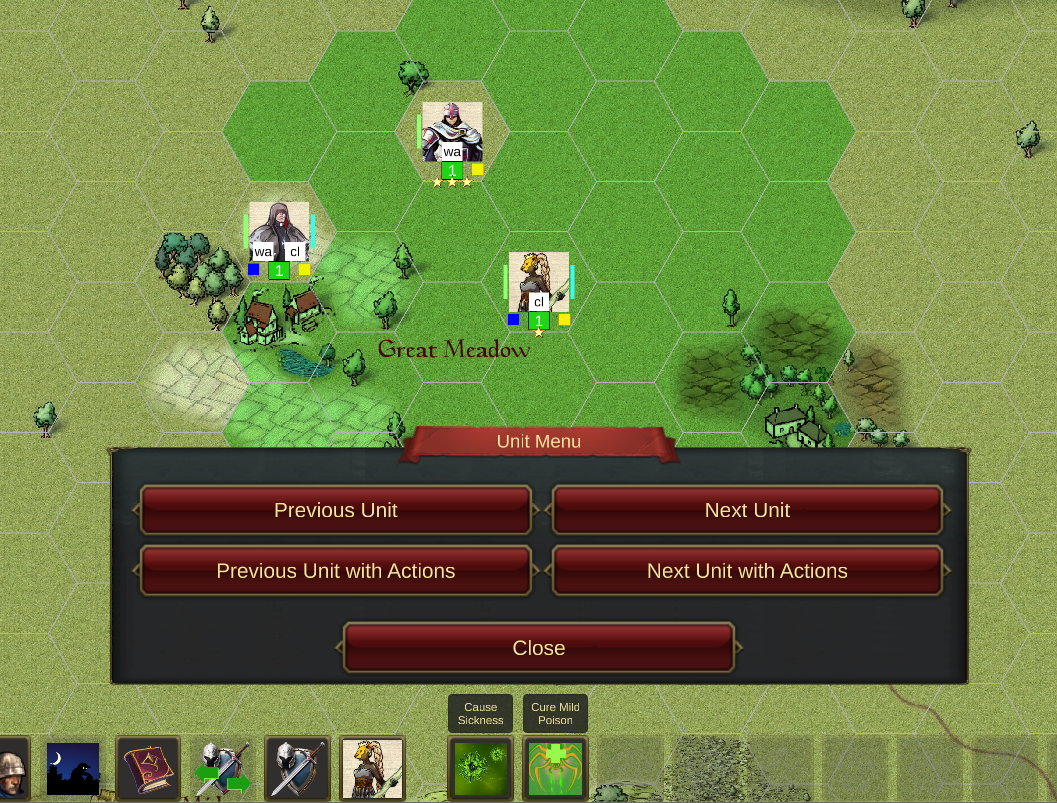
Clicking on this will bring up a snazzy little dialog that allows you to do the same as the keyboard by clicking on icons (handy for touch screens). The menu can also be called by pressing ] (right square bracket) on the keyboard.
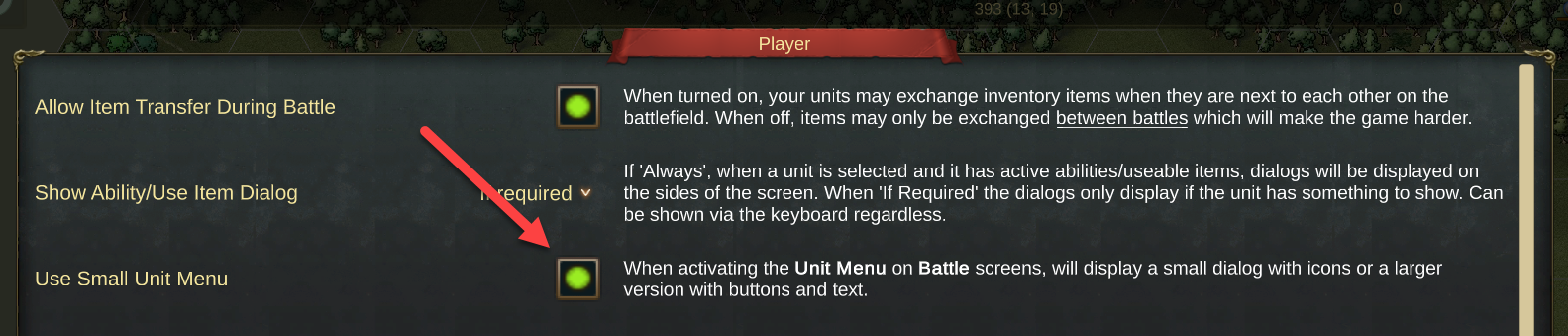
If you prefer something bigger there is an setting in the Player Options that will turn off the default icons and replace with a bigger dialog with buttons and text.
This will show the following when the Unit Menu button is clicked
2. Screen Menu
On the Campaign Screen or any Battle Screen you access the menu for that screen by clicking

The keyboard default for this action is X.