

03/06/2018
Okay. A bunch of changes later and here's where we're at.
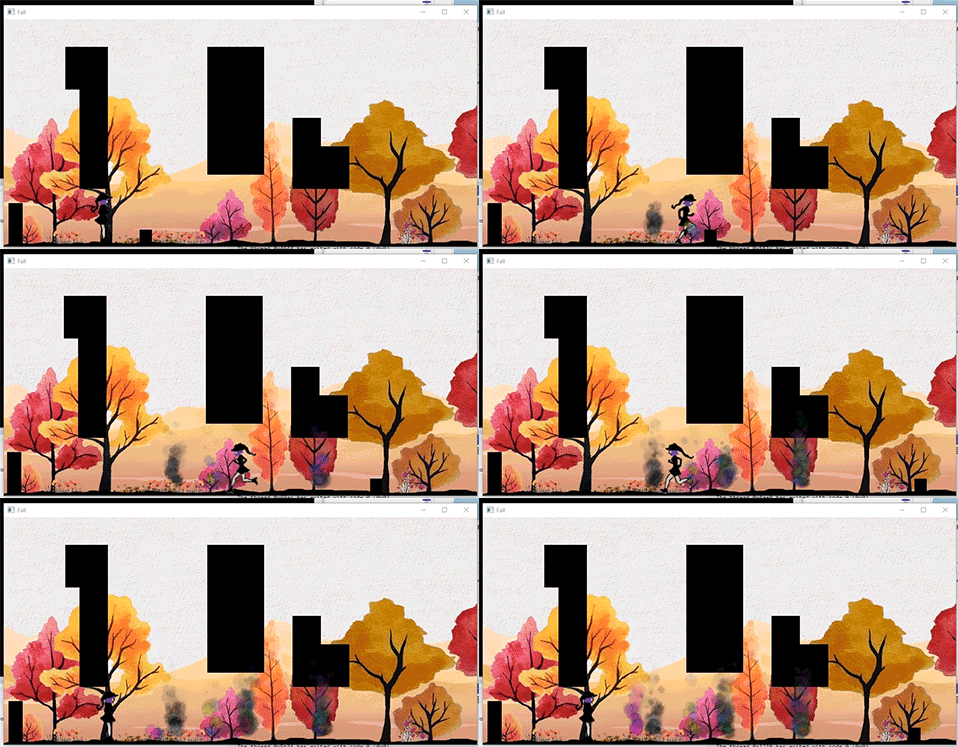

Alright so that's the smoke and the glitter done. As far as code changes it's been kind of an incremental process of determining what can live in the base class, what is specific to a certain effect, and just trying to improve performance as much as possible. So as you can see with the smoke I can create different colours, including a rainbow style one, and with different intensities - The rainbow one is twice as thick as the pink and grey ones, and the blue/green one is much less. To do that I call them like this
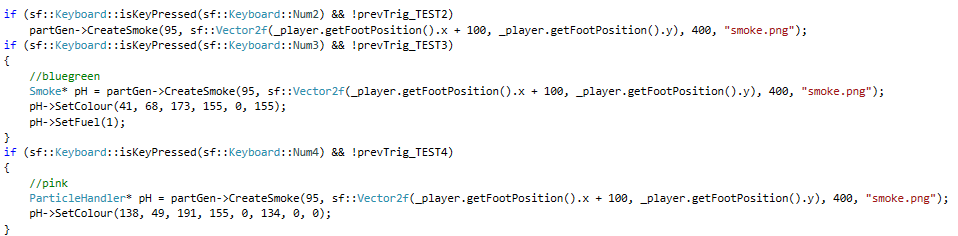
You can probably see what happens there already so I won't explain it. I'm pretty happy with it, although I might move the "smoke.png" part to be defaulted as I doubt anyone would want the plain non textured smoke.
As for the glitter - there were some interesting colour requirements here to set the secondary colour and altering the alpha values
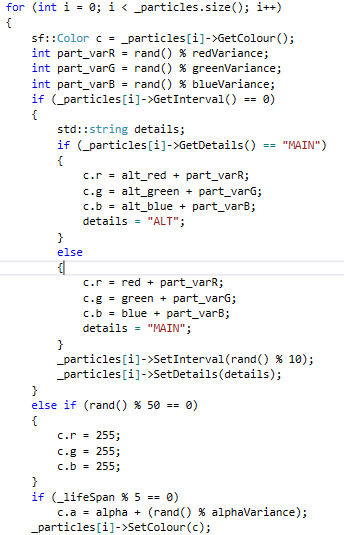
That's from the update function and its essentially checking the particle for a timer, if it's done it switches between the main set of colours and the alternate colours then resetting the timer and details so it knows what to use next time. If the interval isnt up it will generate a random number and if it mods 50 perfectly then it will change the particle white for a round - this is just to make sure there is an appropriate amount of sparkle. I actually think 50 is too low but it's fine for now. Then we check whether we want to alter the alpha - unlike the smoke the glitter won't die if it has an alpha of 0 so we're setting that to whatever so they look blinky. Then we update the colour with what we've configured.
There was also a change to the force applied to make it explode from a central place. I'll likely change that so it can be directional too.
Other than the effects I've spent a lot of time trying to improve performance which has included threading. The particle generator used to have a single list that held all the handlers, now it has 4 lists and the handlers are assigned to them in a round robin fashion. Then each list gets it's own thread for running the update function - which is the most taxing. That means the load is split over 4 threads which is nice. I also added these two lines

To the body creation which tell box2D that they can't collide with anything. That REALLY REALLY helped with processing.
I also had this weird little issue when I first split my threads and I'll show you in case anyone else is facing it. So my smoke was working nicely, and this was back when I just had the one thread, and as soon as I added it in the smoke started doing this
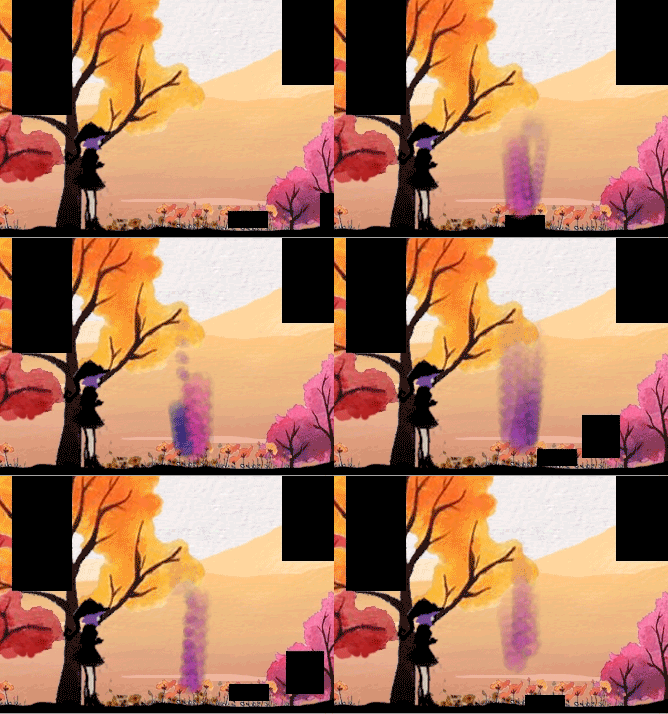
Now, I already knew I needed to reseed the random generator on the threads, and I was using the time to do it which usually works wonders. It turns out though that the threads were so fast that they we're seeding uniquely off the time. Instead I started passing a random number from the main program thread into the function that would create the threads, then using that to seed the random generator in the new thread. The reason for this is that a seed will always result in the same set of numbers, thats why some games let you generate maps off numbers, then if you like that seed you can use the same number in the future and you'll get the same map. I believe my threads were getting the same system time and therefore creating the same exact particle over and over (thus the lines) so by passing a random number from the main thread I avoid this because the main game thread is only seeded once when the game starts, it maintains it's unique sequence throughout the whole game so it will always be a different seed for the threads to use.
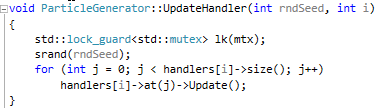
I'm now working on animated particles, so hopefully I'll have an update sooooonnnn!
kbye