
Indie game storeFree gamesFun gamesHorror games
Game developmentAssetsComics
SalesBundles
Jobs
TagsGame Engines

Hey,

I just discovered your game and was really looking forward to playing it on my handheld.

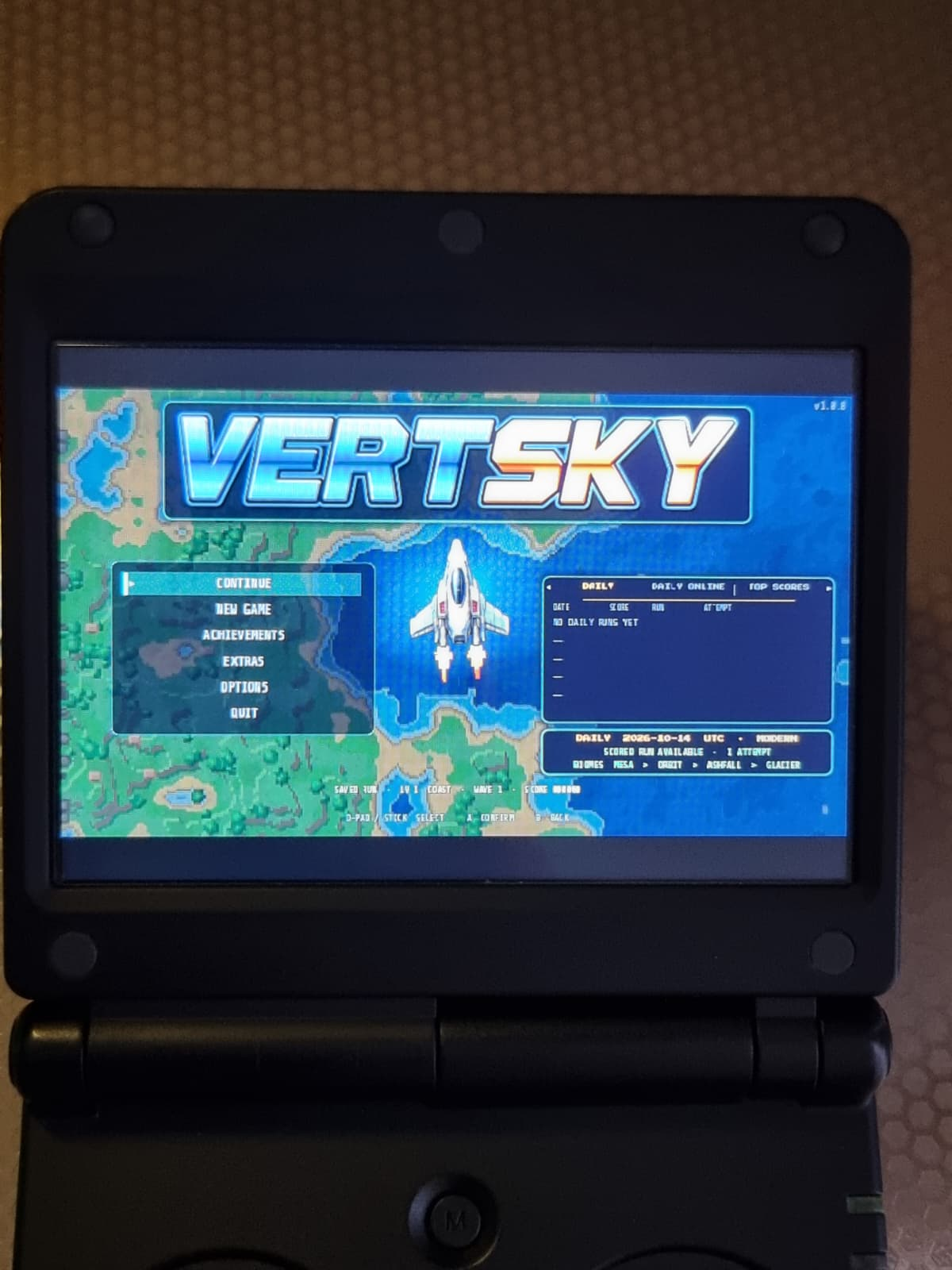
However, I'm running into two issues: the game doesn't start in fullscreen mode, and because of the 3.5" 4:3 screen (640x480 resolution), the text in the game is very small and hard to read.

Is there any solution, setting, or potential update to force full screen / 4:3 aspect ratio and improve text readability for small handheld screens?

Thanks.
Ah man, I'm not sure I can fix the readability but I can make it launch fullscreen. It'll be in 1.0.5. Is it a retroid pocket 2+? I've got one maybe I'll get it out and see if I can do anything... I wasn't sure it would even run on something like that so maybe I'm wrong. I'll definitely look into it, sorry about that.

I launched it on an Anbernic RG34XXSP. Thanks for your work!

(1 edit)

Ah ok. Im having grok make a 4:3 mode that will be in 1.0.6. It should probably be up by tomorrow but since it's the first iteration I'm expecting bugs until I get time to playtest it.

Take your time, no rush. :)

To late! It's done! Looks great on my retroid pocket 2 and runs really well surprisingly. I didn't think this is letting me attach a picture but it s awesome

Great that it's working for you now. I just tried out both the Windows and Linux versions, but unfortunately I'm still not getting full screen

(2 edits)

Ah when you start it asks for 16:9 or 4:3. It's also in the options as the very first option. also! i believe that particular screen on that device is a 4:3 screen laid out to show a 3:2 area. it's been a minute since I left the SBC gaming server but i'm pretty sure that is the deal. you're going to have bars unless there is 3:2 support which I guess I can have that put  in too lol. it'll be in 1.0.9 coming up. I cant test it but you can let me know! I only have a 35XX SP which is a different screen. should probably charge that thing up and test on it as well - thanks for the reminder

Thank you for being willing to customize it individually! I tried out your new update, and it's in full screen now. :) 

Only at the beginning, as you can see in the picture, the text isn't quite centered. Did you increase the font size in the options? I can read the main tabs well now, but the description and other details are still tiny.

Also, I'm not sure if it was already happening yesterday, I might be wrong, but it's now lagging for me during the first mini-boss. It could be due to the 2GB of RAM, though.

(1 edit)

I think it's the CPU but I'm going to try and make the low preset a little lower and we'll see how that turns out. It's going to look a little uglier but playability is key obviously. My 35xx wouldn't turn on so I've gotta figure that one out to lol. 1.0.11 will have a small boost but if the other change works reliably, the version after that might be better if it doesn't mess with his registering much. Only one way to find out!