
Indie game storeFree gamesFun gamesHorror games
Game developmentAssetsComics
SalesBundles
Jobs
TagsGame Engines

i'm completely lost on how to fix t he delay button code, i looked everywhere in nearly every sprite and i can't find where the delay code is. what i'd assume to do though is to find the delay code and replace the normal seconds input with "wait Delayer seconds," that's the only real logical idea that'd make sense.
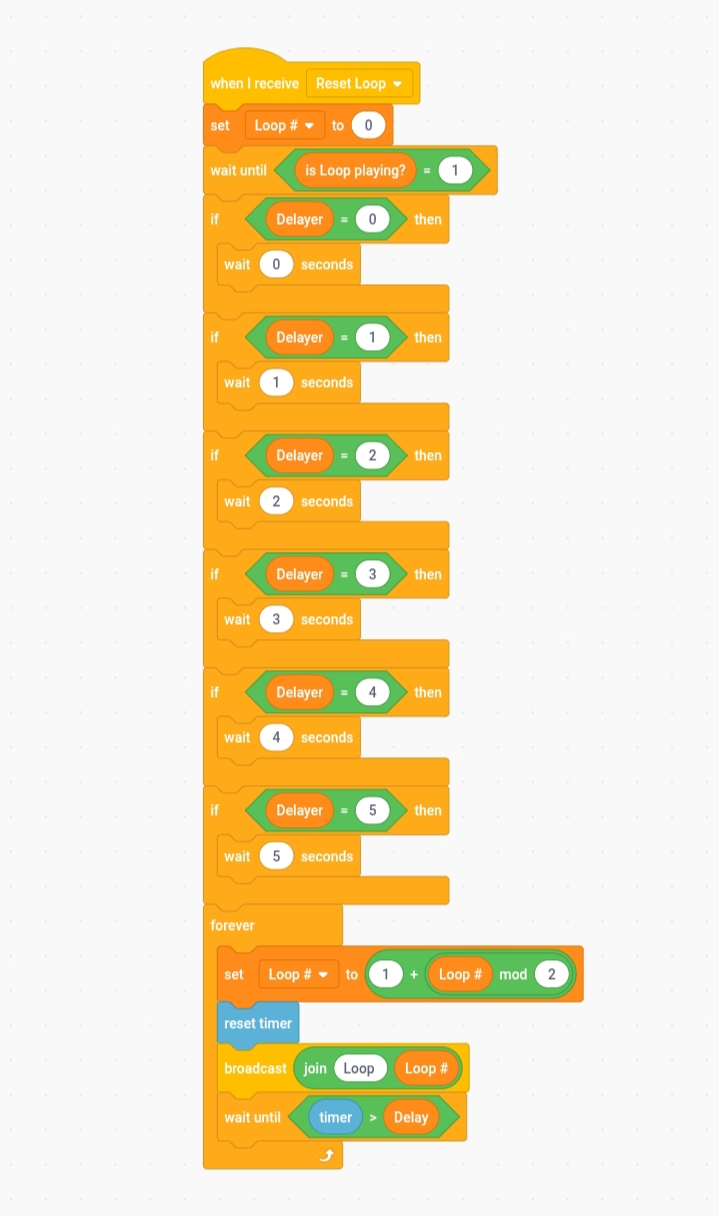
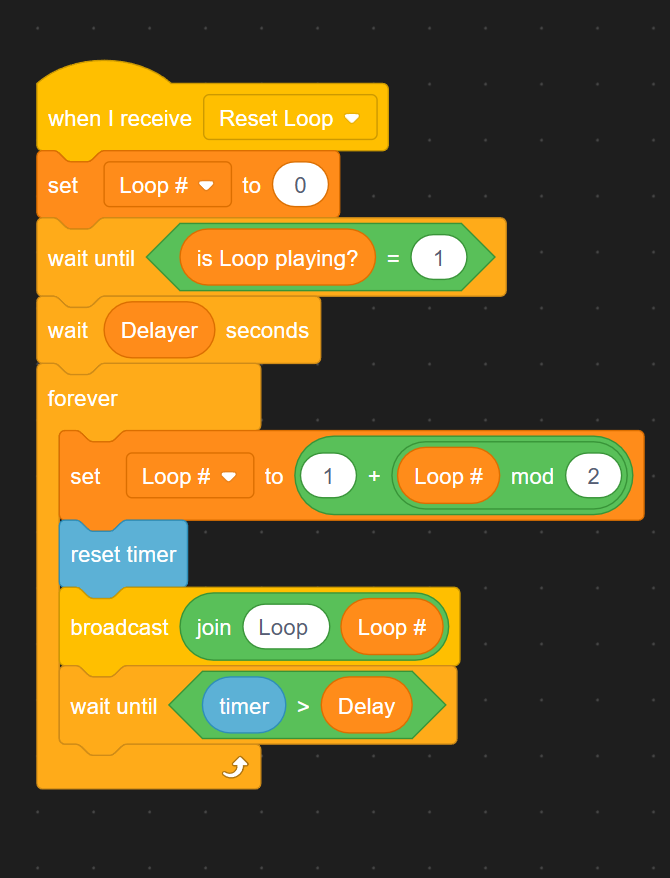
i did the wait variable delay code with my own template and it worked, but the way this template is coded is so different that i can't find the specific script.

Deleted 14 days ago
(3 edits)

I understand the code but I will give you a screenshot whether the code is correct or not 

that COULD work, but looking at the code i realized it could be way easier to understand. just add a "wait Delayer seconds" block instead of the if-statement chain.

(2 edits)

Maybe my previous idea was made easier by you and might be accepted by him.

Okay, I'ma try