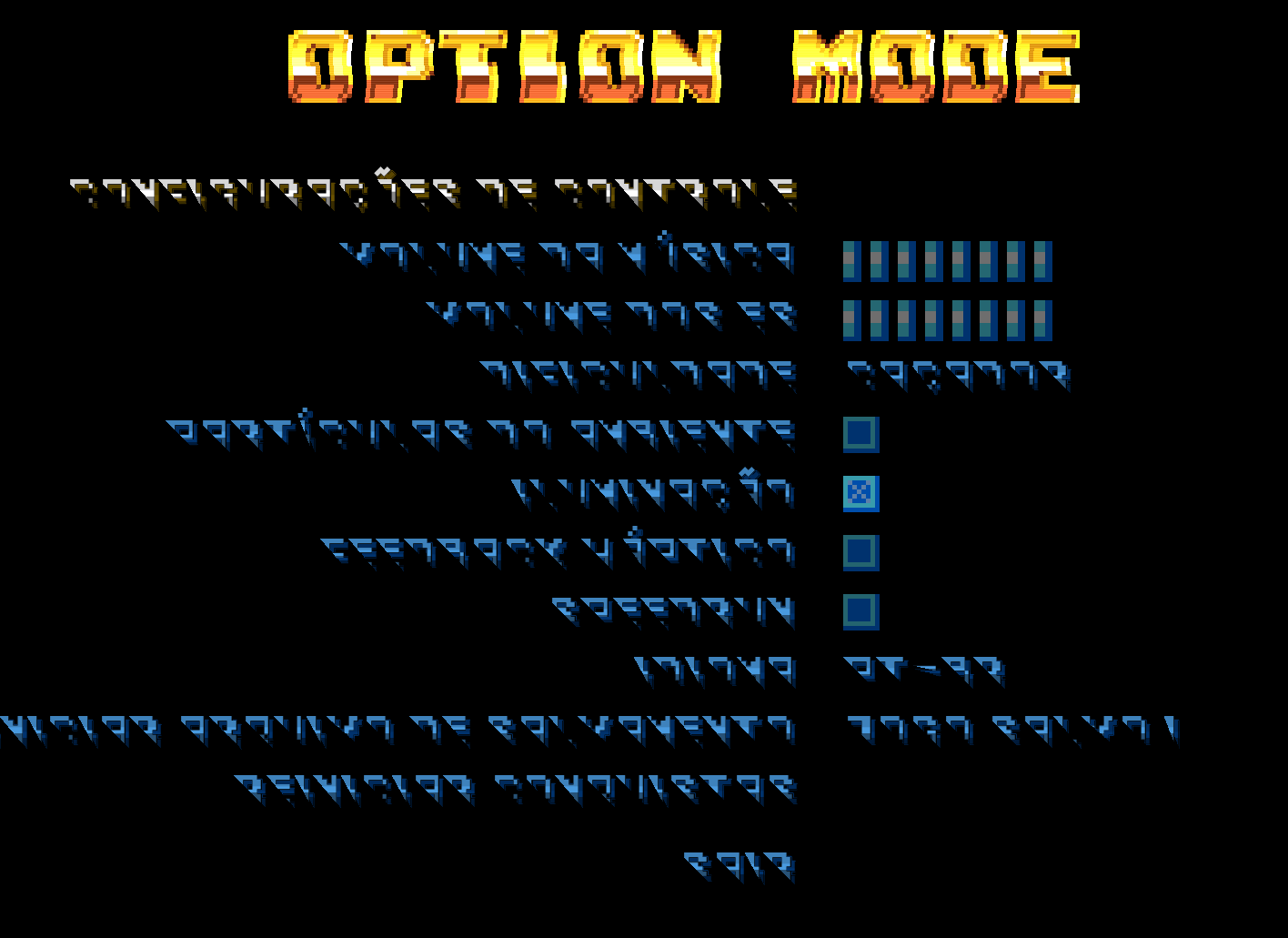
Upon launching version 1.00.0 on GPUs relying on legacy OpenGL drivers, the dialogue text rendered invisible. Forcing the renderer via shortcut target (--rendering-driver opengl3) made the text appear, but the font rendered with black lines cutting off the top of the characters (corrupted bitmap font filtering).
System Specs:
OS: Windows 10 (64-bit)
GPU: NVIDIA (Legacy Drivers / OpenGL support)
Engine: Godot Engine
Attached screenshot of the Option Mode menu showing the font rendering issue.