

I found the cause of the broken build. The working version of the game is included in the ZIP I submitted, but it is inside a subfolder. Itch.io is launching the broken index.html from the folder above it instead.
You can play the actual submitted game here:
https://html-classic.itch.zone/html/18553800/Fated Century/Death%20Countdown_BurstDebugInformation_DoNotShip/index.html?v=1785088796
This is the exact working file inside the submitted build.
You can also verify it yourself through your browser's developer tools, in case you don't believe me:
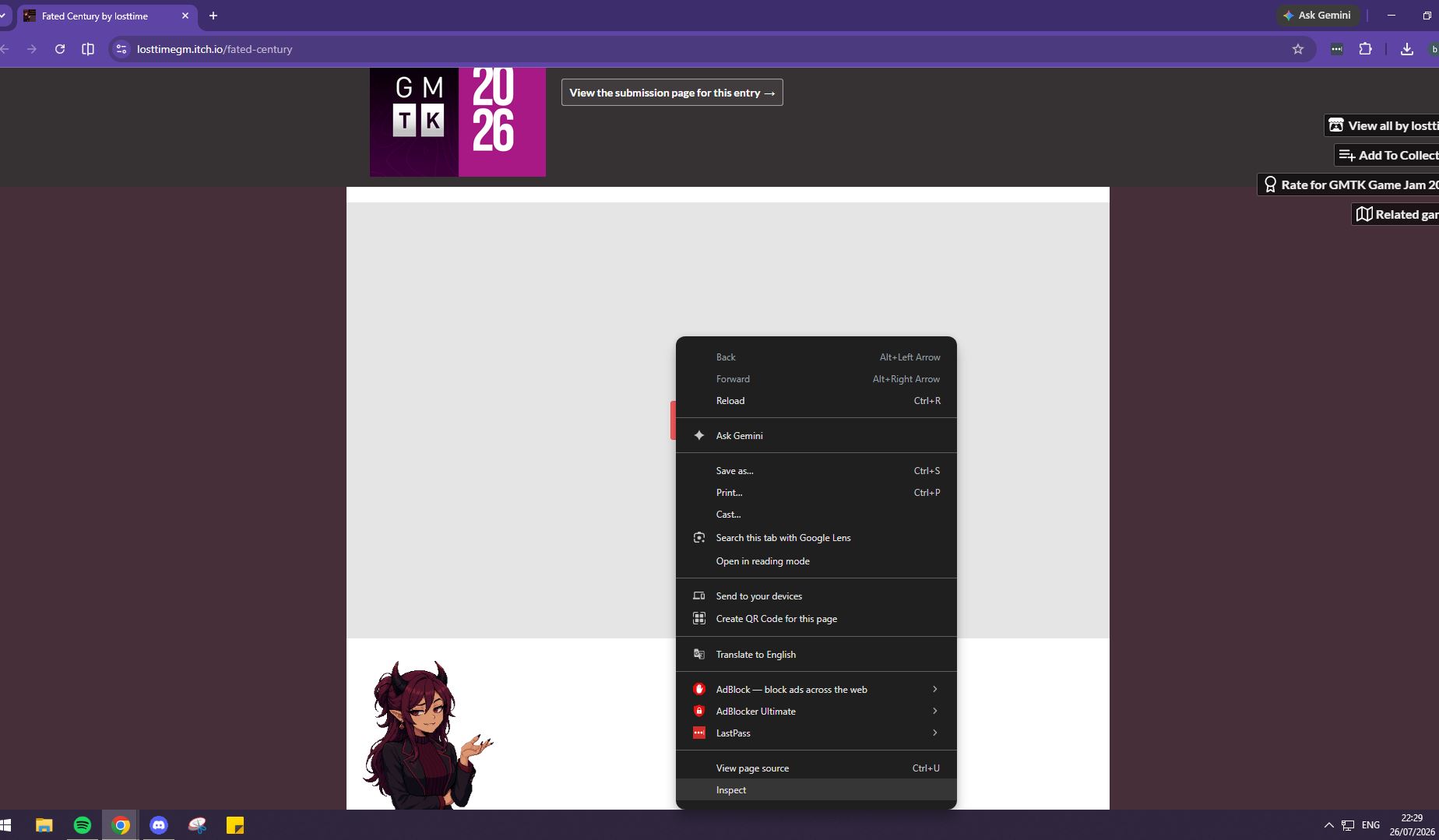
- Go to the lunch page, right-click the game window, and select Inspect.
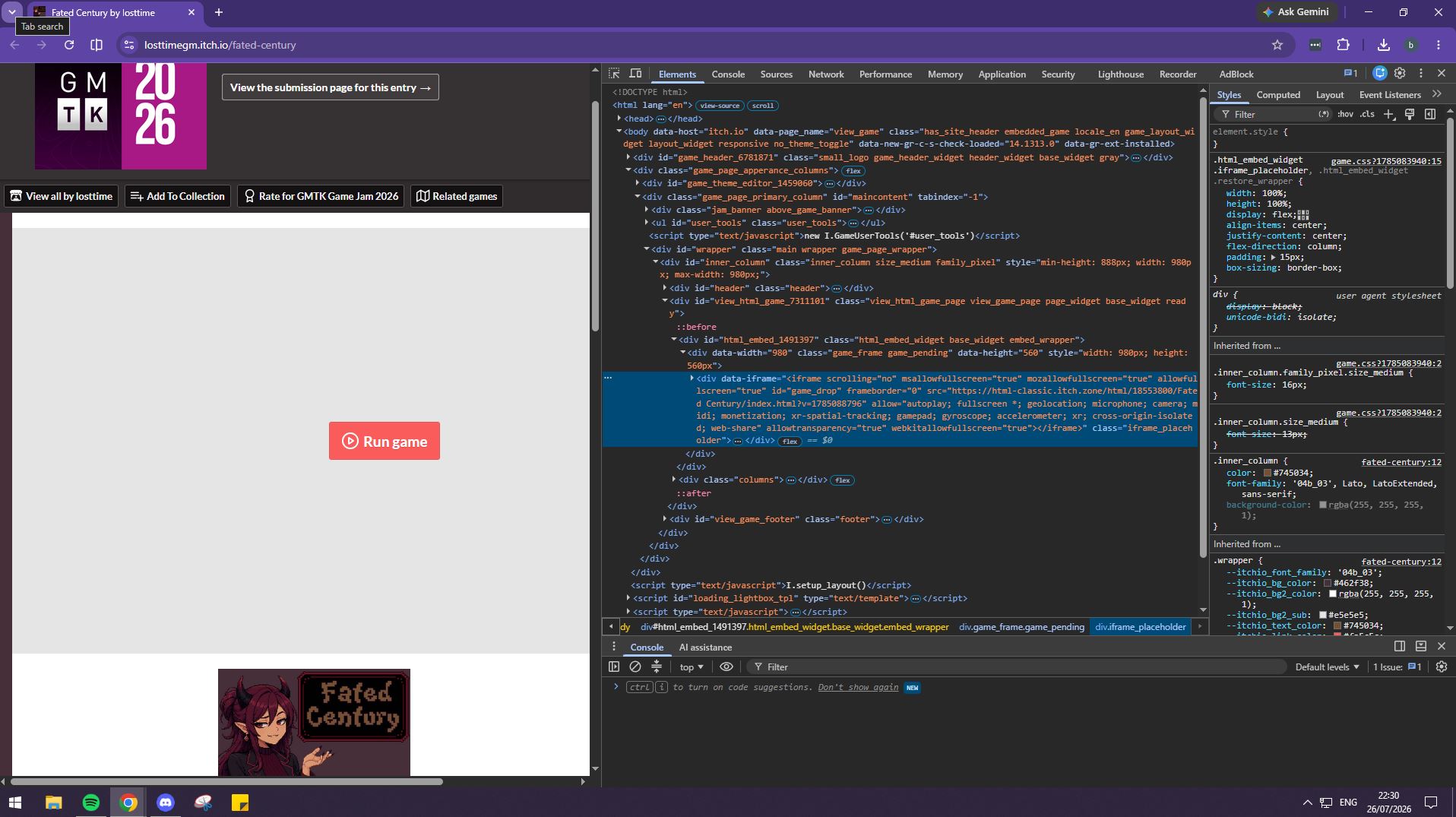
- Find the
<iframe>containing thehtml-classic.itch.zoneaddress. - Then either:
- Edit the iframe's
srcdirectly in the inspector, or - Copy the iframe link, open it in a new tab, and edit the address there.
- Edit the iframe's
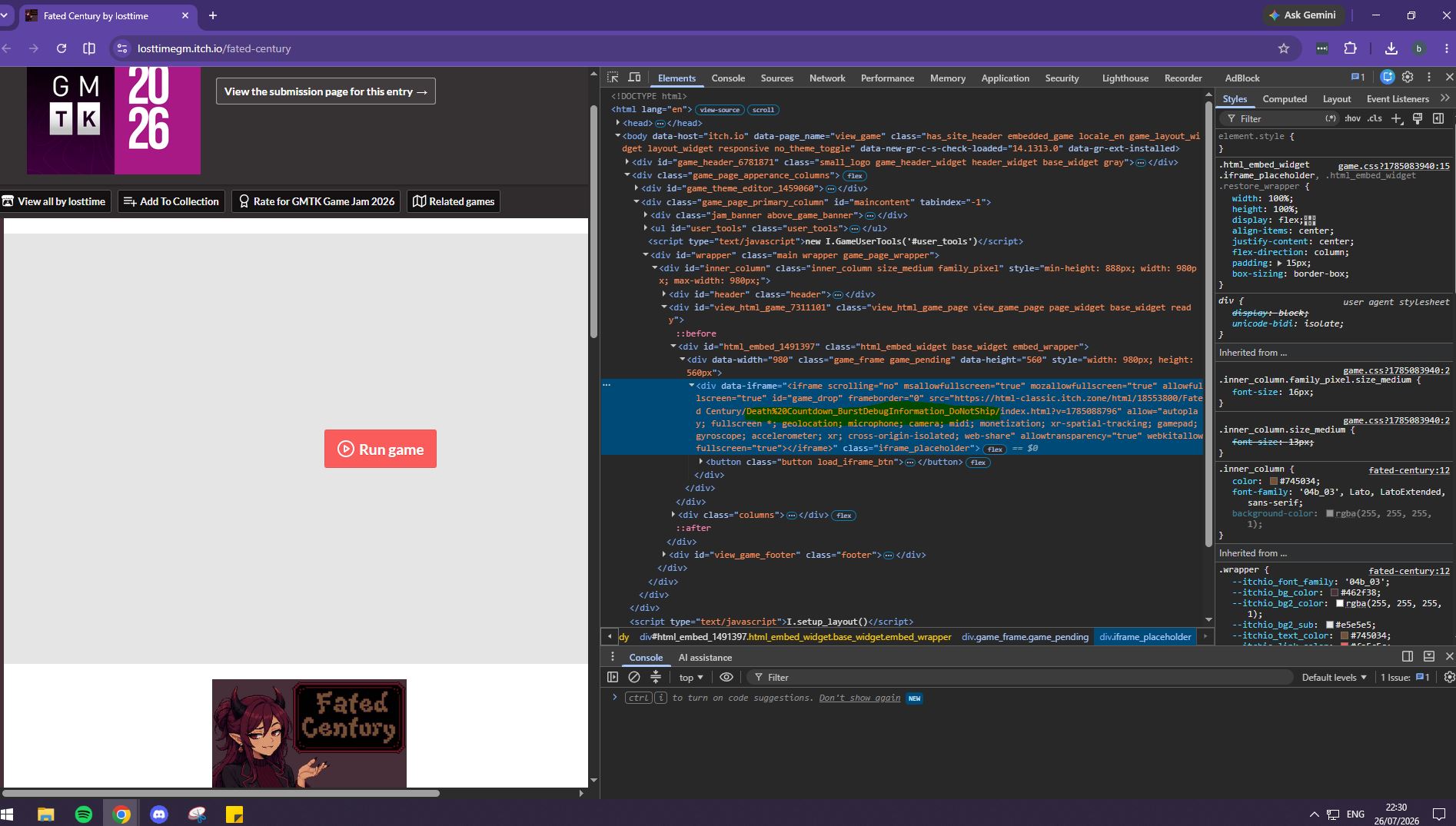
- Replace the path after the build number with:
Fated%20Century/Death%20Countdown_BurstDebugInformation_DoNotShip/index.html
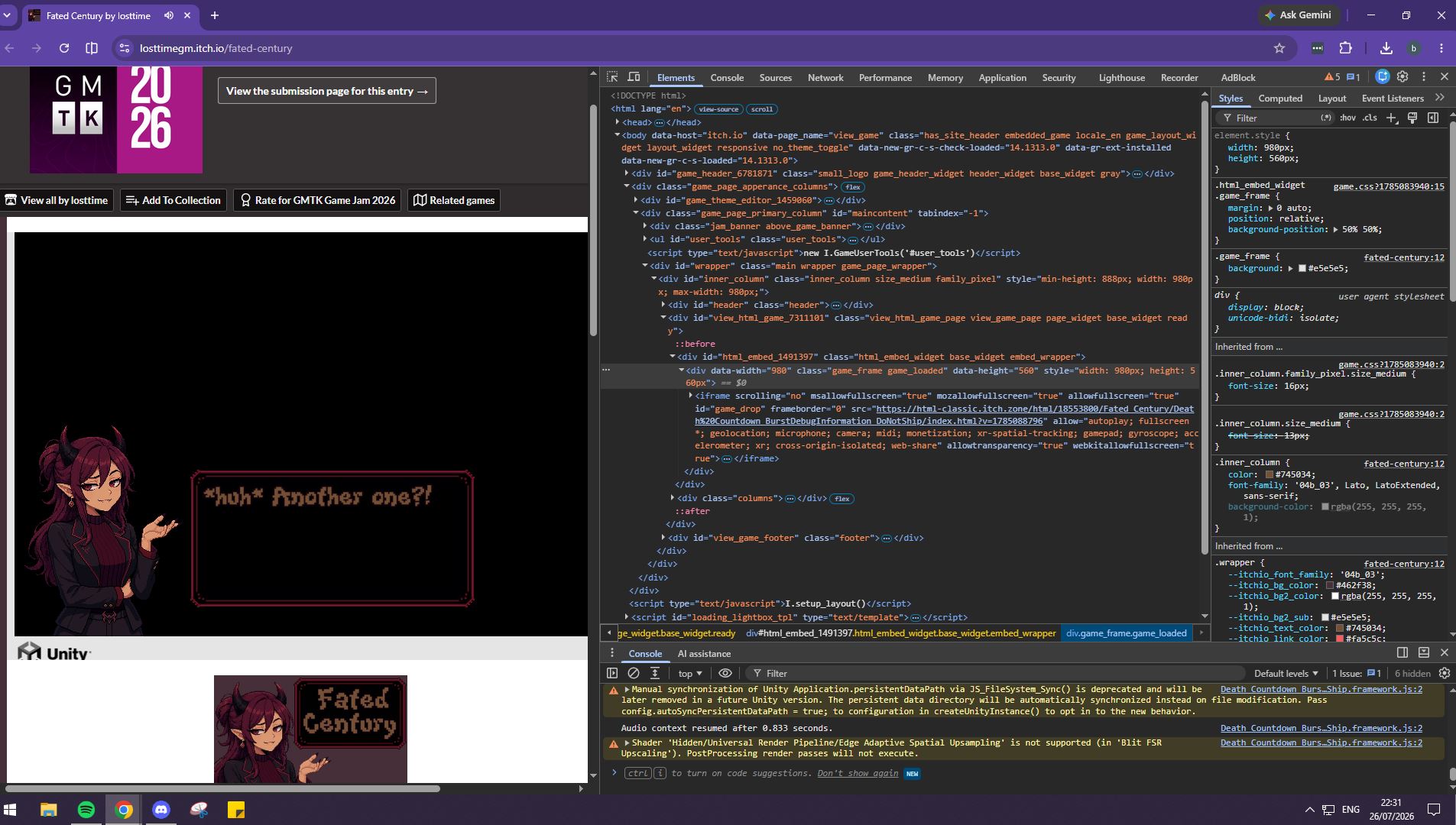
The files cannot currently be replaced because the game-jam submission is locked, but the working build was included in the original submitted ZIP.
Or you can play the exact same build submitted here:
https://losttimegm.itch.io/fated-centuryv2