Indie game storeFree gamesFun gamesHorror games
Game developmentAssetsComics
SalesBundles
Jobs
TagsGame Engines
(+1)

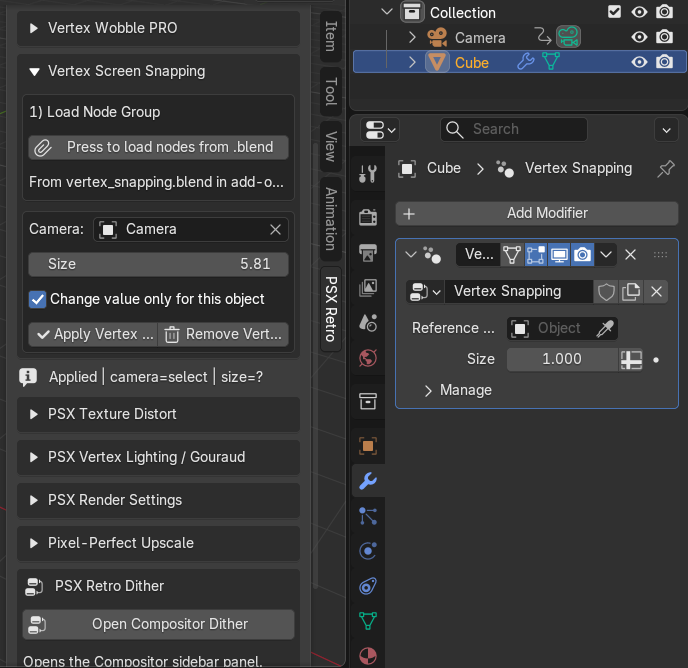
Hi, I'm not sure if this is a bug, but I noticed that Vertex Screen Snapping doesn't automatically assign the camera to the Reference Object field in the modifier, so I have to add it manually.
The camera there should be assigned automatically; which version of Blender is it?

Thanks for reporting this — it was a bug in the automatic camera selection logic. Vertex Screen Snapping should use a selected camera, the active scene camera, or the only camera in the scene. This has been fixed in version 1.7.9

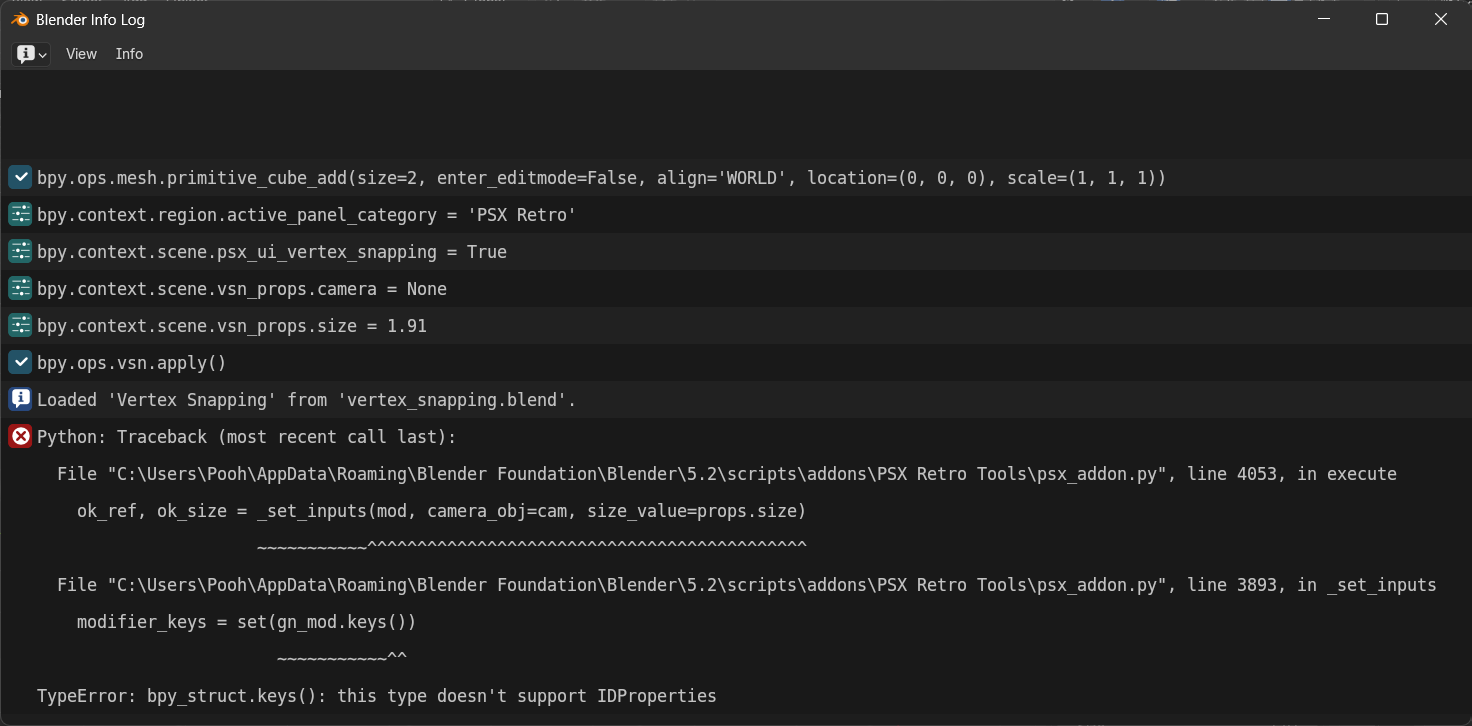
Thank you for the reply. But I get this error on Blender Version 5.2 with Version 1.7.9

Aaah, new API for 5.2, try 1.7.10

(1 edit)

https://ibb.co/ZzHP7Ydg

Hello, I'm using Blender 5.2 with PSX Retro Tools 1.7.10.

It seems that Pixel Perfect doesn't match the output resolution. I'm using a resolution of 360 × 640 with 3× upscaling, but the output is still 720 × 1280 instead of the expected 1080 × 1920.

(I was going to upload a screenshot, but for some reason it isn't working.)

I kind of fixed it and uploaded a new version

Delete the old one, close the blender, open the blender and install the new version, thanks for the bug report 

No problem

By the way, do you have older version archive?

Yes, I have important old versions, but not all of them, of course

Do you have PSX Retro Tools 1.7.4? I want to do some comparisons to find the bug.

Oh no, I don't have that version, it had serious bugs, so the version was replaced
I'm have 1.6.4 and 1.7.8