hey ma guy, unity package is, well, broken
if u dont mind, i would like some help
first error that appears on my unity:
ImportFBX Warnings:
Can't generate normals for blendshape 'Body - Lower Bits' on mesh 'SharkBiteSwimSuit_Calypso', mesh has no smoothing groups.Can't generate normals for blendshape 'Body - Nipples' on mesh 'SharkBiteSwimSuit_Calypso', mesh has no smoothing groups.Can't generate normals for blendshape 'ClipFix_FishnetTop' on mesh 'SharkBiteSwimSuit_Calypso', mesh has no smoothing groups.Can't generate normals for blendshape 'ClipFix_Pasties' on mesh 'SharkBiteSwimSuit_Calypso', mesh has no smoothing groups.Can't generate normals for blendshape 'ClipFix_PussyTape' on mesh 'SharkBiteSwimSuit_Calypso', mesh has no smoothing groups.Can't generate normals for blendshape 'SPS - 1' on mesh 'SharkBiteSwimSuit_Calypso', mesh has no smoothing groups.Can't generate normals for blendshape 'SPS - 2' on mesh 'SharkBiteSwimSuit_Calypso', mesh has no smoothing groups.Can't generate normals for blendshape 'SharkBiteBraON' on mesh 'SharkBiteSwimSuit_Calypso', mesh has no smoothing groups.
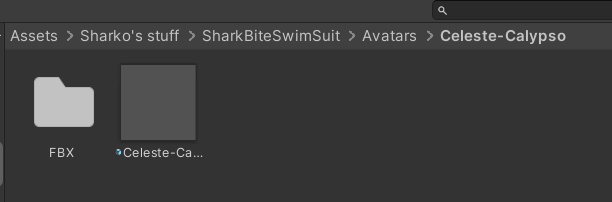
and on the image ahead, looks like the suit is invisible
i just want help and not feeling like i put 10 bucks on the trash
no offense of course and sorry for the disturbe