

First of all, I feel so bad because I thought I’d replied to this. My apologies 🙇♀️
Unfortunately this seems like a localised issue. I'm thinking that something is forcing it to invert contrast but it is somehow only working for the text and the collapsed sidebar. Looking into it, there could be a few things happening:
1) Applying dark mode, either for phone or browser. Check your system settings (probably under Settings > Display) and see if system-wide Dark Theme is active and try toggling it off if it is. If you browser has a dark mode, try and change that to Light mode.
2) Ensure that high contrast text is toggled to off, probably under Accessibility settings.
You can also check to see if it looks the same in another browser whether to isolate if it's a browser-based issue or a phone-based issue. Our browser lets us test the Twine file on different devices' displays. I have Moto G Power available, which I'm using here and it looks like this:
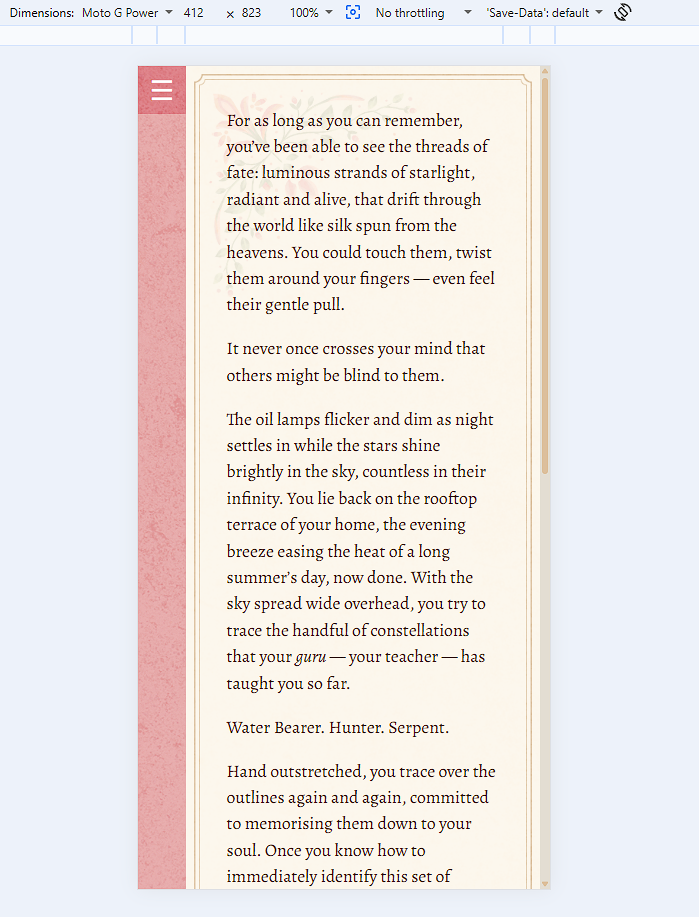
Terribly sorry about the inconvenience! Our UI artist is working on a dark mode, so perhaps once that is launched it'll be more compatible.