If you bought the game via Steam, here is how to install the uncensor patch for the Steam version. The patch restores content that couldn't be included in the Steam release. Here's how to install it step by step.
What You'll Need
- The Steam version of Ririka von Lustveil installed
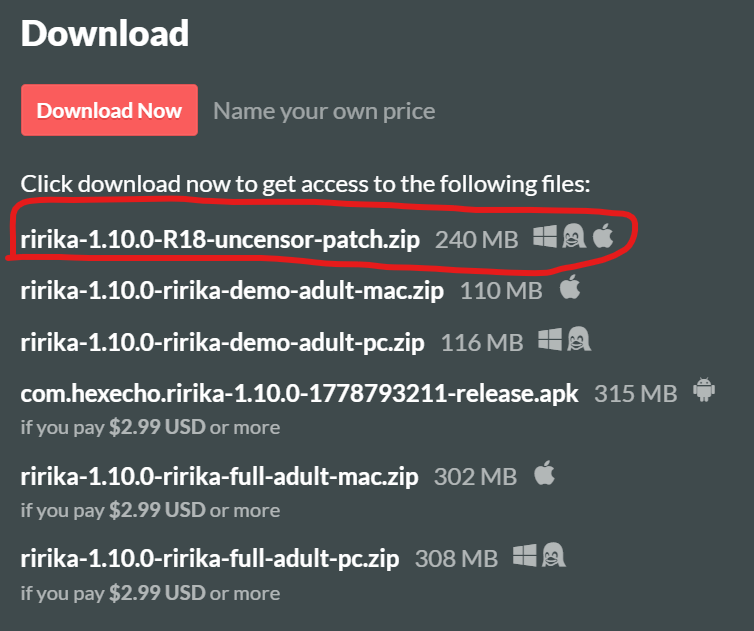
- The patch zip file (available on itch.io / Patreon)
- A program that can extract zip files (Windows has this built in, or you can use 7-Zip / WinRAR)
Step 1 — Locate Your Game Folder
- Open Steam and go to your Library.
- Right-click Ririka von Lustveil and select Properties.
- Go to the Installed Files tab.
- Click Browse… — this opens the game's installation folder.
You should land in a folder called ririka-steam inside steamapps/common/ririka-steam-pc-linux/. The full path will look something like:
C:\Program Files (x86)\Steam\steamapps\common\ririka-steam-pc-linux\ririka-steam
(Your drive letter and Steam location may differ, but the ririka-steam-pc-linux/ririka-steam part should be the same.)
Inside ririka-steam, you should see a folder called game among other files. This is where the patch needs to go.
Step 2 — Extract the Patch
- Open the patch zip file.
- Inside, you'll see a folder called something like
ririka-1.3.0-ririka-adult-patch. Open that folder. - Inside you'll find a
gamefolder. Copy thisgamefolder into yourririka-steamfolder from Step 1, merging it with the existinggamefolder already there. - If prompted to overwrite existing files, select Yes / Replace.
Important: Don't just extract the zip as-is into your game directory — that would create the wrapper folder ririka-1.3.0-ririka-adult-patch inside your game files, and the patch won't work. You need to go into that folder and copy the game folder out of it.
Step 3 — Verify It Worked
Launch the game normally through Steam. On the title screen, check the bottom-right corner for the version label. If the patch was applied correctly, you should see:
1.3.0 - Uncut Edition
If it still says 1.3.0 - All-Ages Edition, the patch wasn't applied to the right location. Double-check that the contents of the patch's game folder ended up inside ririka-steam/game/ and not in a nested subfolder.
Troubleshooting
- "I see a
ririka-1.3.0-ririka-adult-patchfolder inside my game directory." — You extracted the zip directly instead of copying thegamefolder out of it. Delete that folder, then follow Step 2 again. - "I want to revert to the Steam version." — Use Steam's Verify integrity of game files option (Properties → Installed Files → Verify integrity) to restore the original files. The version label should return to "All-Ages Edition."
- "The game won't launch after patching." — Try verifying file integrity (above) to restore a clean state, then re-apply the patch carefully.