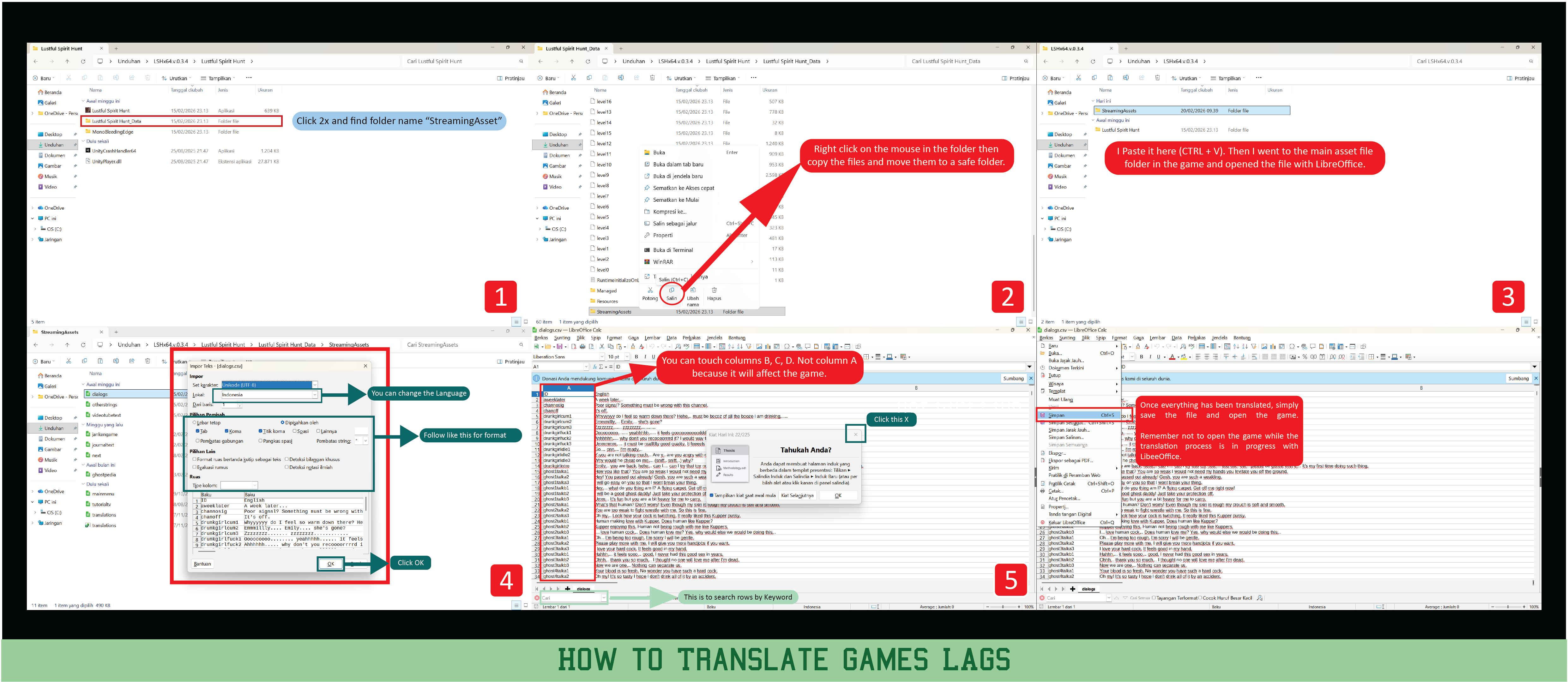
Hello,
I will explain how to Translate CSV with LibreOffice: https://www.libreoffice.org/download/download-libreoffice/
Example with LSHT 0.3.4 Version CSV
You will find them in 'Streaming Assets' folder in game's data folder. There are two languages you can have at a time. Make sure you make a backup before editing anything.
As show in the picture below, you can edit any text in column 'B' or 'C'. B is displayed by default and C is secondary language.
Notes:-
- Don't touch any text in column 'A'. It will make the game unplayable.
- If you don't see some text or part of text in game, you probably have exceeded number of characters allowed for that line.