Hey EllieTa! It's me again.
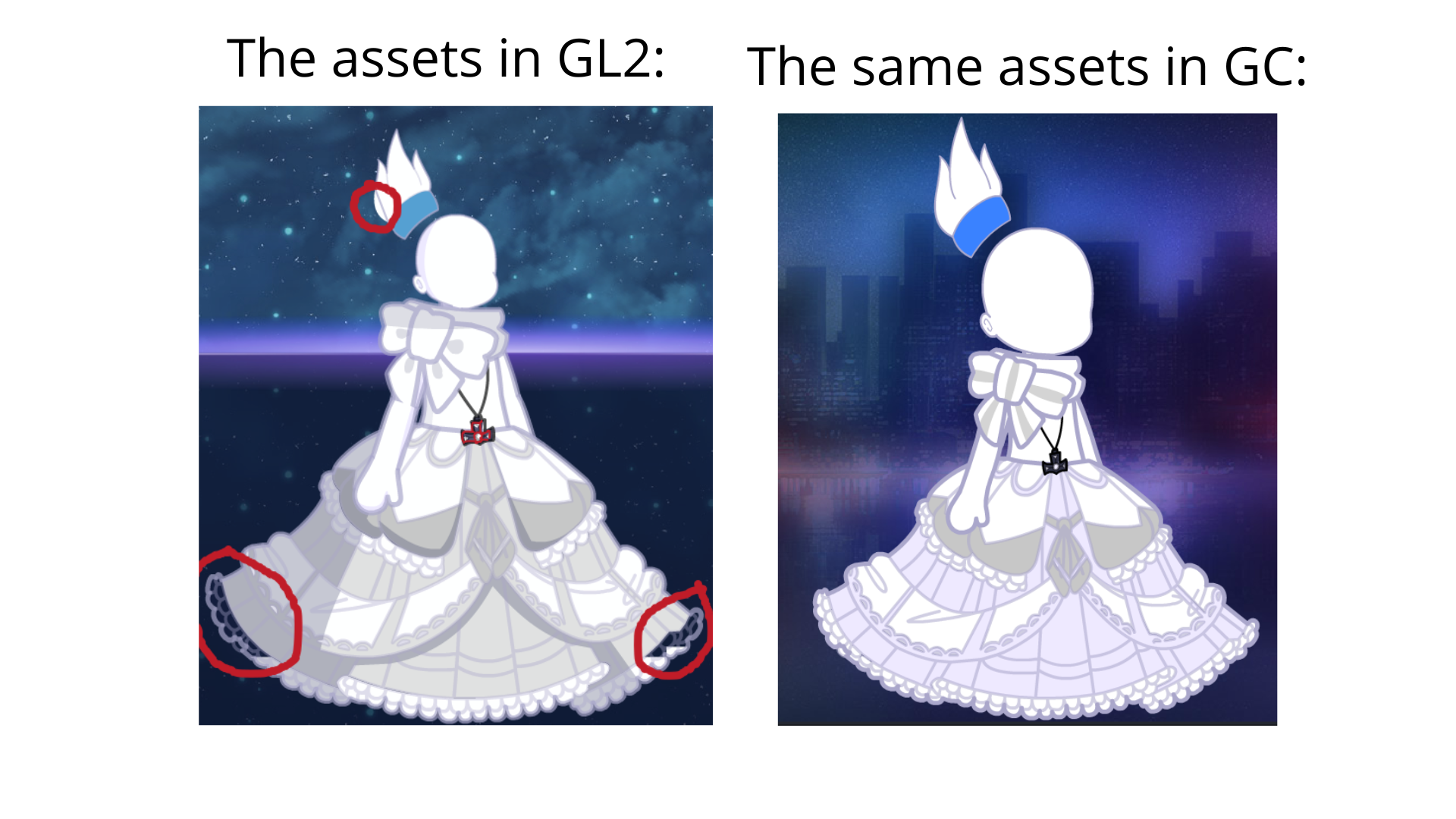
I’m posting this comment to make another suggestion: to fix some of the asset issues that Luni left in the game (probably in the rush to add all the assets at once) and hasn’t “fixed” yet. I don't want you and your team to fix this right now, but rather in future updates.
I checked most of the assets and listed the ones that have issues:
Common errors:
Assets that have NO shadows (no matter what value you set for shade color, the shadows will not appear) or have partial shadows:
- Other Acc.: 81 to 83, 176 to 195, 201, 327 to 330, 373 to 375;
- Glasses 105;
- Face Acc. 223 to 231, 233 to 235, 238 and 239, 241 to 245;
- Neck 61 to 69, 95, 99, 101 to 111;
- Jacket 44;
- Sleeves 2 and 74 (101 and 102 partially);
- Wrists 70 to 76;
- Shoulder Acc. 30;
- Socks 106 and 107 (Partially);
- Shoes 38;
- Skirt 72;
- Cape 22;
- Tail 99.
Assets with shadows already "included" in the asset, not just in the coloring:
- Other 164;
- Prop 45 and 218.
Specific errors:
Hair:
- Ponytail 30 has a section that wasn't contoured correctly.
Lower:
- Socks 1 has a detail at the bottom that is practically absent in the other assets in the same row.
- Skirt 87 is not fully colored; some parts only have lines.
Head:
- Neck 3: has no trim color (unlike the previous Gachas);
- Neck 106: was not placed correctly (the colors are slightly off line).
The image below shows only the assets with specific errors, and I compared them with Gacha Club (to show what it actually look like):