
Indie game storeFree gamesFun gamesHorror games
Game developmentAssetsComics
SalesBundles
Jobs
TagsGame Engines

Hey Theo4. I just downloaded the app for Linux, made sure that the AppImage was executable with "chmod", and tried running it. All I get is a window with the title "LÖVE 11.5 (Mysterious Mysteries)" and an animation of a yellow balloon with the message "NO GAME" on its string. Pressing Ctrl+M doesn't get me a menu, and Ctrl+N doesn't start a new file.

I'm running this on Linux Mint 21.3 "Virginia" (base: Ubuntu 22.04 "jammy"). Is there something else I'm supposed to have installed?
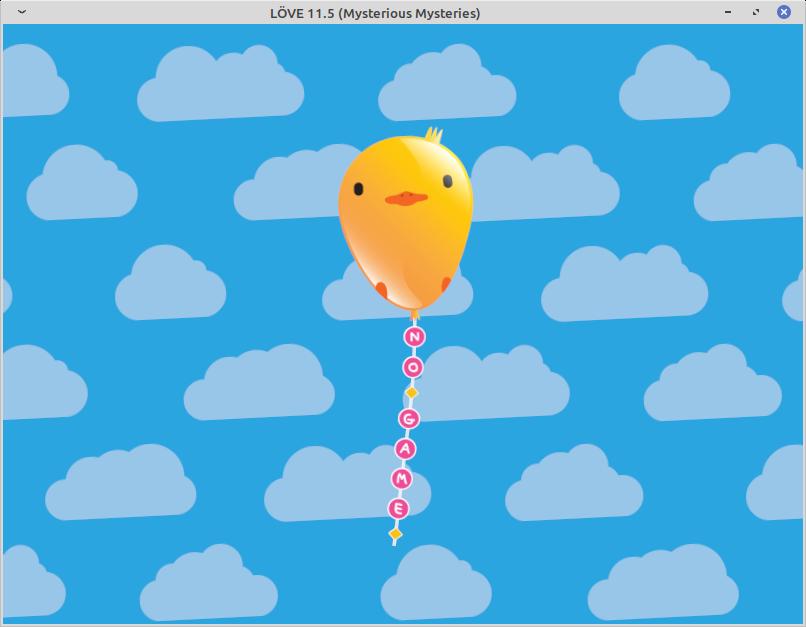
woah this is a bad build. It ain’t supposed to look like that!!!! I’ll update this first thing tomorrow morning. Thanks for posting this. Yikes!!!! This is just the framework screen. I think its possible I might have just posted the wrong file. 

I've taken it down for now. No idea why that happened right now. But I'll get this fixed first thing tomorrow. In the meantime, you could try just running this command: ./SpacePad_v1.AppImage --appimage-extract-and-run.... it's possible there's a mint compatibility thing I need to look into, and if there is, this should let you use the app in the meantime.

ok, also poking around I think you may need to install Fuse. Because that's needed for AppImages to run. And I think that was removed from ubuntu 22.04. Yeah, I think that might be it. try "sudo apt install libfuse2" and try to run it again. Ahhhhh, Linux! Sorry about this. 

Hey Theo, thanks for looking into this. I tried your suggestions --- running the AppImage with the "extract and run" option produces the same result, and I already have libfuse2 installed. So I'll wait on this and check back here tomorrow.

thanks for trying. Yeah there’s something I’m not seeing. I’m gonna make a usb mint 21.3 set up tomorrow  morning and figure it out.  you could always just download love and run the spacepad.love file that’s in the zip for the rpi If you’re eager to take a look at the app. Until then! 

OK, this was a doozy. I uploaded a new a super solid appimage that works in mint 21.3, full instructions in the readme. If you're using a high density retina display, the window might be significantly smaller than designed. Spent all day trouble shooting it. But a full fix for window scaling will have to wait till v1.2. If you're using a 1920x1080, display, should be perfectly fine!

(+1)

Ah, this one (v1.12) works for me (so far). Thanks for fixing this.

Deleted 9 days ago