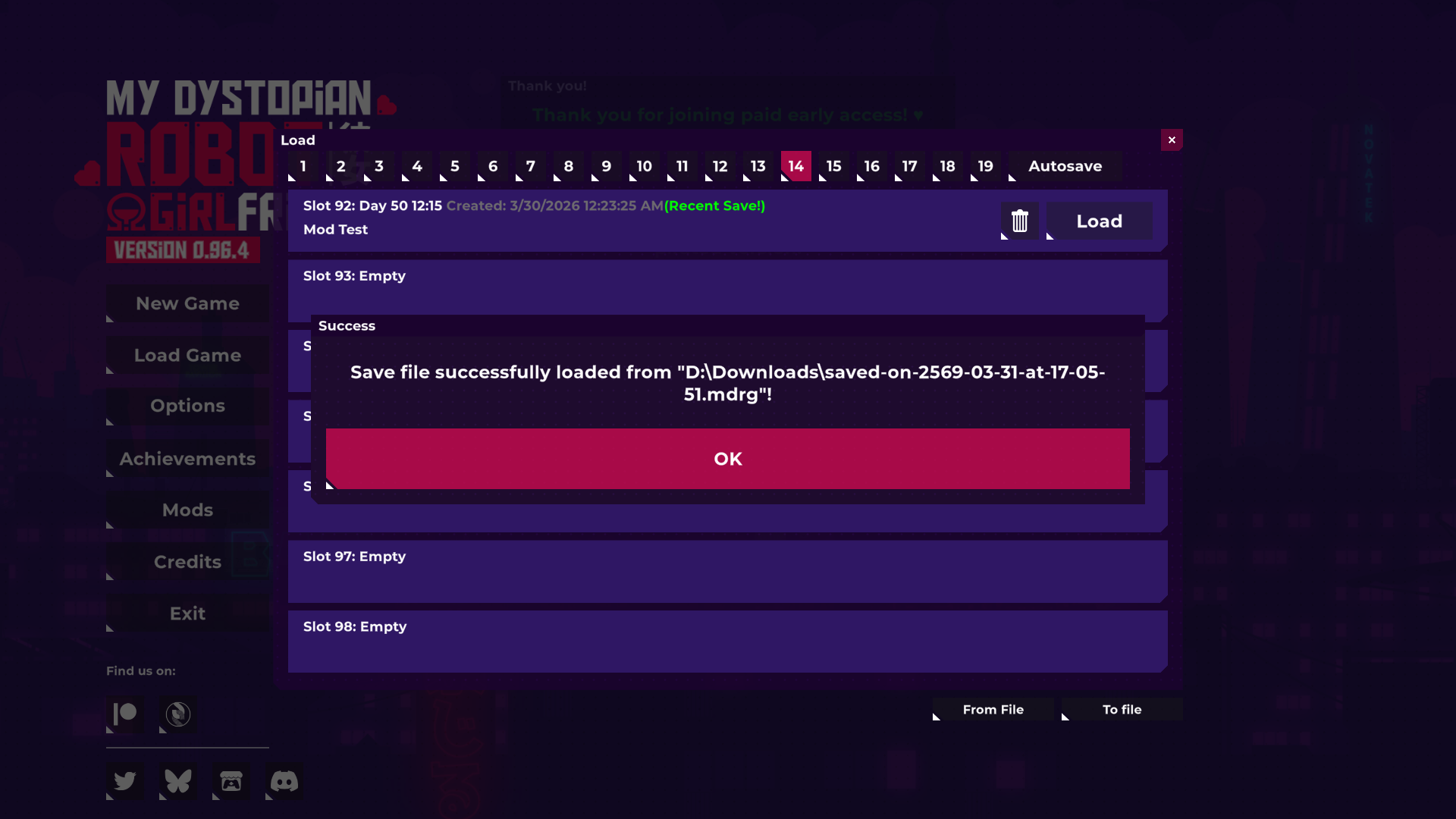
Export your save file first, then update the game.
💬 FAQ (Frequently Asked Questions):
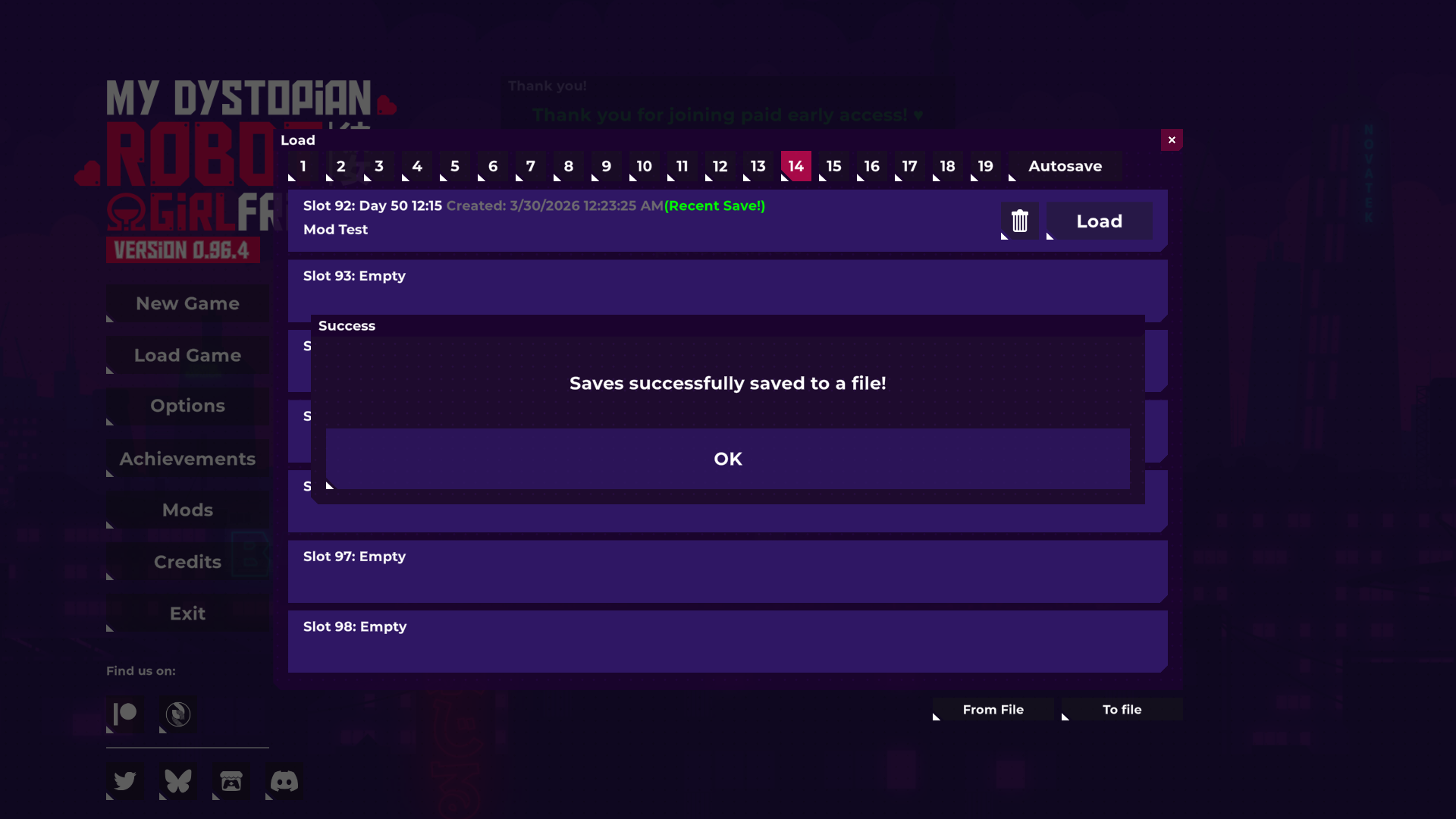
How to Export Save:
Click "Load Game".
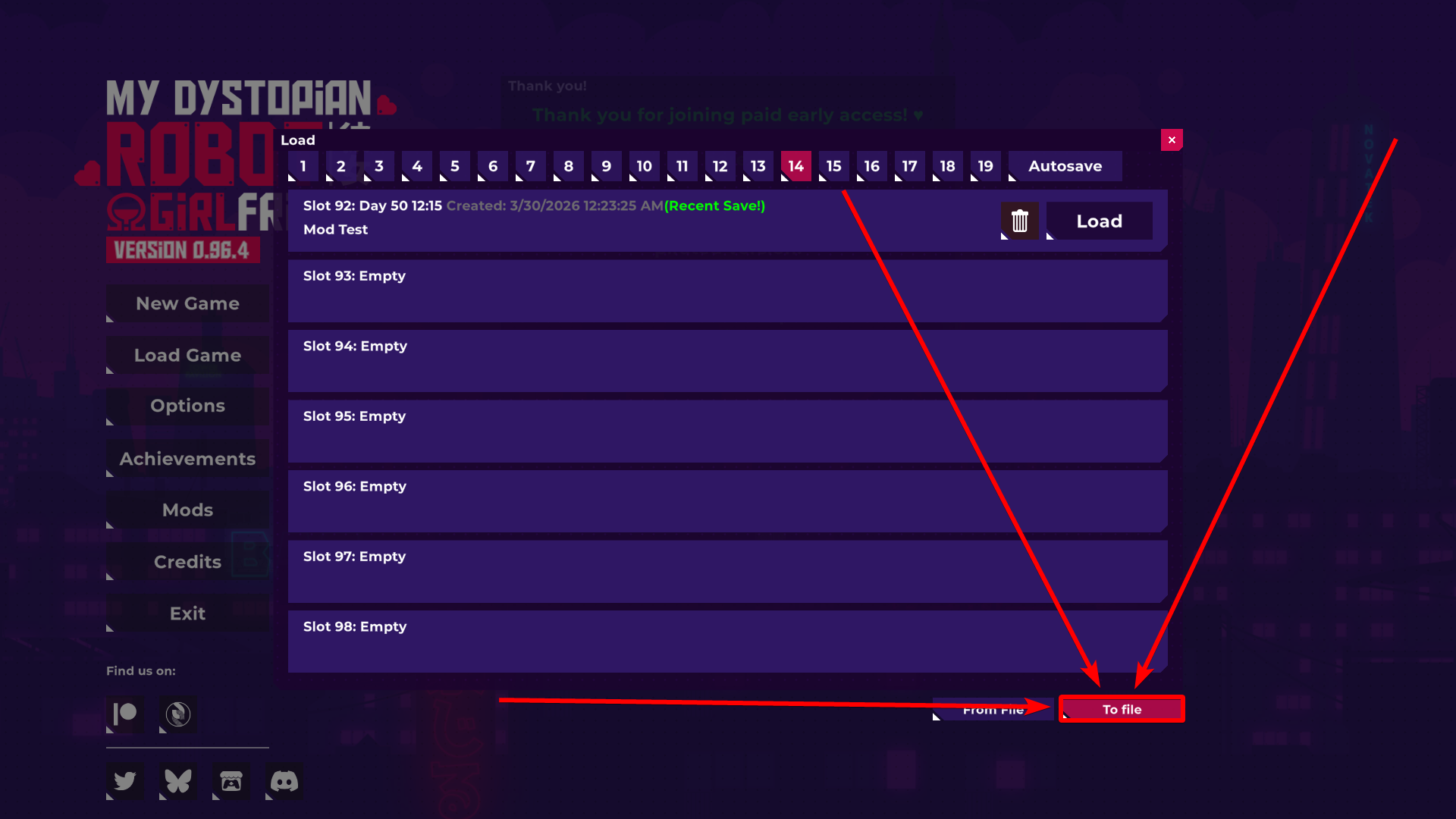
Click "To file".
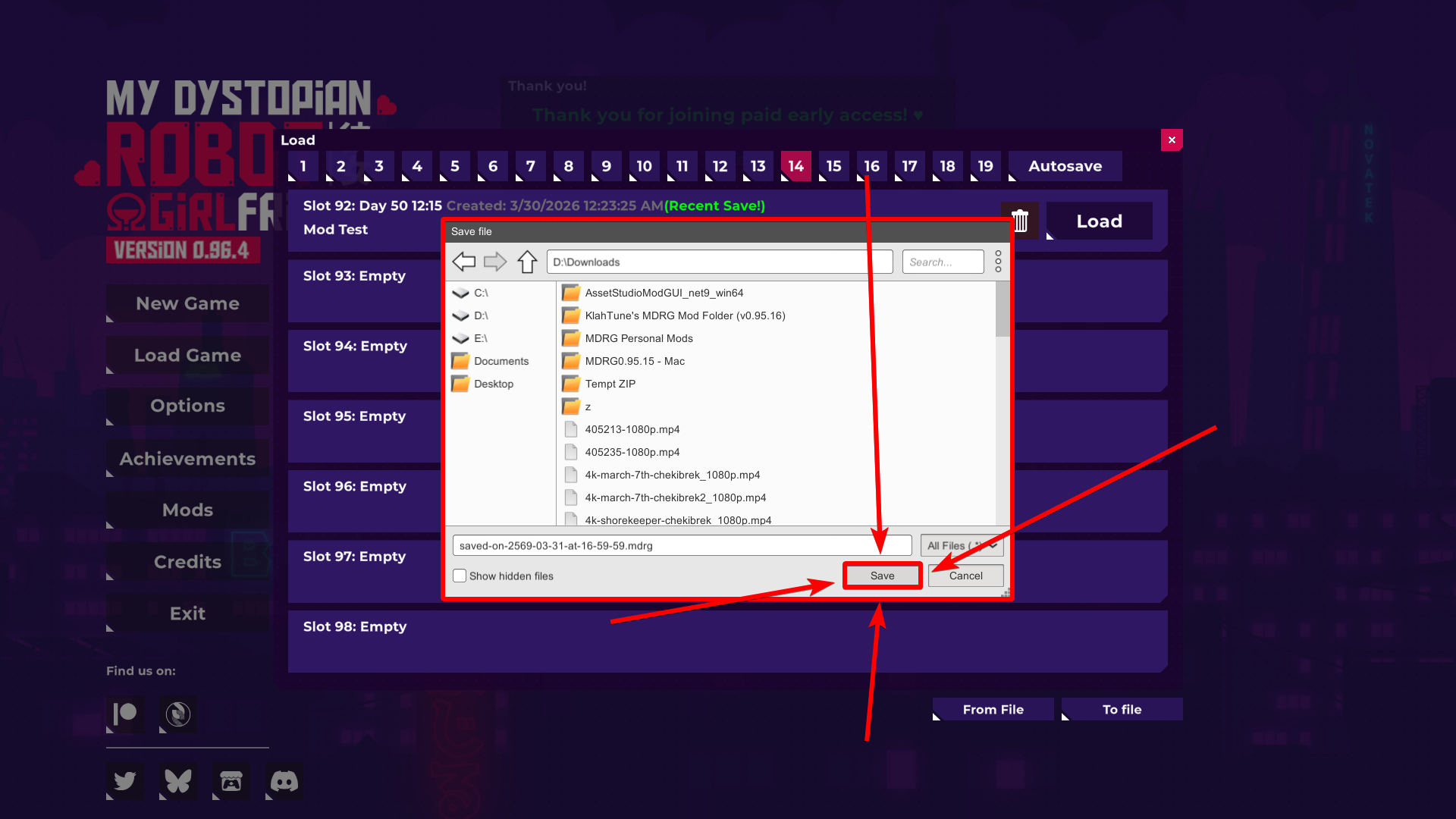
Choose where your exported save will be exported at.
Click "Save" to export your save file.
Your save has been exported.
━━━━━━━━━━━━━━━━━━━━━━━━━━━━━━━━
How to Import Exported Save:
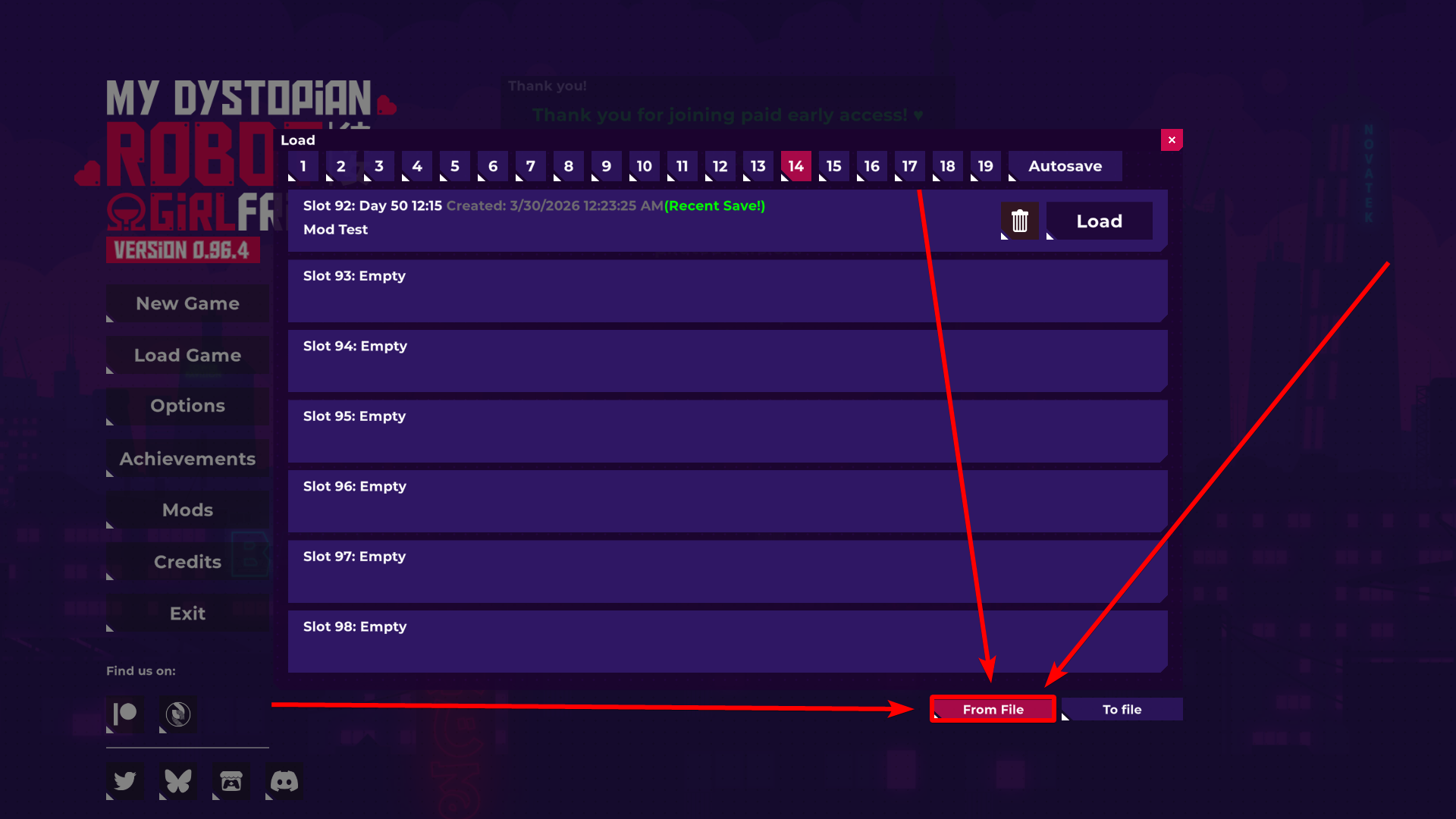
Click "Load Game".
Click "From file".
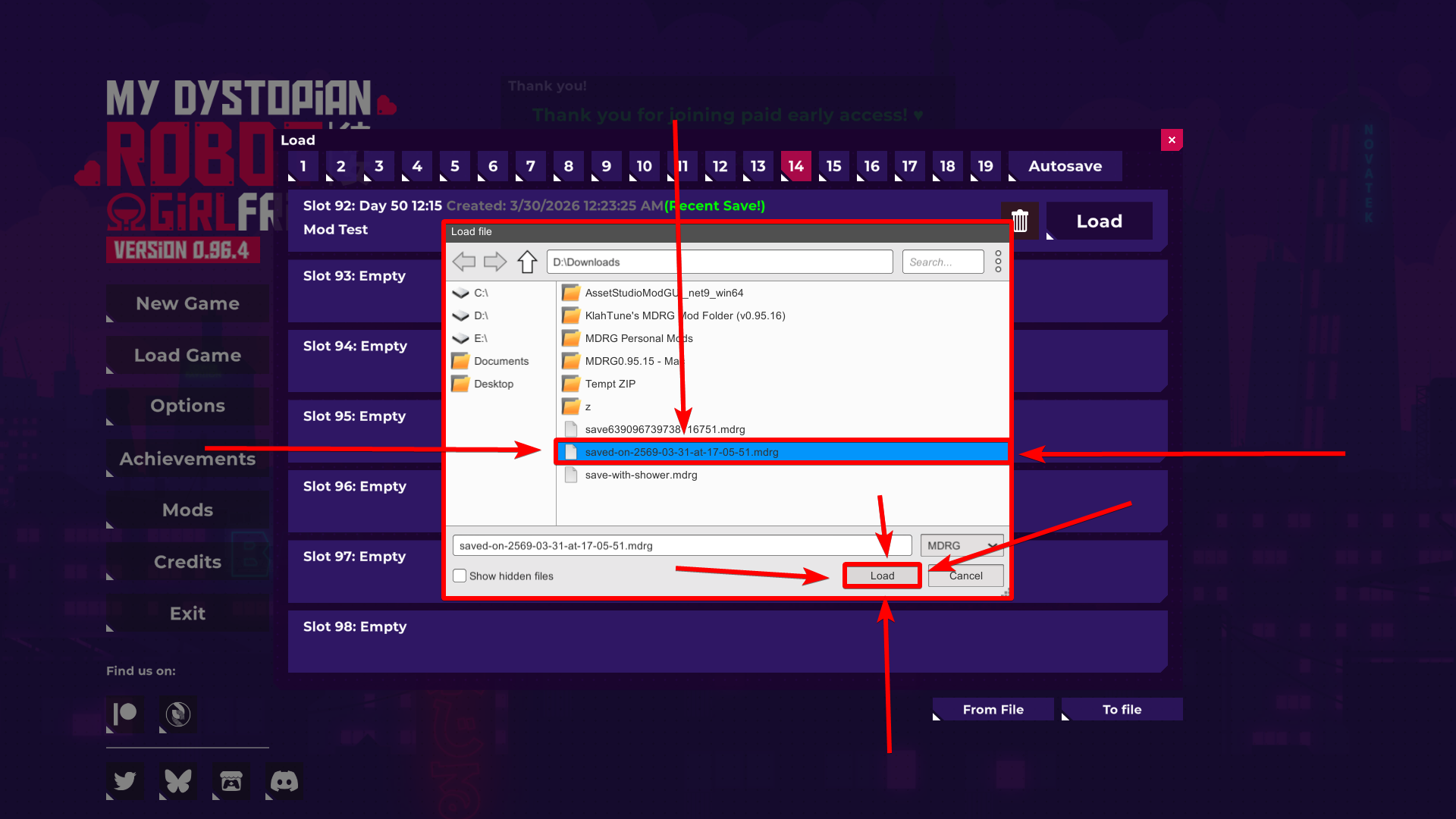
Locate the Exported Save File.
Once you've found it, click on it to select it, and click "Load".
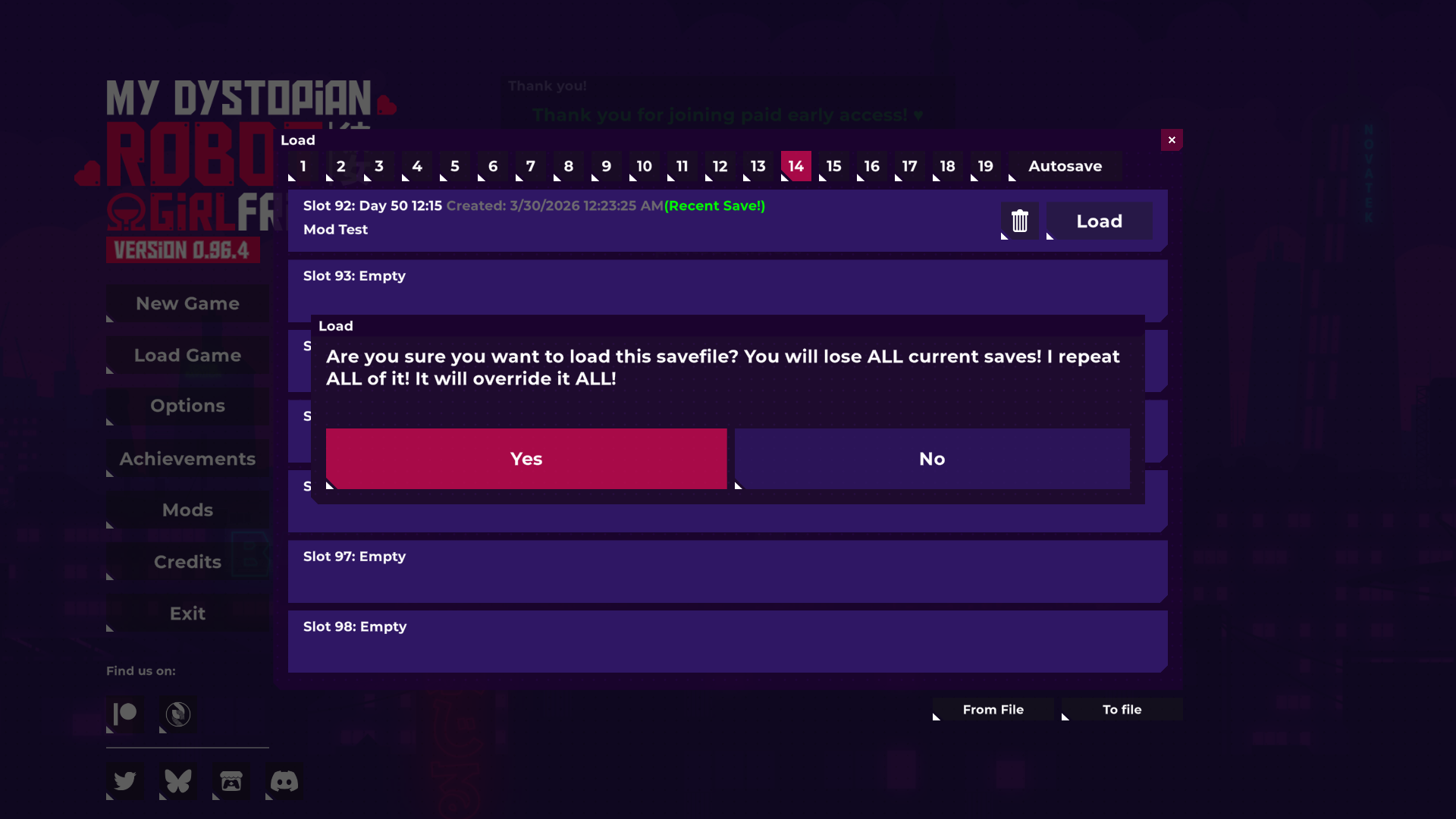
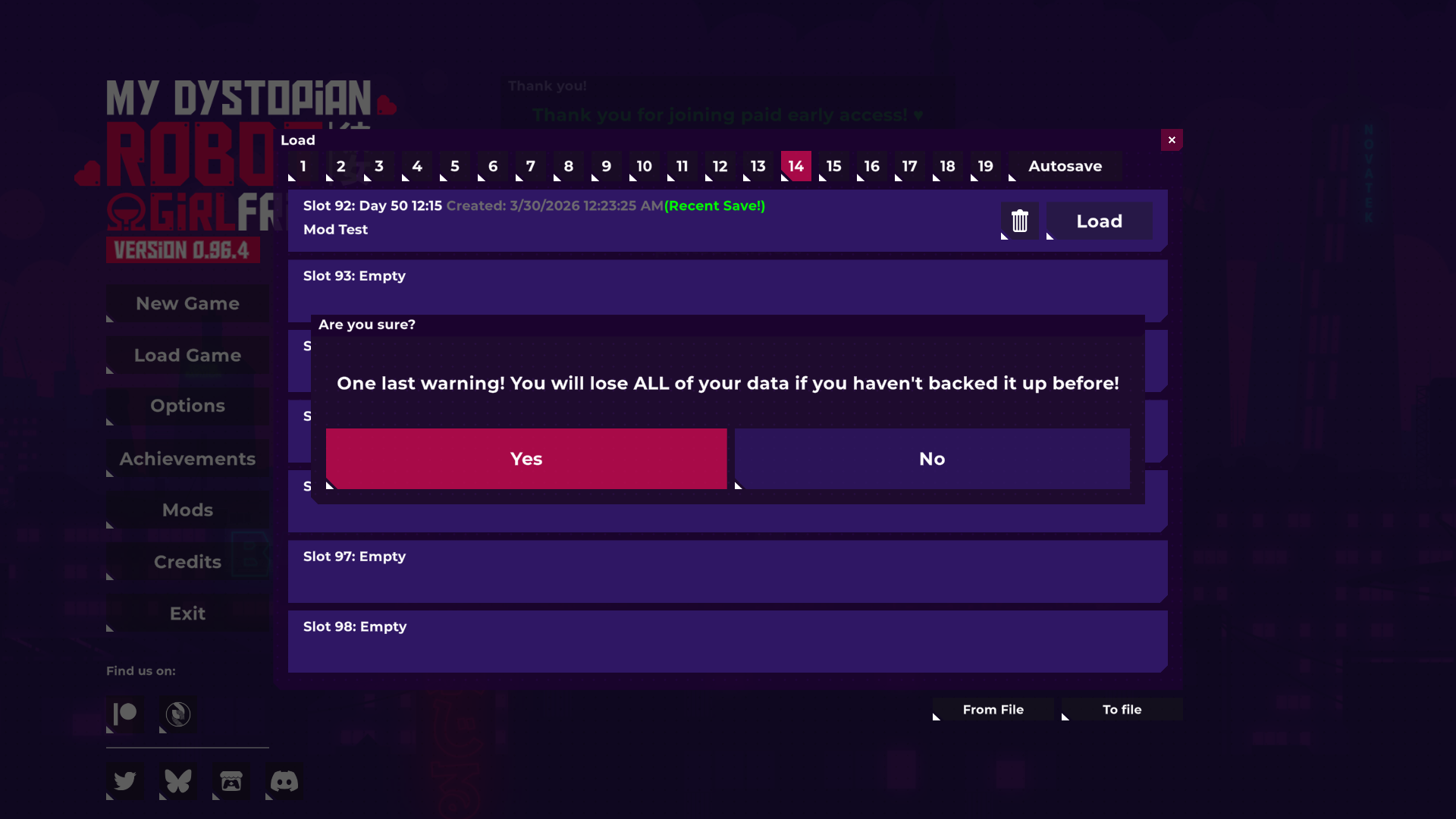
There will be multiple warnings that pop up:
• The game is warning you this because importing a save file will replace all the current saves that you have
Confirm all of them, and your current save files will be replaced with the imported ones.



 How to Export Save: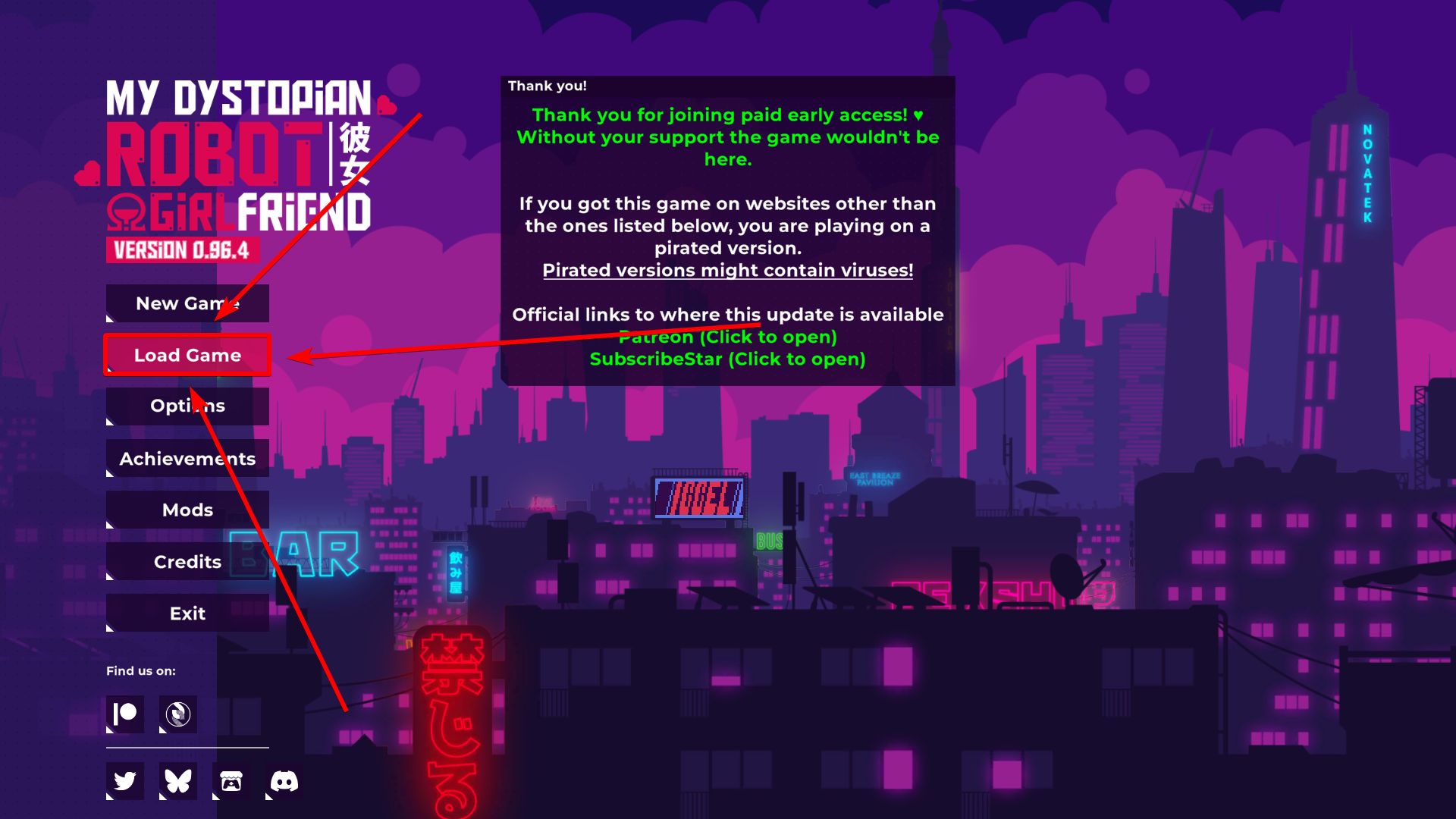
 How to Import Exported Save: