

Edit:saw that the dev asnwered...
Hey, I might not be the dev, but I can help you with that...
I'm sorry to bother you, but btw, do you have a save file for the game? I lost all progress after changing my phone recently(cause for some reason, smart switch didn't keep my data for these games). I wouldn't mind if you gave me a 100% progression fîle(I did about 90% of the game).
1. You first need to download the Shizuku app.
2. Once in the app, there will be a few options. I chose "Start via wireless debugging"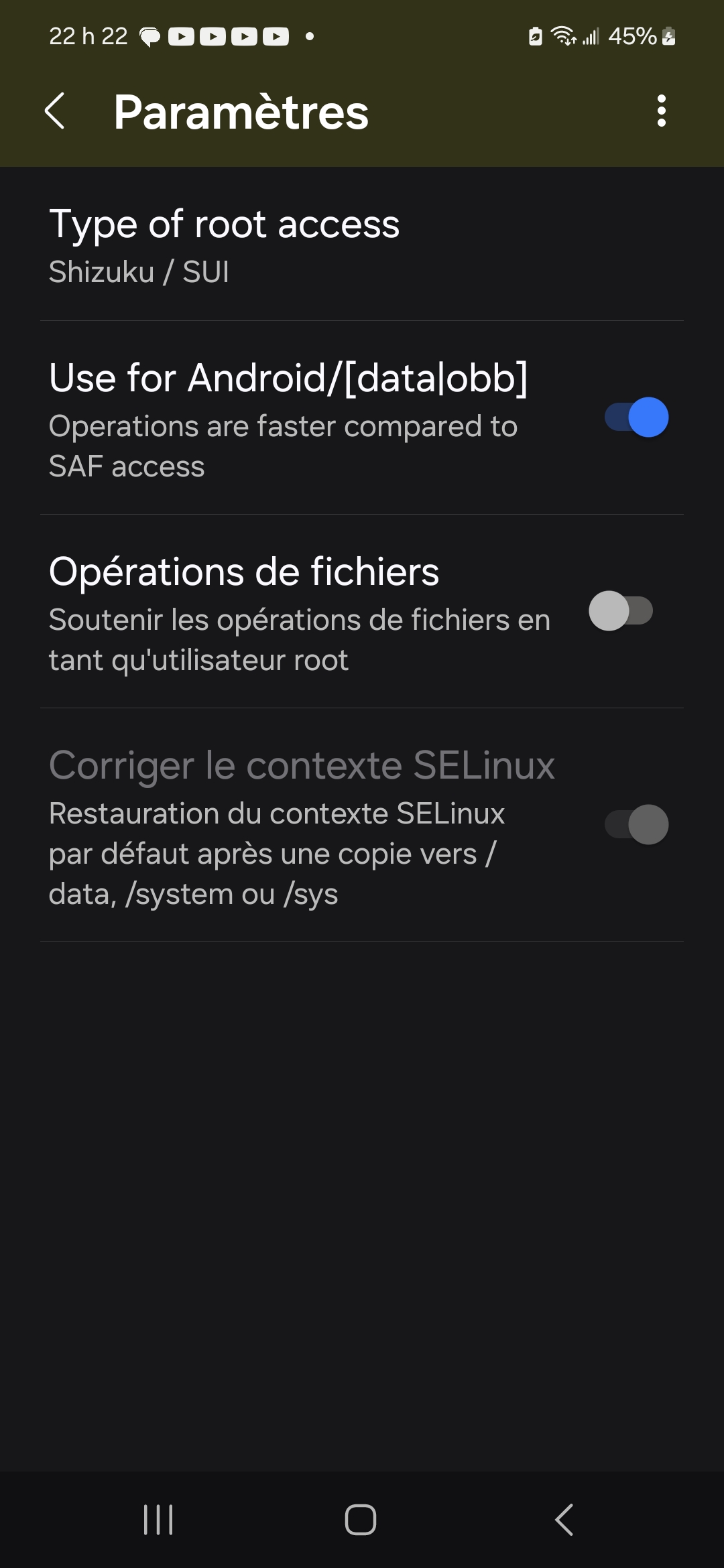
Before doing anything, disable the battery economy mode it will greatly increase the success rate(thats what made it work for me)
Don't forget to enable the developper settings by tapping the build number 7 times. In the About Phone settings.
3. Make sure that the ZArchiver or whatever app you are using has these settings: general settings>ROOT>Type of root access: Shizuku / SUI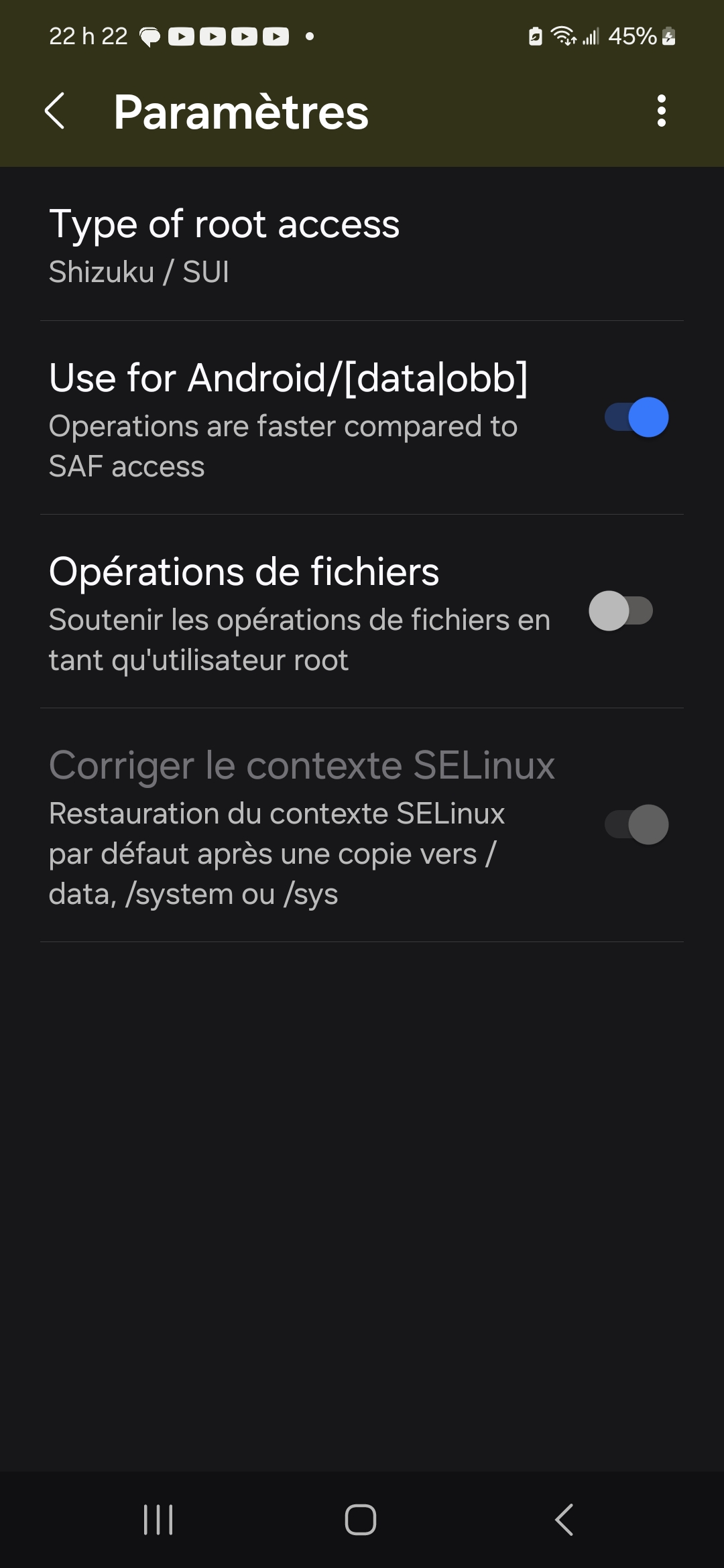
4. Activate wireless debugging AND FOLLOW the steps where they are marked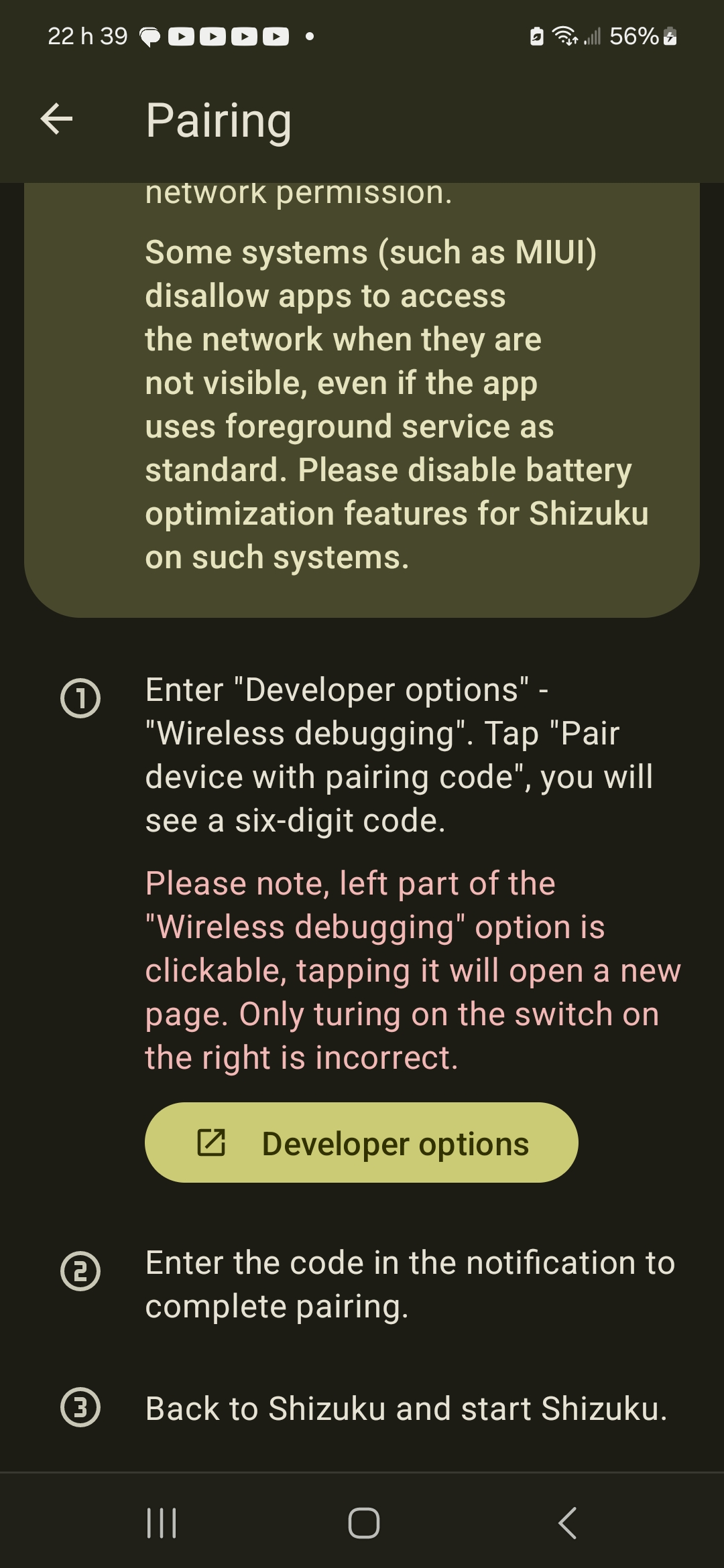
After making it work, go back to ZArchiver, it should work.