
Indie game storeFree gamesFun gamesHorror games
Game developmentAssetsComics
SalesBundles
Jobs
TagsGame Engines

Hey, excellent work, I really enjoyed getting this pack and I’m planning to buy more. I’m currently thinking about how to use these assets in RPG Maker MZ projects.

With that in mind, I’d like to ask if there’s any possibility of providing the objects already exported as PNGs in top-down view from the four directions, or if you recommend a practical workflow to achieve that.

I’m also interested in how you would suggest adjusting the colors to achieve a more pixel art-like look, especially regarding palette and lighting.

I’m still learning how to use Blender, so any guidance would be really helpful.
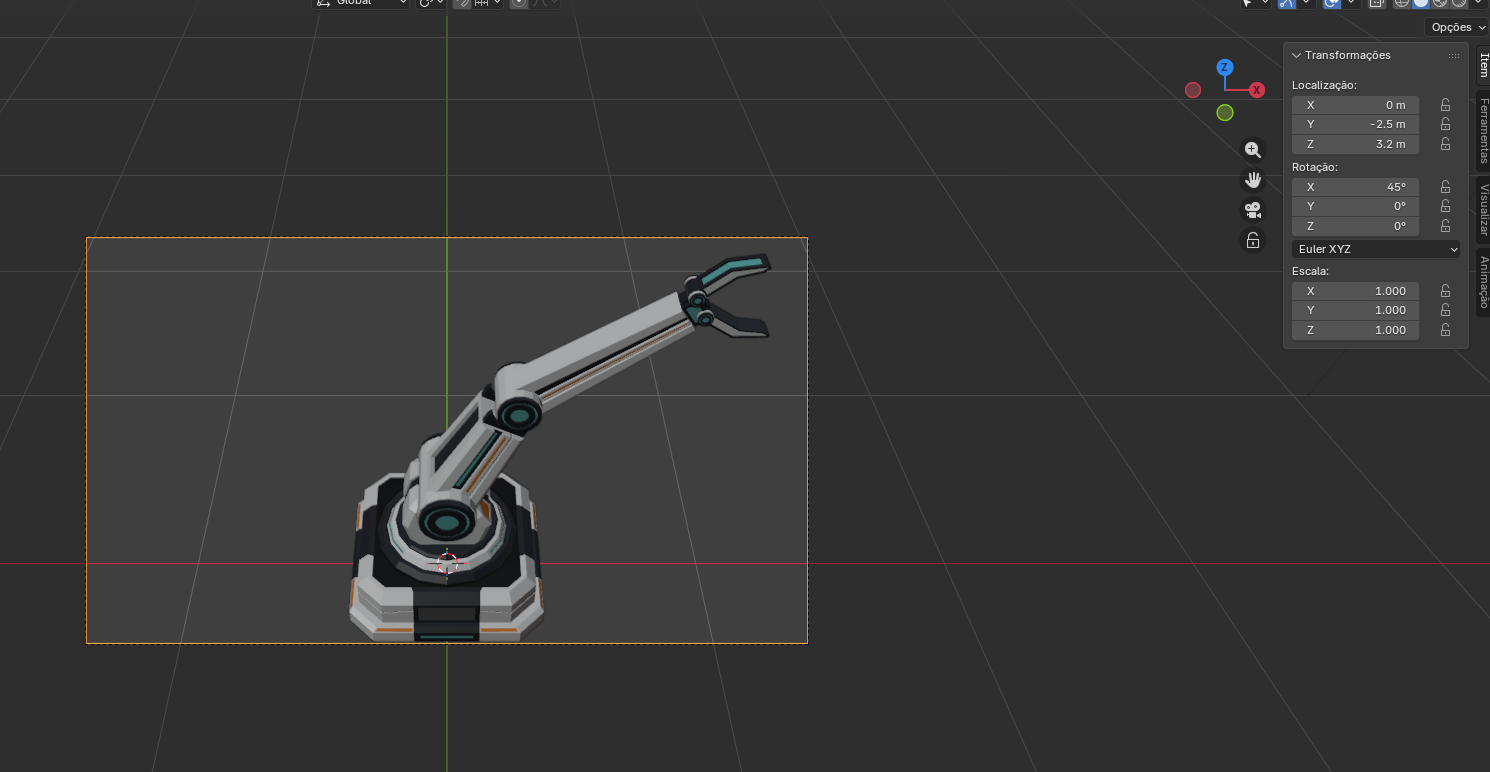
image.png

Thank you so much, that really means a lot, your message is very encouraging!

For RPG Maker, I don’t provide pre-rendered PNGs, but you can easily set up a top-down camera in Blender and render the assets from the four directions (orthographic view works best for that).

For a more pixel-art look, I recommend reducing the color palette and using flat lighting (no shadows or very soft ones). You can also lower the resolution and scale it up to achieve that pixel effect.

I’m not a pixel art expert, but these adjustments already give good results.

Since you're learning Blender, it’s actually a great way to experiment and keep full control over the final result. Feel free to reach out if you have any questions, I’ll do my best to help, and if you have 2 minutes, a few stars on the pack page would be really appreciated 🙂