

请大佬讲解
Translation:
Could someone knowledgeable explain?
Headpat a sexbot in a dystopian world · By
I believe you are referring to how to export a save file from the web version of the game.
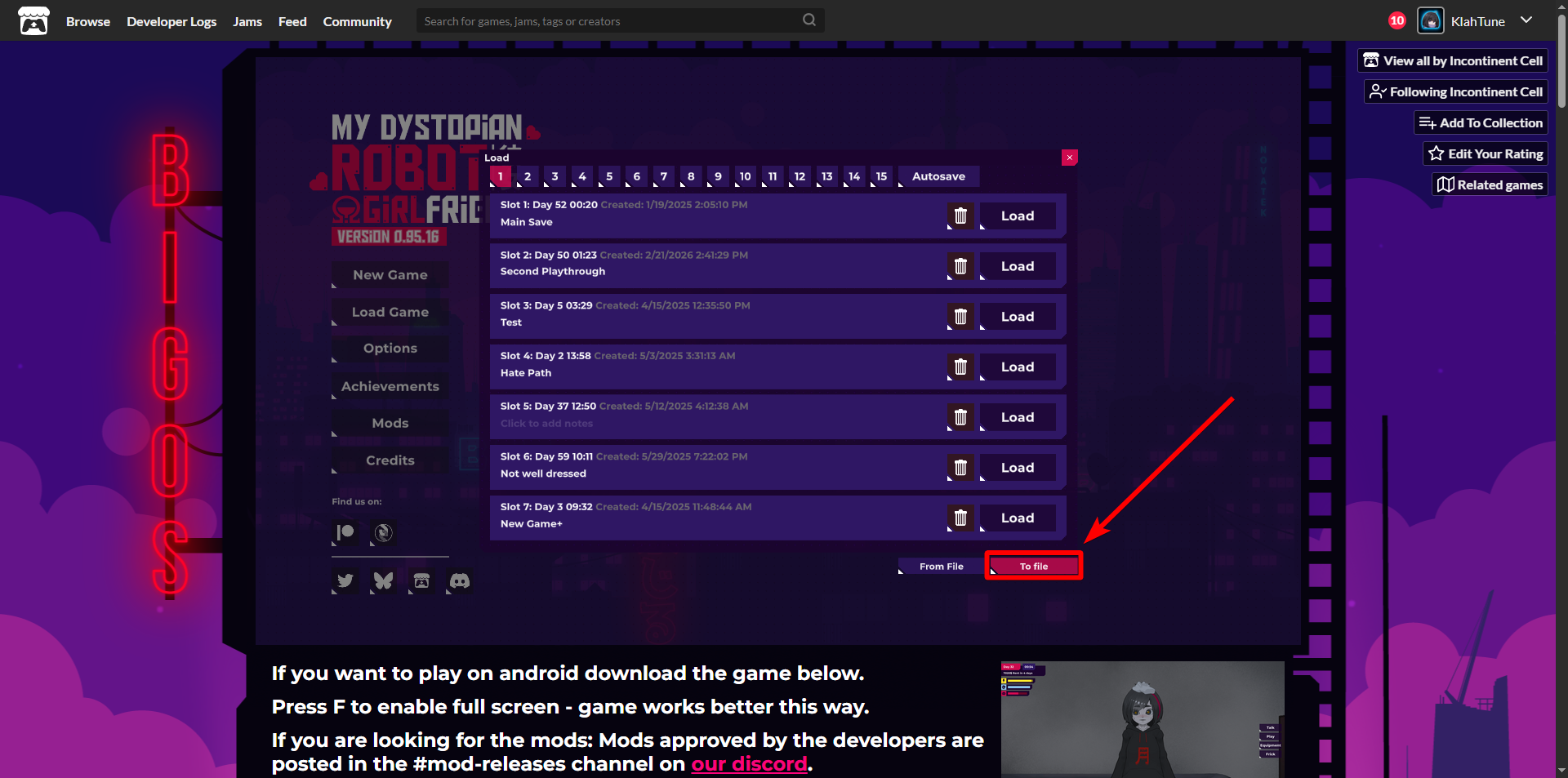
On the "Load Game" menu, look at the bottom-right corner of the save window.
You should see a button called "To file".
Clicking this button will export your save file as a downloadable file.
However, please note that on some mobile browsers, especially on the web version of the game, there are known issues where the browser may block file downloads while the game is running.
If you click the "To file" button and nothing happens, it likely means your browser is blocking the download.
Unfortunately, this is a browser limitation, not a setting related to Itch.io.
Even if you allow downloads in site settings, it may still not work because the browser blocks the web game itself from accessing your device’s file storage.
Translation:
我认为你是在询问如何从网页版游戏导出存档。
在 “Load Game(读取存档)” 菜单中,请查看存档窗口的右下角,你会看到一个 “To file” 按钮。
点击这个按钮后,游戏会将存档导出为一个下载文件。
不过需要注意的是,在一些手机浏览器上(尤其是网页版运行时),可能会出现无法下载文件的问题。
如果你点击 “To file” 后没有任何反应,很可能是浏览器阻止了下载。
很遗憾,这是浏览器本身的限制,而不是 Itch.io 的设置问题。
即使你在浏览器中允许下载,也可能无效,因为浏览器会阻止网页游戏访问设备的文件存储。