1. 你從哪裡弄到錢來創作如此純粹的藝術作品?
2.  .
.
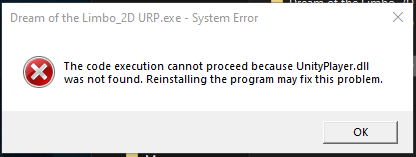
感謝您的回報,可能的檔案錯原因是因為:
Thank you for your report. The possible cause of this file-related issue may be:
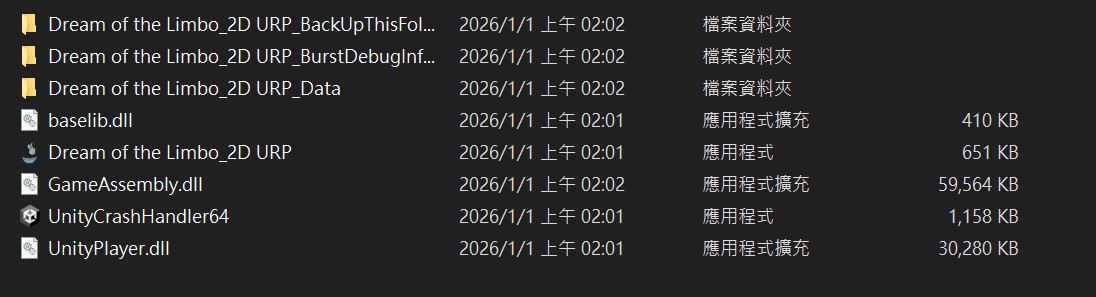
1.只把 .exe 單獨拿出來執行,旁邊缺少 UnityPlayer.dll 或 _Data 資料夾。
Running only the .exe by itself, while the UnityPlayer.dll or the _Data folder is missing from the same directory.
2.直接在 壓縮檔內雙擊執行/沒有完整解壓縮,導致檔案不齊。Double-clicking to run it inside the ZIP file / not fully extracting the archive, which results in missing files.
3.防毒/Windows 安全性 把 UnityPlayer.dll 隔離或刪除了。
Your antivirus or Windows Security may have quarantined or removed UnityPlayer.dll.
======================
解決方式
How to fix:
1.請先把整個遊戲資料夾 完整解壓縮(不要在壓縮檔內執行)。
Please fully extract the entire game folder first (do not run it from inside the ZIP).
2.確認 .exe、UnityPlayer.dll、XXX_Data 資料夾 都在 同一層資料夾,再執行 .exe。
Make sure the .exe, UnityPlayer.dll, and the XXX_Data folder are all in the same folder, then run the .exe.
3.若仍出現,請 重新下載/重新解壓,並檢查防毒隔離區,把檔案還原或加入白名單。
If it still happens, please re-download and re-extract the files, then check your antivirus quarantine and restore the file or add it to the allowlist.