Indie game storeFree gamesFun gamesHorror games
Game developmentAssetsComics
SalesBundles
Jobs
TagsGame Engines

Kenney Game Assets All-in-1

Includes 60,000+ game assets including 2D sprites, 3D models and more! · By Kenney

Launcher 3.3.0 feedbacks

A topic by Marangon Productions created 92 days ago Views: 310 Replies: 3
Viewing posts 1 to 2
(+2)

Hi Kenney! I’ve played around with some of the features of the launcher (mainly the PNG to ICO and the Store Assets generator) and I wanted to give some feedback on them:

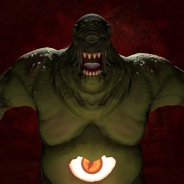
The PNG to ICO don’t seem to work very well with me, as you can see in the screenshot below I used the community icon of a previous Steam project of mine to test it and it came completely messed up (I tried with all the resolution options, just the default ones, and it all gives the same result just at different sizes):
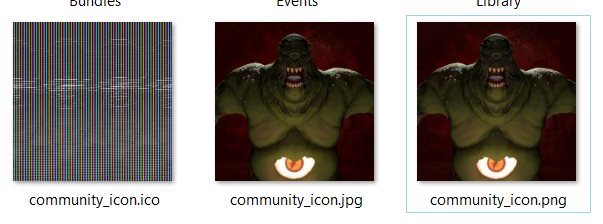
image.png

As for the Store Assets:

  • It’d be cool if we could get a preview of how will the images turn out in a separate Preview tab.
  • It’d also be nice if we get the option of where to create the assets instead of the default Desktop folder.
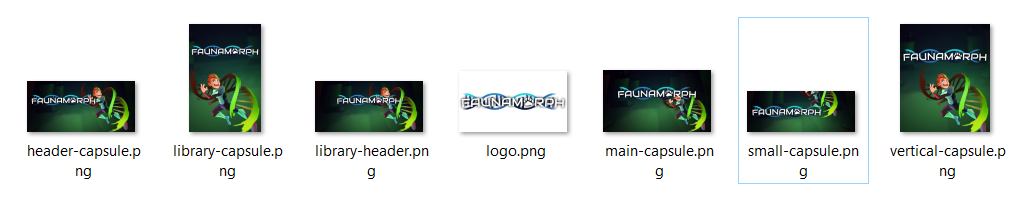
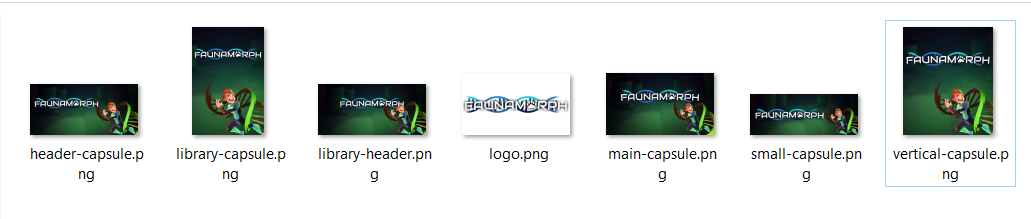
  • It may be a bit harder to code this in, but if we could also get some simple anchor-based controls for setting each generated asset for better control it’d be nice so we can fine-tune each capsule based on the hero art itself - as you can see in the screenshot below of my tests with another previous Steam game of mine, the artwork get’s cut off in the capsules and if I try to adjust it fits well in some but not in others (in this case I did a simple -100px x -100px adjustment on the second screenshot). image.png image.png
Developer (1 edit) (+2)

Hey, thanks for the feedback - much appreciated!

Would you be able to upload the PNG image you used for the icon? That way I can see what's going wrong there.

As for the store generator suggestions;

It’d be cool if we could get a preview of how will the images turn out

I hope to add this in an update, it would indeed be very useful to see a preview even if it's just one size.

It’d also be nice if we get the option of where to create the assets

Currently it creates the folder next to the input image(s), however I do agree that an option would be way better!

but if we could also get some simple anchor-based controls for setting each generated asset for better control

Yes! I hope to add another tab that shows directly the properties I use to generate the images. I already use an anchor-based system with scaling, so really the only step left is to show that to the user and allow for editing. Next version - hopefully!

Would you be able to upload the PNG image you used for the icon? That way I can see what’s going wrong there.

Sure, here it is below:

Developer (1 edit) (+2)

Thank you so much! The image is saved as 48-bit, while the software expects 32-bit. Resaving it using any image editor as 32-bit solves the issue, however of course I need to catch this in my software and either fix or show a warning. Thanks for letting me know!

Edit: I fixed the issue and it'll now work, it will be added in the next update!