

You can add custom songs by downloading an osu rythym charts (4 notes) and once you do that you go into the game and click the little plus sign next to the dancer sprite (bottom right). That plus sign is used both for adding custom dancer sprites and adding custom songs/maps. There's an official guide for it on the game page and this is how ya do it according to it.
Instructions:
- Follow the link: https://chimu.moe/en/beatmaps?amount=40&offset=0
- In the search bar, click on the gear
- Select gamemod mania
- In the CS slider select 4 keys
- Download your favorite OSU map
Hopefully this helps with song modding, now for your query about dancer sprites.
You gotta compress your sprite files as shown here, you can't compress the folder they're in. (Shown below)
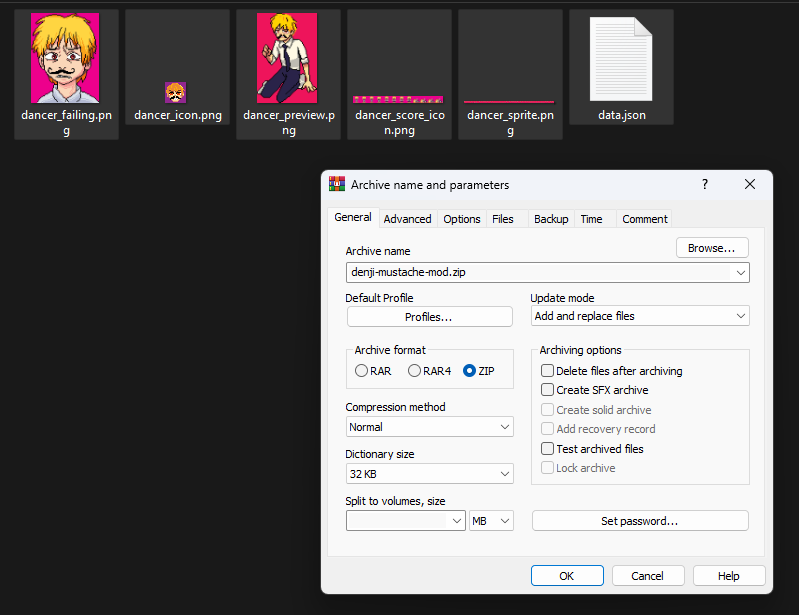
Once compressed, open the application and press the plus sign then open the newly made zip file and viola! when you click through you should see it.
Happy modding!