

@AndyNg-code: Just in case I'll post this information here if you're struggling!
- You'll want to import the larger PNG asset into unity (you can drag and drop the asset into the asset folder you have set up)
- Then click on the asset and in the inspector window, use your settings to match this setting, and click apply.
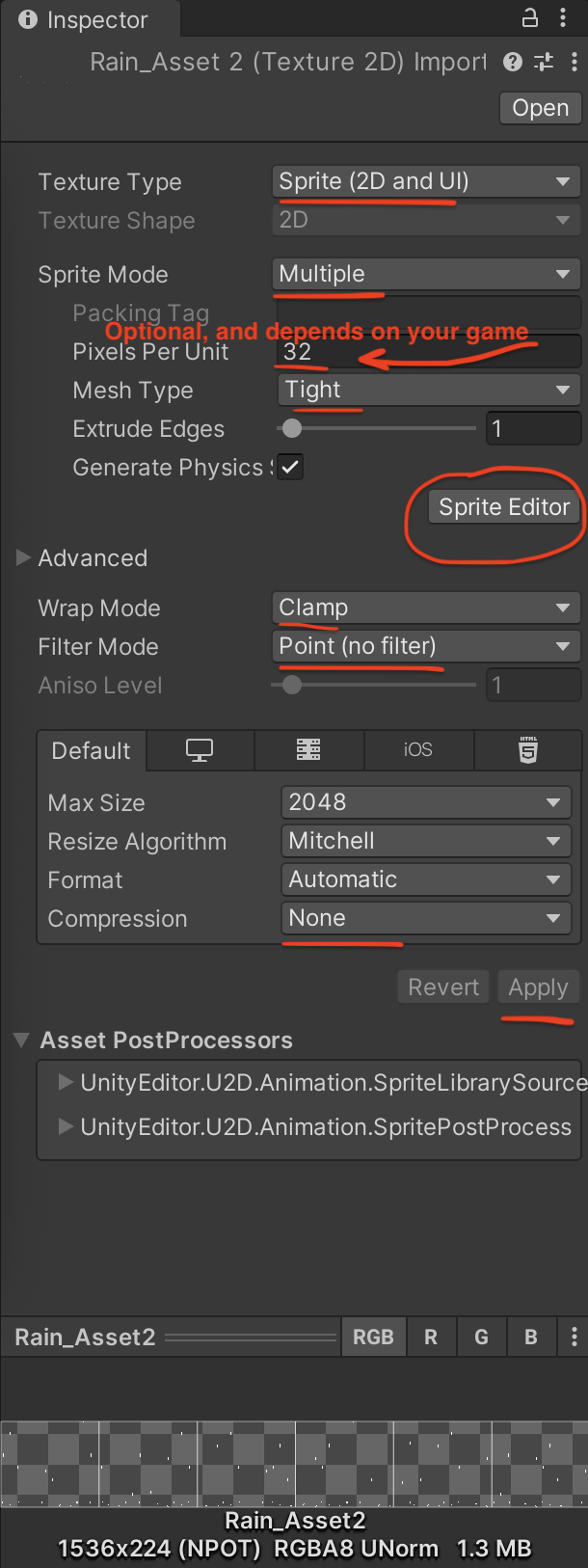
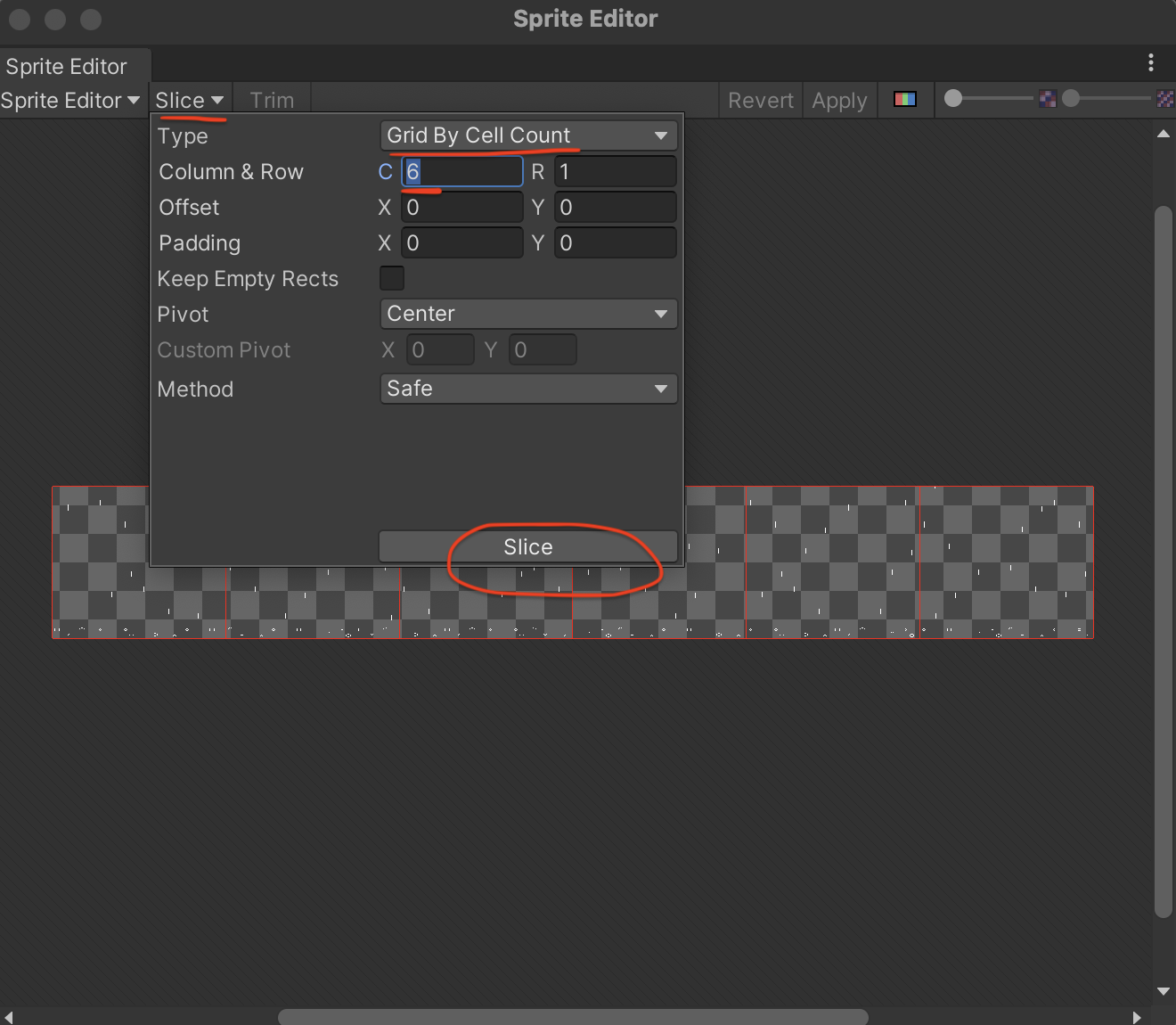
- Then you'll want to click on the sprite editor (circled above), click on Slice, and change the Type to Grid By Cell Count. Enter 6 for C, and then click Slice
- Once you drag and drop your asset into the scene, it should be a rain pixel art animation!
Let me know if you have any other questions or need any other help!