how do i disable the sound effects
i went into the settings file and it says "Sounds=false" but he still makes noise
ohhh you don't have to use the settings file!!press the left mouse key on the shimeji's icon and then press on Allowed Behaviours. there you can disable the sound effects!
no icon appears on my task bar when i run the file, ralsei kinda just appears
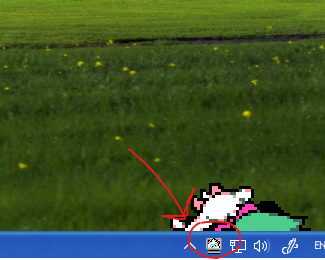
that's weird... something like this should appear when you open the shimeji
does this small icon not appear whenever you open the shime?