On Sale: GamesAssetsToolsTabletopComics
Indie game storeFree gamesFun gamesHorror games
Game developmentAssetsComics
SalesBundles
Jobs
TagsGame Engines

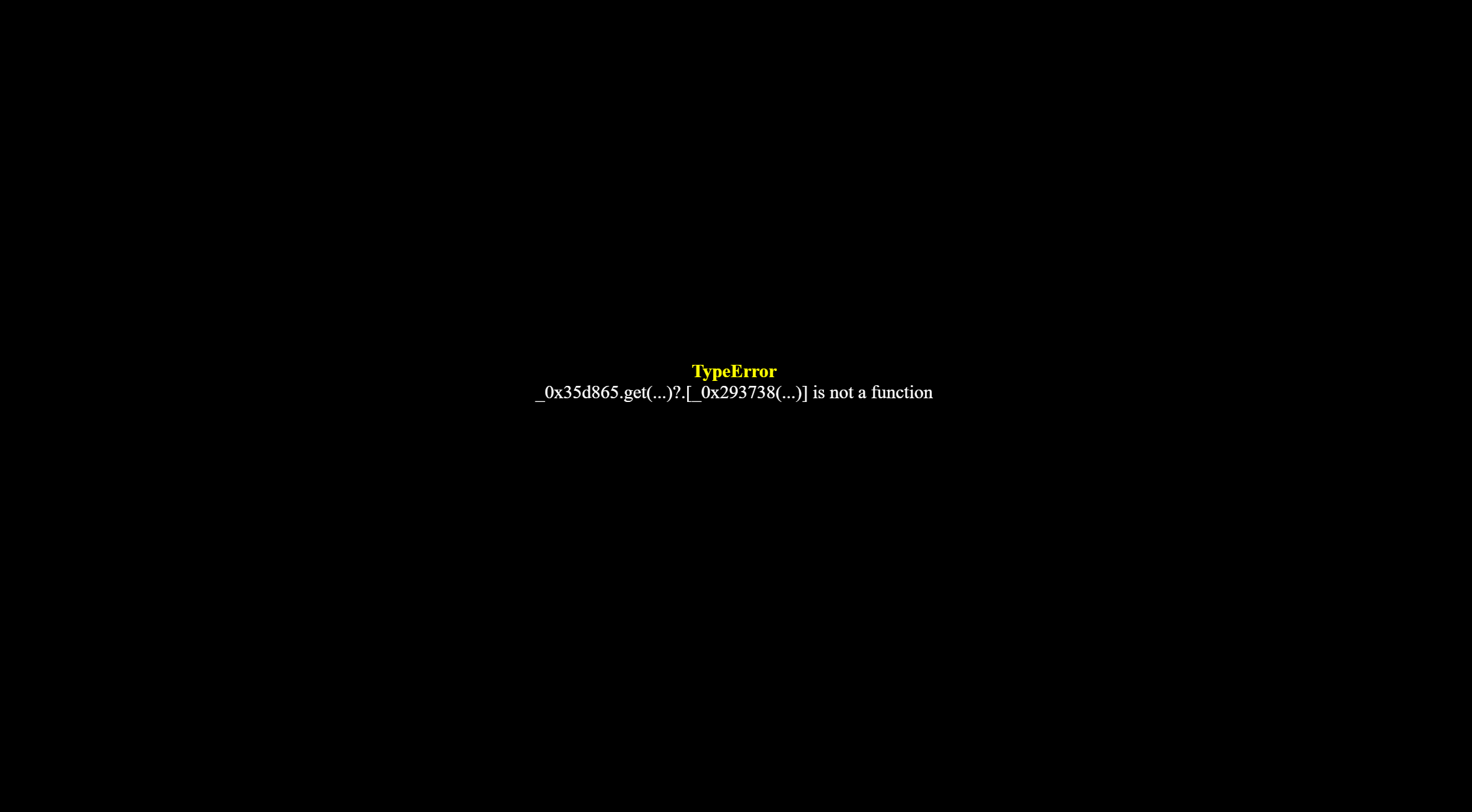
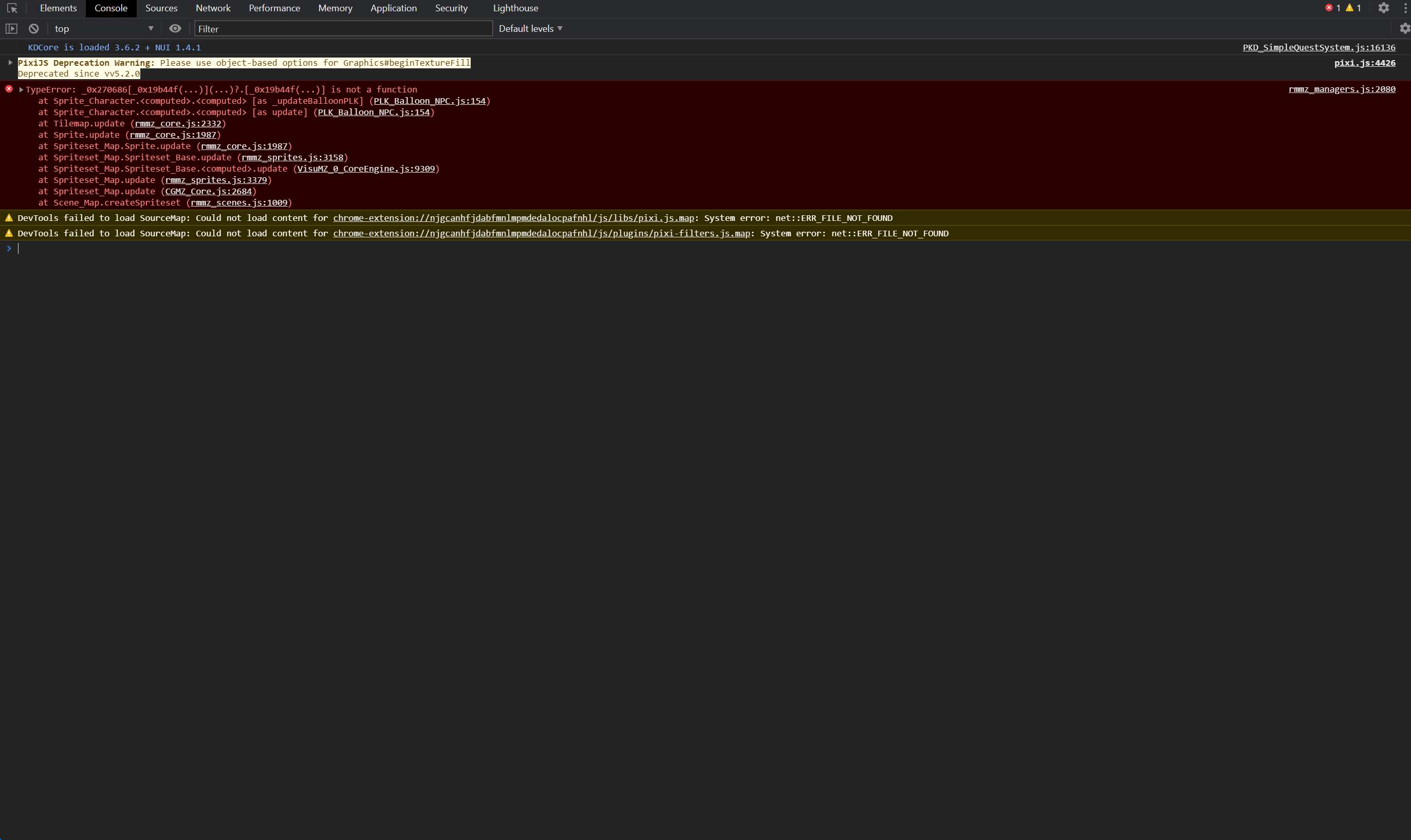
Hi there, found a bug where if you enter a map where the plugin was used to show balloon on a npcs, it sometimes gives you an error. It doesn't happened all the time so I don't know exactly what triggers it. But I know the plugin causes it because disabling it fixes the error. I've added an image of the error.
(3 edits)

Fixed a crash in v1.2.2.

I'm not sure about this issue.

But I've fixed and updated some potential issues.

It's possible you're using another conflicting management plugin.

Please send me the F12 information From the program page

Sorry, what do you mean by F12 information?

1.2.3 Try it and follow the instructions for the version above.

Hello, just tried the new version and it still giving me the error. I did put the plug in under all other plugins.

(1 edit)

OK, try again in 1.2.4. I fixed it. If you have any other issues, please report them. I haven't tested this, as it may be specific to your project or other plugins.

So, feel free to report any issues.


Open the Plugin Manager and ensure it loads after Core/VisuMZ (if applicable).

Clear the cache (Ctrl+F5) and run the test on the map with the balloon.
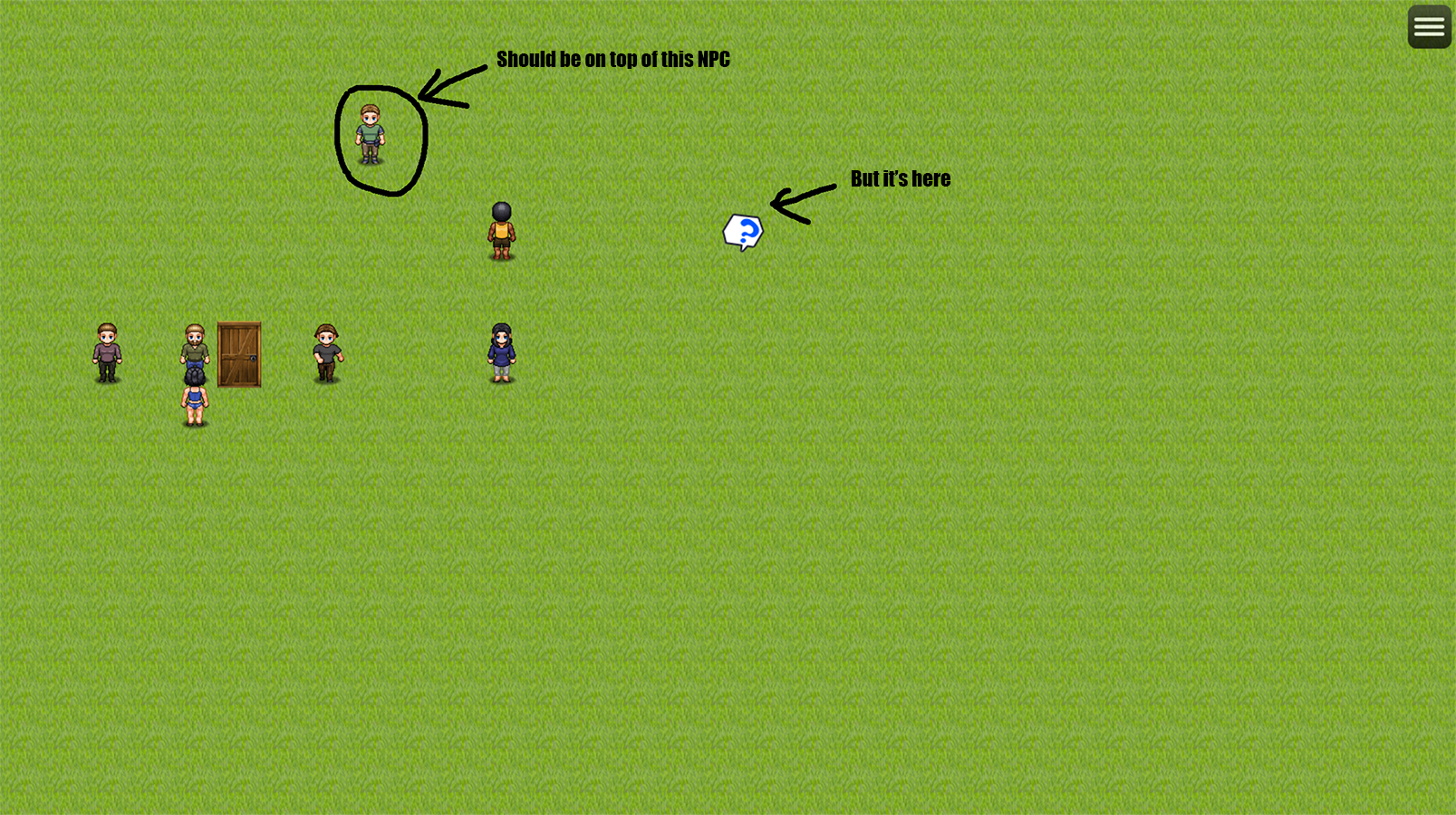
Hello, So the error is still there. But now there's a new issue. see the attached picture for details.

(1 edit)

After some experiment, I think I figured when this error occurs. After setting a balloon on an NPC, if you you later clear the balloon using "clear NPC balloon" command, save the game and exit, and then reload the save and try to enter the map where the NPC balloon was triggered, it gives you an error.

Edit: to be more precise, entering the map where the NPC with the balloon icon on top of it that was cleared by "Clear balloon" command, gives an error.
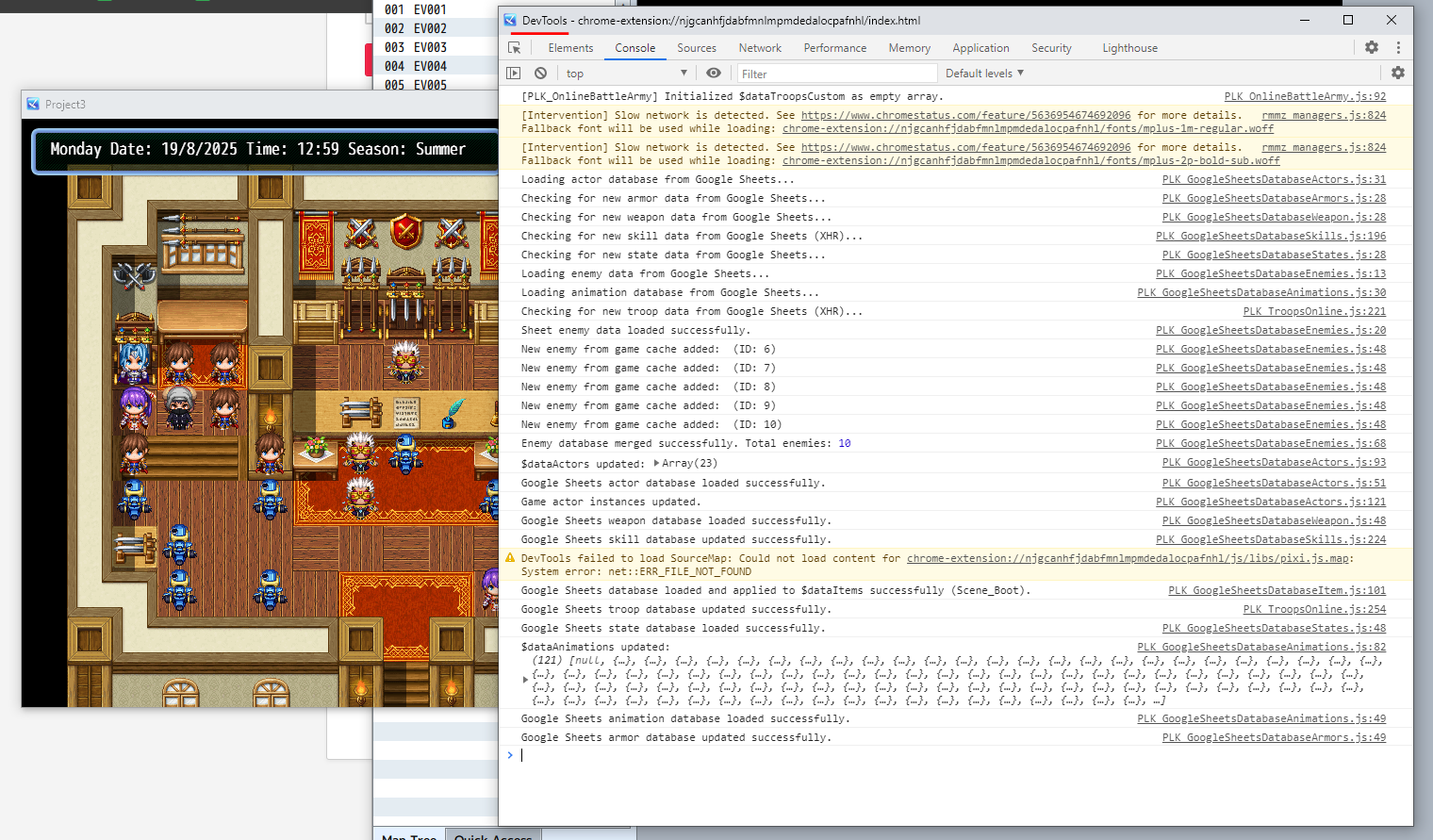
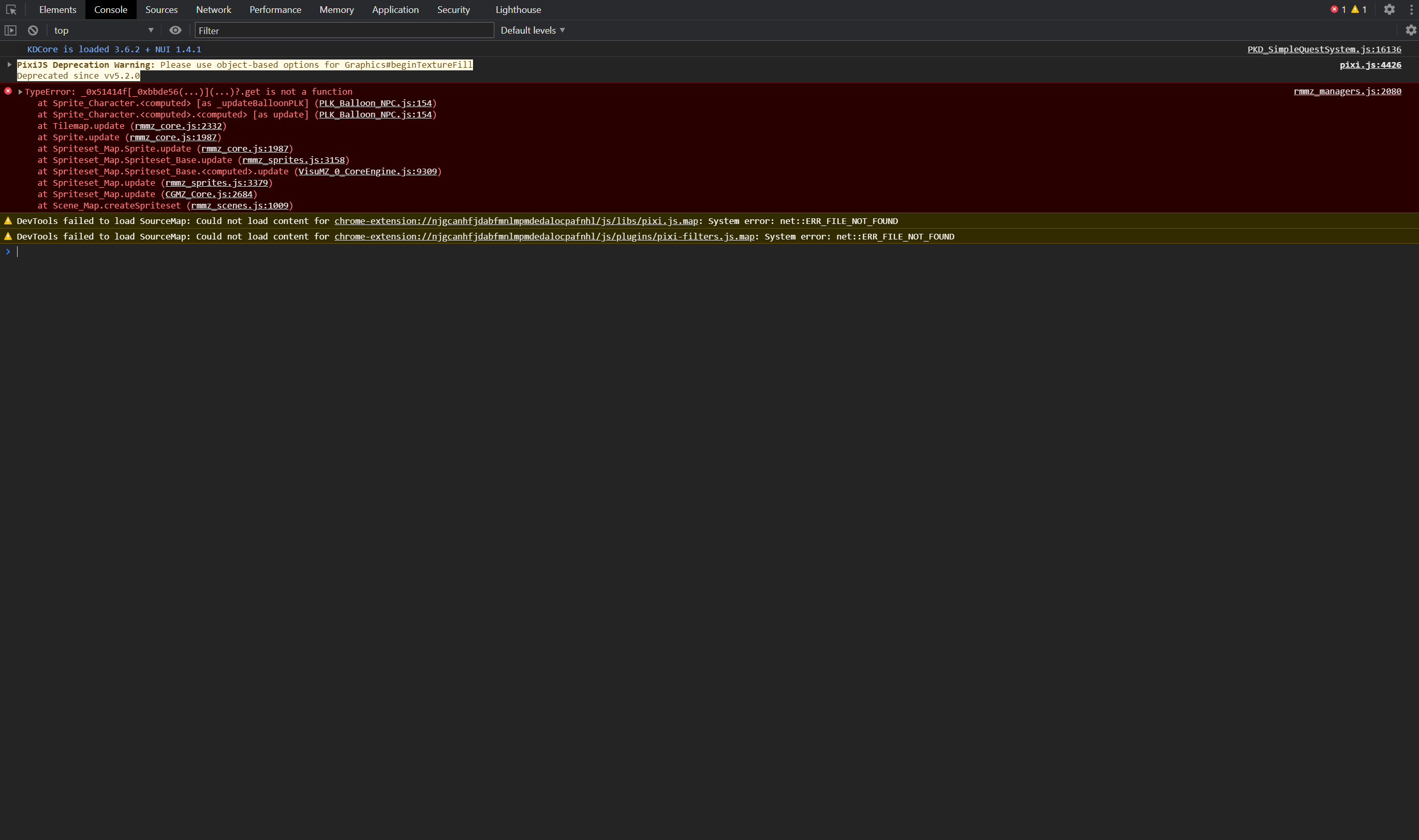
by the way, I have made a fresh project with just just this plugin active, to make sure this issue didn't caused by any other plugin.

I tested it and it works fine now. You need to delete the old settings in the project and set them again inside the NPC so that the old settings are not still used.

Open the rpg maker mz program and click Run your project then press F12.

If you find any red information, please capture or copy the text and send it to me, but I can't find it in my project now.


Are you using 1.2.2 now? I just updated it.

I just downloaded the plug in again. But it shows 1.2.1 in my game.