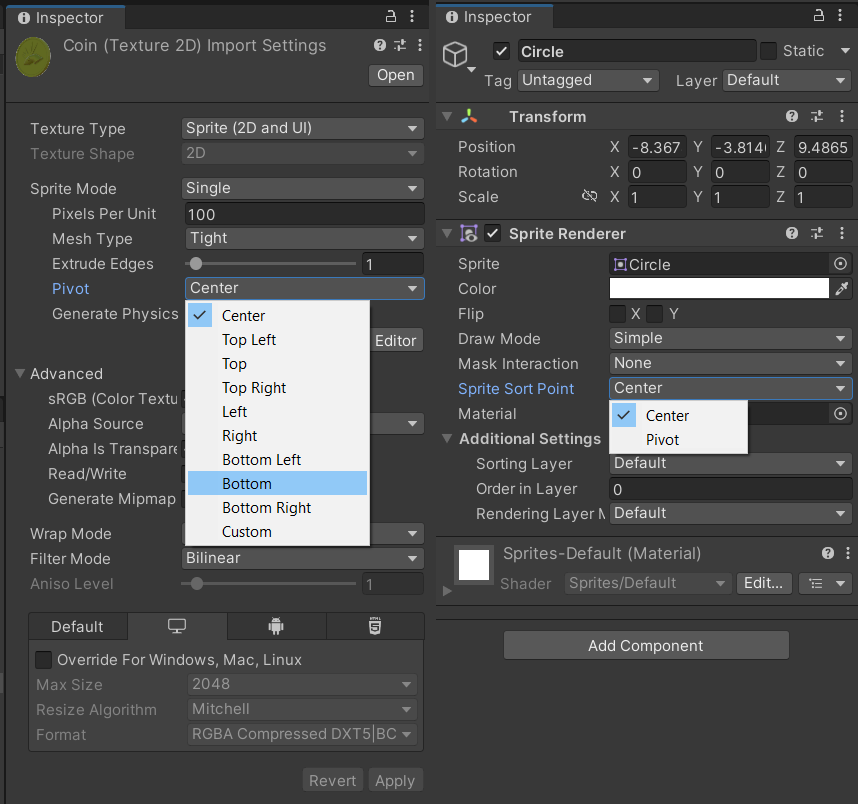
More specifically, in Unity (this is version 2022.3.28f1) - in the sprite renderer, change sorting to pivot. in the sprite importer (click on the .png itself in the project folder) - change the pivot, either using this drop down, or in the sprite editor. For the style you chose, using the bottom of your player would work well. although, in this case, you could also put things like the front door in a higher sorting layer, so it always shows on top of the player, and simply not allow the player behind certain items, like the auto-egg-maker.