Same as PC version. In upper right coroner there is "Add Ponies" button with "Import Pony" button in lower left.
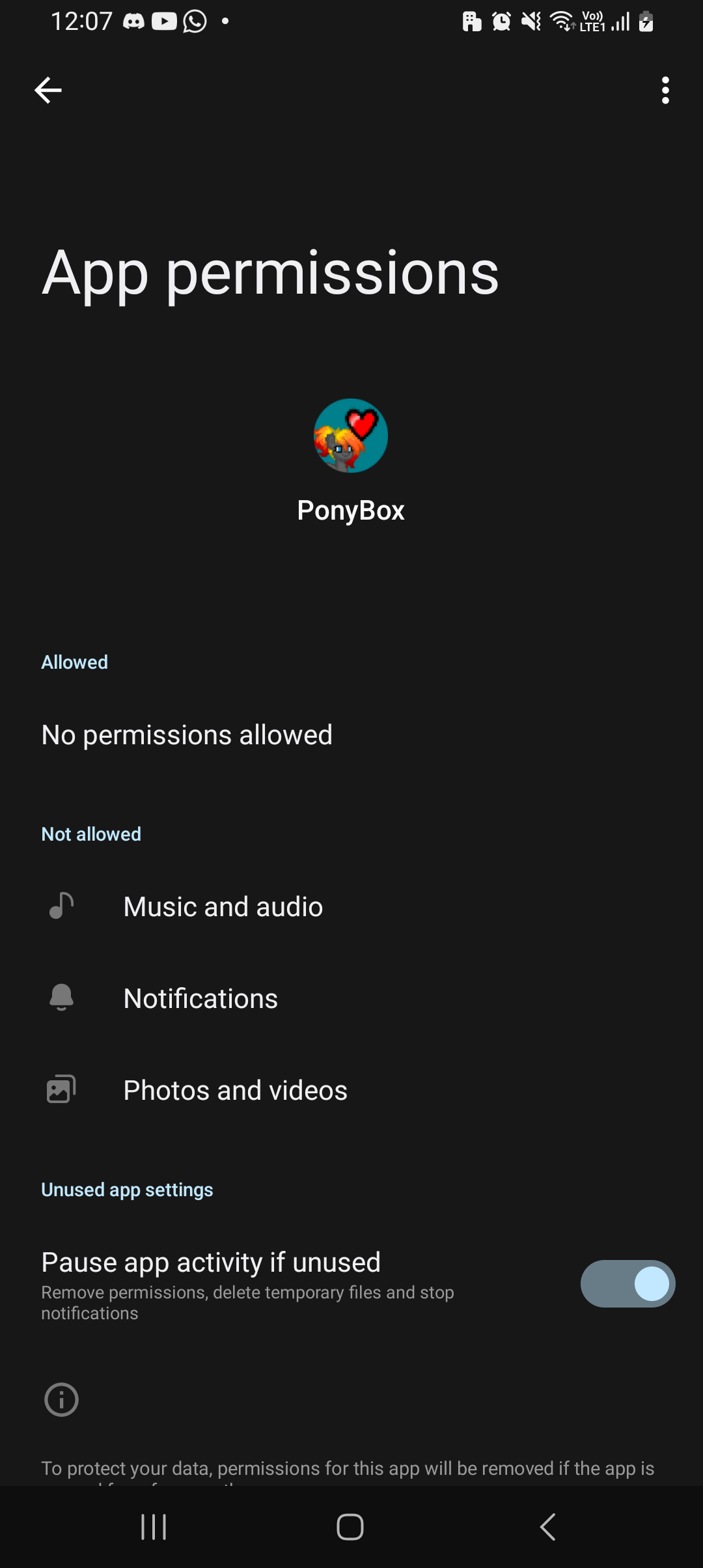
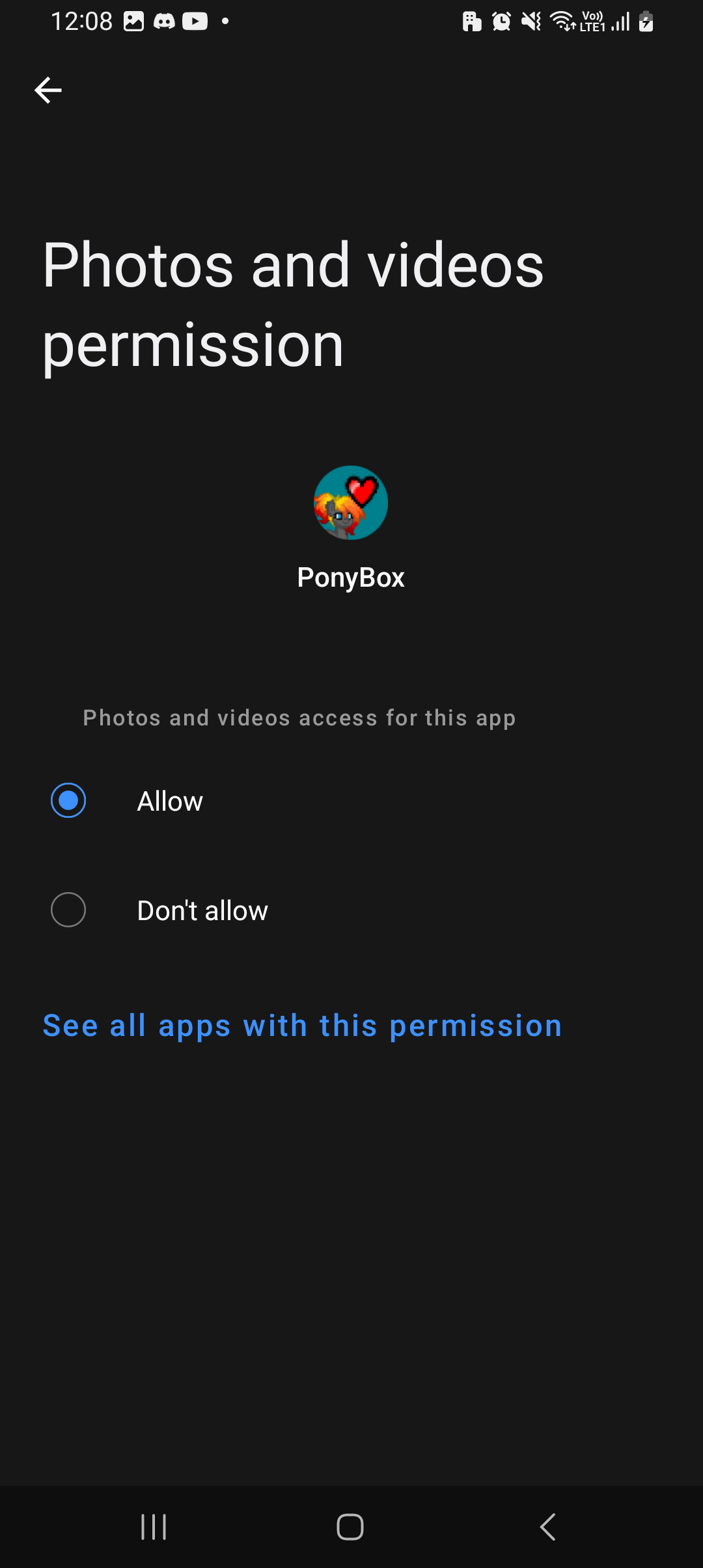
If the app lack permission to access photos/files, you will have able it. The exact process may differ depending on your device, but general means going into Settings -> apps -> pony box -> permissions -> photos and choosing allow
Here are some screenshots from my phone