
On Sale: GamesAssetsToolsTabletopComics
Indie game storeFree gamesFun gamesHorror games
Game developmentAssetsComics
SalesBundles
Jobs
TagsGame Engines

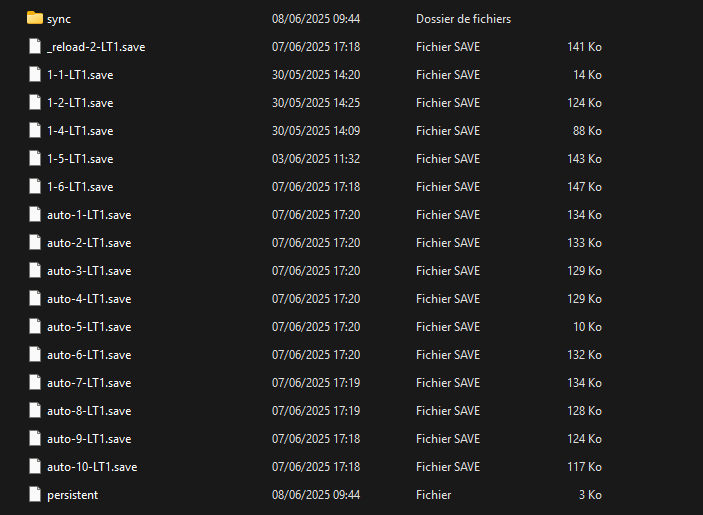
You have to press Windows + R, you type this : %appdata%. Try to find Renpy, in it you'll see Hidden Baldi  (With diferent numbers) You go in "saves" folder and delete in it. After you go to the game, you delete the saves in "game" folder, you restart and it will be good. Tell me if it don't work
(1 edit)

I looked in "Renpy/HiddenBaldi-(random numbers)/" and didn't find "saves" folder.

Deleted 200 days ago

(1 edit)

You should havesomething like this, delete everything and go to the game's folder, delete everything in saves and relaunch the game and it will be good