

I can help you! first open terminal keep that open then move the where the Carlson app is right click then show package contents , contents , macOS , then go back to terminal then type this "chmod +x" then space go back to where it has the white page called kalson drag that to terminal click enter then try Carlson
btw after you type x click space hope this helps :3
it should look like this 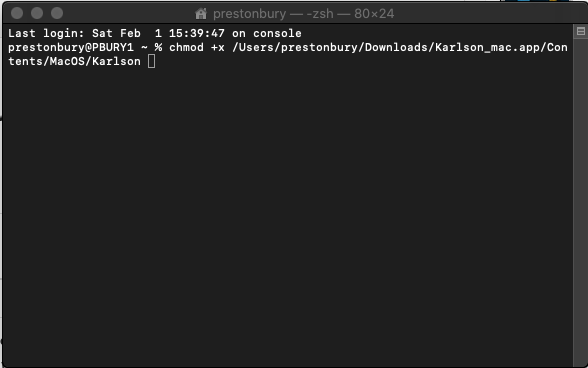
hope it helps :3