Indie game storeFree gamesFun gamesHorror games
Game developmentAssetsComics
SalesBundles
Jobs
TagsGame Engines

Cider

Prepare for a fresh, reimagined experience with Cider – your favorite Apple Music client! · By Cider Collective

I can't sign in to Cider Taproom account correctly

A topic by jiahuiz created May 15, 2025 Views: 4,085 Replies: 25
Viewing posts 1 to 17

I recently updated my Cider app, and now I’m no longer able to use it. It gets stuck at the “Sign into Cider Taproom” stage. I sign in through the browser and click “Authorize Cider,” but then it just redirects to https://taproom.cider.sh/about without doing anything. The Cider application remains stuck at this stage, as shown in the screenshot.
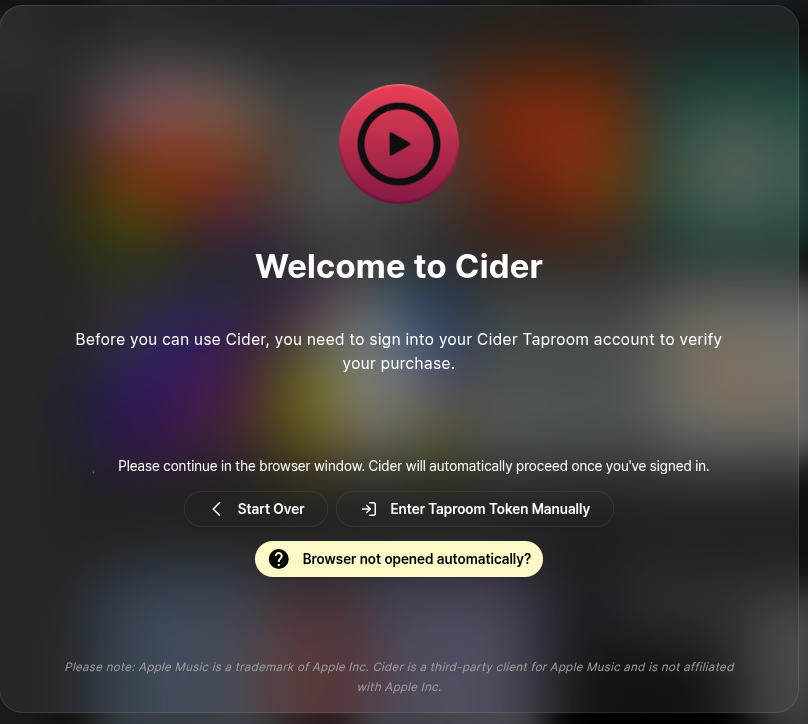
Is there any way to get the Taproom token manually?

(+1)

Ok I solved the problem by accessing `https://taproom.cider.sh/oauth/itch` manually....

Thanks! This works, just make sure to go back and press sign in with itch io, wait for the browser tab to open and then go to the link :)

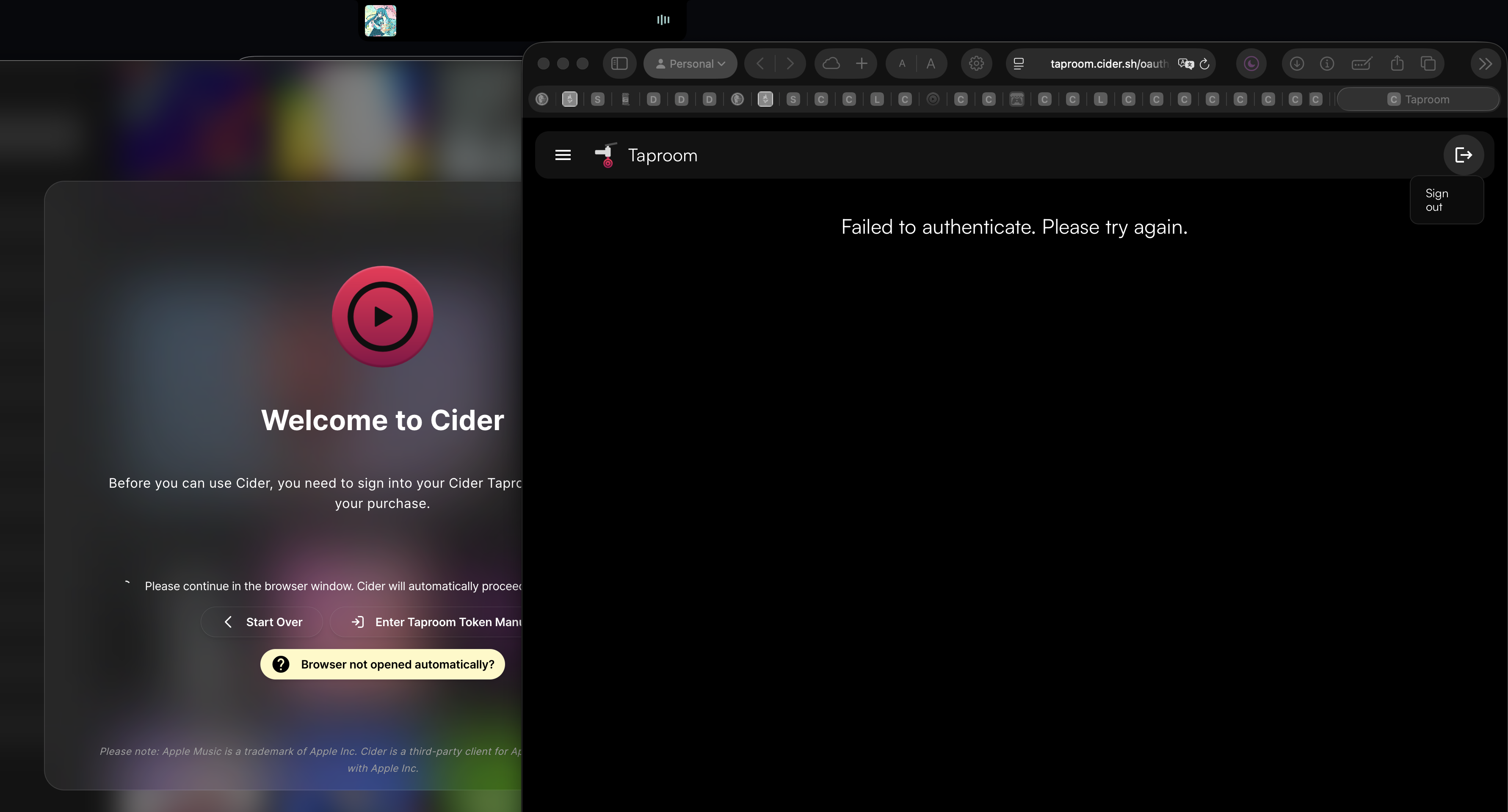
I'm running into the same issue. I tried accessing the site manually as you suggested but get a "Failed to authenticate. Please try again" message

Me too unable to login - this is really poor....

Any help from the developer or community really appreciated. Thankyou

(+2)

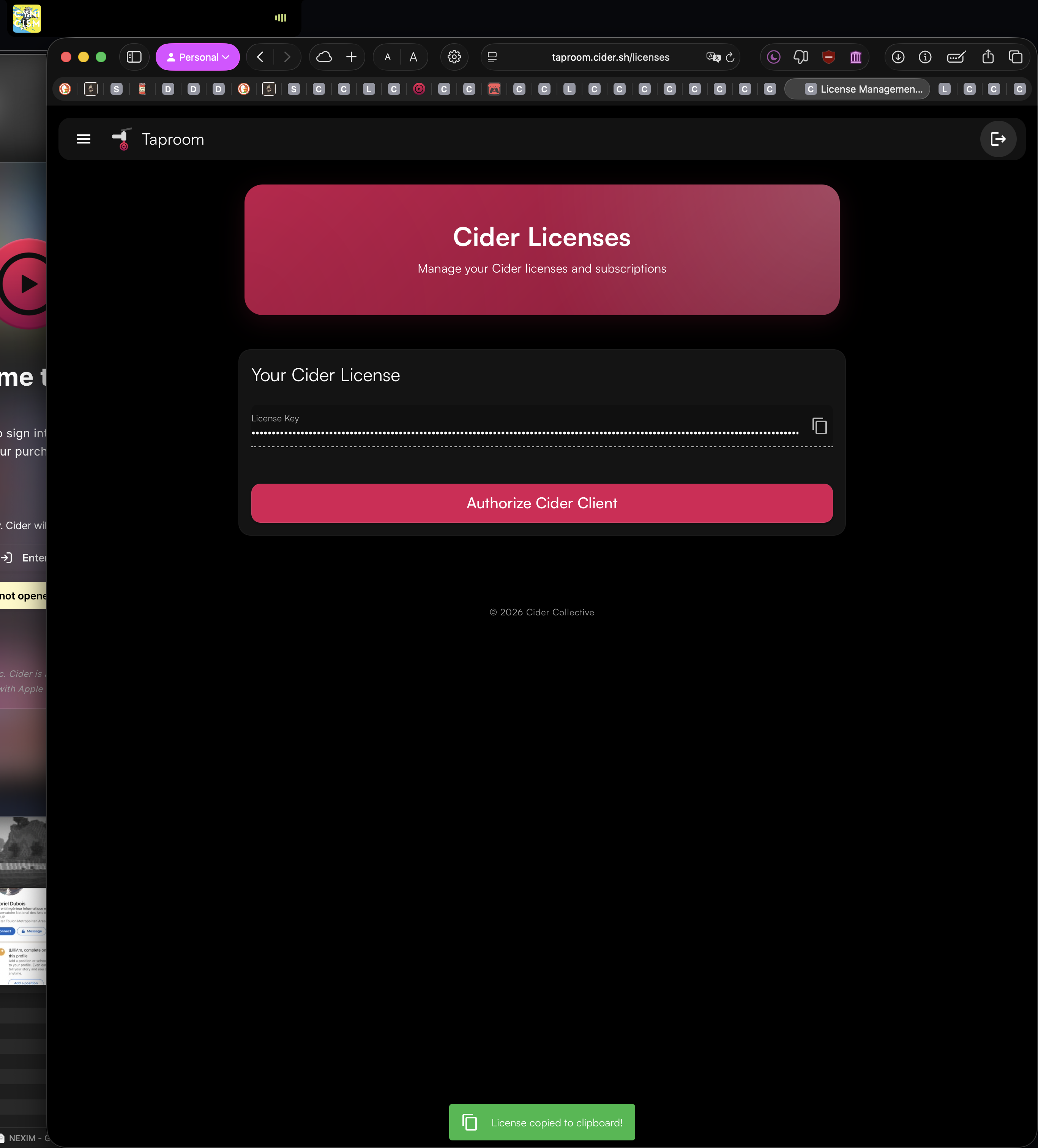
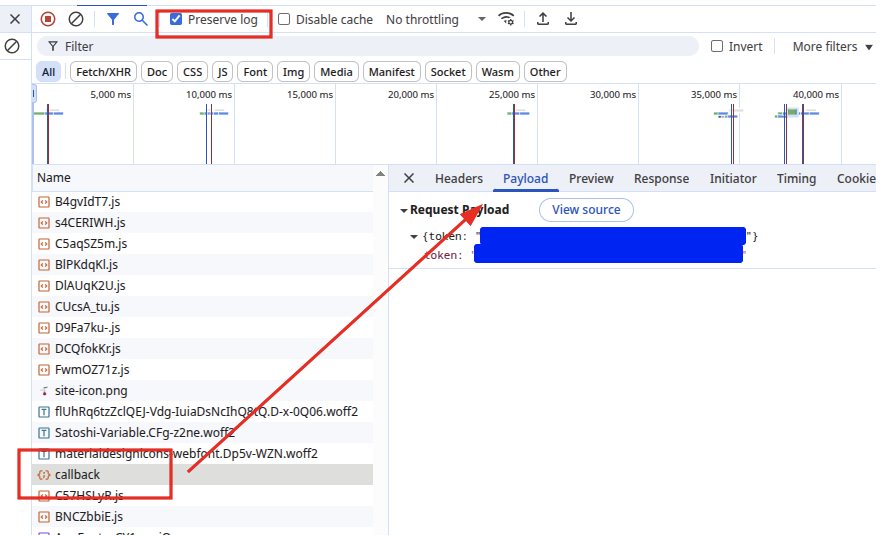
So what I did was use Chrome's F12 developer tools to manually get the token. It's stored in something called callback. Then I clicked the "Enter Token Manually" button and entered my token, but nothing happened, it just stayed stuck on the same page. However, when I then went to https://taproom.cider.sh/oauth/itch, I could see a license page and was able to click the button to give Cider access.

Thank you sir - will give that a go!

(+5)

ok i pressed F12, clicked application, then went to cookies and found CTP-AUTH - copied the value into the token entry on Cider login page and all worked - thx for the hint!

this worked for me, thanks!

Thanks... worked. Simple solution.

this did work thank you

Thank you this worked. Looks like a JSON Web Token (JWT) but perfect explanation. What a joke we had to go through this.

(1 edit)

OK I am really confused right now - in my end I couldn't even get my access to download Cider 3.0 at any way since we don't have any other platform distributing a copy of it on mac, and version 2 has incompatible branch so I can't update it in-app. If this sign in method is not fixed (by accident or not) for a full 50 days how can I trust this product? Not to mention that I was still experiencing serious bugs with mac version 2 despite numerous updates applying. 

I tried entering the callback token manually and cider did nothing but stare at me...

I encountered the same problem as you. Have you solved it? Thank you.

(+4)

for me i just copied the license key from taproom and pasted in manually and it works just fine. https://taproom.cider.sh/licenses

(+1)

THANK YOUUUUUUUUUUUUUUUUUUUUUUUUUUUUU SO MUCHHHHHHHHHHHHHHHHHH

Wow this is much simpler and definitely works.

Seeing this issue again.  However, this time when I enter the license manually it does nothing.

on macos i had to delete the `~/Application Support/sh.cider.genten` folder and then it let me paste in the license key

Guys try installing in Firefox - its worked strait away,.  Chrome browser obviously having issues with tokens.  Pretty poor if you ask me! 

Must admit that I'm really regretting purchasing this app - its slow and buggy.

Make sure you enable Pop-Ups and 3rd party redirection in your browsers settings! Wasn't able to authenticate myself until I turned it of inside my browser, then Cider was ready to go in less then 1 min.

I'm on Macbook Pro M4, website failed to get a valid token from the Taproom app, using the Licence key it's simply failed to work and clicking on "Authorize Cider Client" it simply told me : {"error":"UNAUTHROIZED_UA"}
This error code is from the app itself when it waits for you to start over or manually set the token, this link doesn't helped me and turns out it doesn't work neither : https://taproom.cider.sh/oauth/itch
Failed to authenticate. Please try again.

Also I can't Sign Out, the button simple press but does nothing.
Clearing Cookies and website settings for each try doesn't help

I'm unable to make the app work like it does behave months ago.