
Indie game storeFree gamesFun gamesHorror games
Game developmentAssetsComics
SalesBundles
Jobs
TagsGame Engines

Novetus

A multi-version ROBLOX client launcher built to allow the user to run LAN and Internet servers. · By Bitl Development Studio

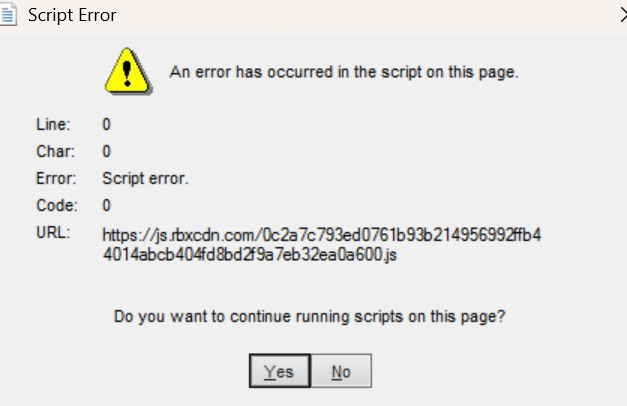
"Ddo you want to continue running scripts on this page?" popup never goes away

A topic by riiney created Jan 01, 2026 Views: 308 Replies: 8
Viewing posts 1 to 4

When I launch the 3d preview, the message in the title pops up. If I click yes, no, esc, or the x button, it just pops back up, requiring task manager to close it. This message also pops up when I interacted with the "insert" button in the studio, and when looking at a game in the studio now. How can I fix this?

Sorry if I sound rude, I don't mean to be.
try pressing enter for some seconds maybe that will help!

this error is just normal due to roblox not being open sourced (you could try reverse engineer since the engine for older roblox is open sourced but idk where you'd get a C++ decomplier)

roblox just loads a old verision of IE with no java script, just click yes or no and they all disappear (trust me it does nothing for the game)

ok lo

Seems like it was just the version being buggy.

(1 edit)

specifically 2008m, now I'm using 2011e

(1 edit)

Screenshotting in 2011e also gives this error, but not recording!

also it gave me this error too when i was recording in E2011 Client