Hello!
If you’re reading this, you’re probably curious about videogame accessibility. What is that? How can you make an accessible game? How will an accessibility consultant help me achieve that? Say no more: I wrote this post to introduce you to this subject and explain what I do as an accessibility consultant to make games everyone, even people with disabilities, can play.
This post will talk about:
Simply put, an accessible game is a game anyone can play, even people with disabilities. It takes into account how different users will approach it, and designs its mechanics inclusively so everyone an play. Usually, this means that people with disabilities, and a variety of needs, will be able to play it.
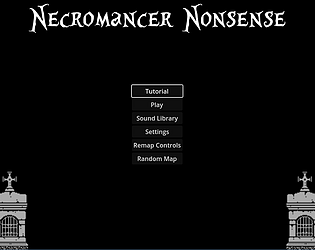
An accessibility consultant is someone whose role is to understand players’ needs and design and test accessible experiences - like I did when I helped Ericbomb with Necromancer Nonsense, a blind-accessible Real-Time Strategy Game.
People with disabilities play games, and more often than we might think, the same games everyone else does. Sometimes, games are just plain inaccessible for them. Other times, they’re able to adapt. But it’s way more pleasant when the game considers their needs in the design.
People without disabilities can also benefit from accessible design. Think about every time you’ve used subtitles or adjusted the ratio between a game’s music volume and its sound effects.
I’ll tell you a little fictional story to visualize it better:
Meet Jeremy. He’s a regular teenager who enjoys playing First-Person Shooters in his parents’ home office. One day, his bluetooth headphones went low on battery and suddenly turned off, so Jeremy had to listen to his game’s sound cues through the computer’s regular speakers. It wasn’t so bad until his father said: “That’s too loud! I’m trying to read a book.” So now poor Jeremy has to play a shooting game with his sound cues at 10% volume or even lower, without headphones. And his friends outbeat him every time, because he can’t hear them when they come from behind by surprise.
Now meet Jessica. She is also a regular teenager who likes to play First-Person Shooters. However, Jessica is also hard of hearing and deaf in one ear, so she can’t play all sound-based games; nor do it as well as Jeremy (when he’s wearing headphones, of course). She needs visual cues beside of the sound, and to adapt the sound settings because she doesn’t perceive stereo the same way.
Both Jeremy and Jessica had struggles with this game. But after this pitiful afternoon, Jeremy only needs to charge his headphones and he’ll go back to the leaderboard. Jessica, on the other hand, may never outbeat Jeremy if the game doesn’t adapt to her needs.
Maybe you’re wondering why Jessica even wants to play the first-person shooter game. But it’s quite simple: she loves the thrill of it, she likes that genre and, on top of that, all her friends play this game and keep talking about it every time they’re they’re together, even during school classes. For people with disabilities as much as everyone else, games can be a fulfilling a form of entertainment, relaxation and social connection. So perhaps we should ask: why should Jessica not try to play that game, if she wants to?
Several things go into making a game accessible. This time, I’ll focus on visual needs to explain how we achieve it.
The 4 main principles of accessibility are:
Absolutely not! That’s not the goal. Games aren’t meant to just be functional. They’re also meant to be challenging, satisfying and fun! So maybe you need to ensure all of your User Interface has good contrast, because that’s a functional thing; but accessibility for the game itself will depend on your goals.
Say you want to make a puzzle about finding invisible items. Naturally, the puzzle is to find them through means other than vision, so those items may have zero contrast with the background.
Accessibility comes into play in the mechanics the player uses to find them. Maybe they’re sound-based, like following a beep in a game of hot and cold. So to adapt to Jessica’s needs, you’ll add visual cues to go along with the sound.
I have to agree: it’s hard to make a game universally accessible, especially an indie game or even harder, a short jam game. It’s hard work, and sometimes full of surprises.
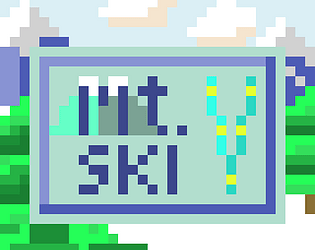
I’ll even tell you my own story: I’m not a developer, but I’m trying to learn game engines code. So I tried making my first game and tried to make it blind-accessible. Mountain Ski was a pretty simple text adventure, made on Quest. The game is mostly text and links: the most accessible thing, in theory.
I thought all I needed to so was to code alternative text descriptions into the game images. And I did. It wasn’t that straightforward, but I did. However, when I started testing the game itself, I realized the HTML export wasn’t accessible to NVDA (a widely used screen reader). It was only compatible with another one: JAWS. Once I found that out, I had three options: A) start learning another game engine and re-do everything; B) give up, or C) try to find ways around my limitations, and let the game engine developers know about these problems to contribute for future improvement.
All in all, it was not what I wanted originally, and I could have been disappointed, but I’m proud. I don’t know how to use Godot or Unity. So I was learning how to use a text adventure engine and developing my first game ever and, on top of it, thinking about accessibility. So that a lot on my plate and given how things were, it was a pretty good outcome.
The key takeaway is: choose the right engine before you start but, if you’ve already started, we can still work with what we have. Understanding your limitations, the engine’s limitations and your goals is a key aspect is this process.
Another takeaway: it’s possible to make games accessible in a short timespan. Make a decision about who your demographics are and about your goals and then do your best to accomplish them. Scoping well is key.
Check out the Games for Blind Gamers 4 jam submissions to see a list of excellent blind-accessible games that were made in a month. These aren’t only audiogames, but games sighted people will also enjoy. They range from cozy games, to RPGs and a challenging real-time strategy games.
My favorite games are in my article Top Picks: Best Blind Accessible Games from the Games for Blind Gamers 4. You can also see my breakdown of their accessibility features, to understand how some games go beyond audio features to think about intersection with deafblindness and mobility impairments.
In short: in a month, you can make very fun and highly visual games, that are also accessible and fun to blind players. Some are longer, some are simpler, they’re all complete enough. Clear goals and a realistic scope does wonders.
So now you know what accessible games are and are ready to develop one with the assistance of an accessibility consultant. So I’ll do my thing, and you’ll do yours: as a team. If we work together, this is what I’ll generally need from you:
But most importantly: I need you to be dedicated to this goal. Accessibility must be a priority, and not simply dropped if it gets too difficult simply because you’d prefer to add a new inaccessible game mechanic or scene.
Well, this highly depends on your goals, of course. But here’s a few things I’ve done in past games:
Apart from blind accessibility, there are a range of other services I can provide:
Here are genres I love, with links to games I’ve worked on in that genre:
Other games I like (but haven’t yet worked with):
Probably good to give a heads-up that I’m not very much into:
I may not join all accessible game projects, but I am always happy to do help someone make their game more inclusive.
My kickstarting motivation for writing this post was I felt like I really wished someone would come and ask: “Can you please write audiodescriptions for my game?” And I would like to say yes. But frankly, beyond that, I’m always delighted when people care about accessibility.
So, we delved upon what’s needed to make an acessible game - from scoping well, to having clear goals and demographics, and doing our best with our limitations. I hope this was inspiring for you, because welcoming new player demographics can be a very rich experience.
On that note, please reach out if you are looking for an acessibility consultant and think I could be a good partner. I’ll be around, happy to join in!
Until then, keep making great and accessible games.
Did you like this post? Tell us


Leave a comment
Log in with your itch.io account to leave a comment.