

In honor of the Steam release of picoCAD2, we're running a jam!
Make tiny 3D art with picoCAD2: modelling, texturing, and animating. No prior 3D experience required.
All skill levels welcome!
Theme (Required)
Sequel
Theme is required for entries and is meant to be open-ended. If you can explain how your model follows the theme, it's valid!

Back by Popular Demand - SwagShaw
Everyone has their favorite sequel! Paddington 2, Deltarune, Mountain Dew Baja Blast - often making way for improvements in style and impact by revisiting something near and dear. This is the place for a remake, or for continuing to make those low-poly models we all love. Let's show the world what comes with PicoCAD2!
Animation (Optional)
Use Rotation, Translation, Scale
Limitation is entirely optional as an added challenge.
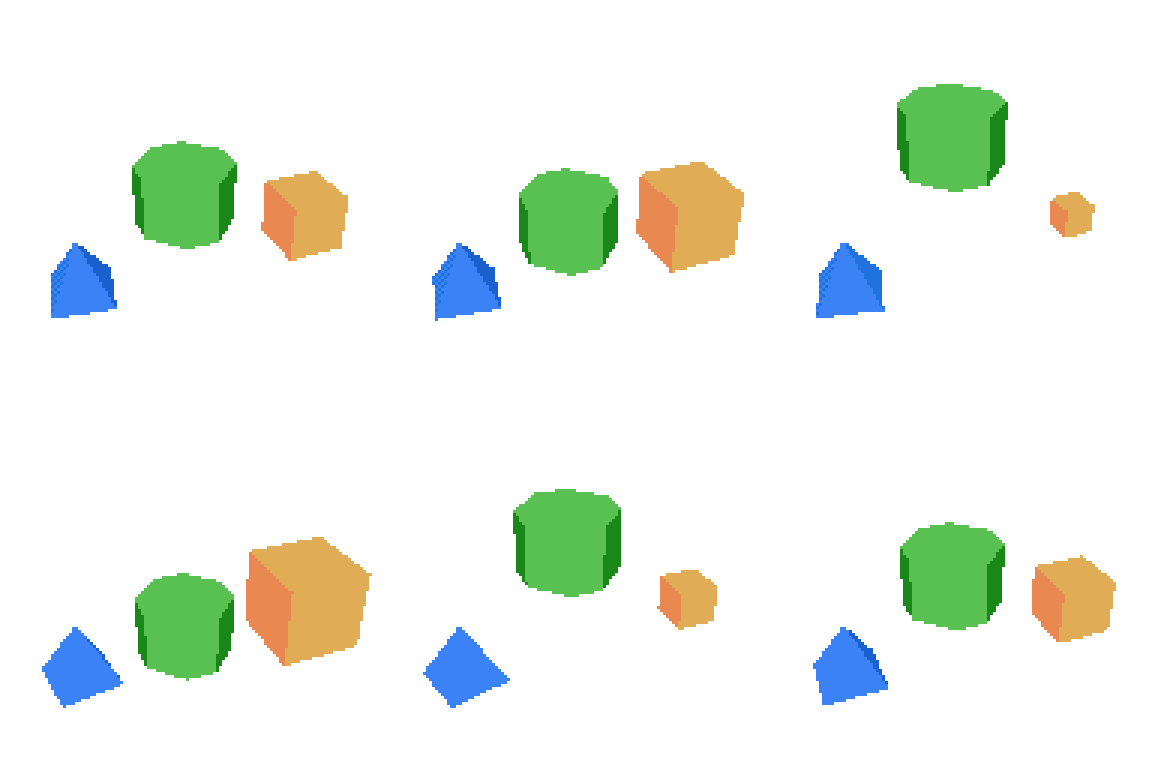
With the addition of the animation system to picoCAD2, this is the perfect chance to dip your toes into the basics of animation, try using one of each type of basic animation. Use each at least once, and your submission will meet the limitation!
What is picoCAD2?
"Focused on the bare essentials of 3D modelling, picoCAD 2 blends simplicity with creativity, letting you make low-poly 3D models with just a few clicks. Whether you are a total beginner or an expert, picoCAD 2 is a unique and approachable tool for expressing your art. " -Johan, creator of picoCAD
picoCAD 2 is available here:
Also, don't forget to
- Read the manual: https://picocad.net/manual
- Join the Discord
How to submit?
Please submit an animated GIF of your model, the model TXT file, and, if textured, the model's texture PNG. Example.
To create a spin, navigate to the top left drop-down menu and click "Export GIF". Select any settings that best showcase your artwork.
To find the model TXT file, click "Open" in the top-left menu, then click the folder icon.
For learning how to create an Itch.io page, read Your First Itch.io Page.
To create a submission with multiple participants, first have one person upload the project. Then, in the edit project page, go to "More" and "Admins" to add the other person. Make sure to check "Display as a contributor?" so that they get credit.

Rules
- Models are required to incorporate the theme. Limitation is an optional modifier.
- Make your model within the jam timeframe.
- You may sketch concepts before the Jam starts, but do not use assets made before the Jam.
- Make only one submission.
- You may work as a team and submit a group-made model.
- Use only picoCAD, picoCAD2, and/or any community-made tool to make your model and submit an animated GIF of it.
- Your submission must be primarily made in picoCAD/picoCAD2.
- The submitted GIF must be directly exported from picoCAD or picoCAD2 and not altered.
- No harassment of any kind. No NSFW content, offensive content, or excessive gore/violence.
- Entries that violate the rules will receive a warning and be removed before voting if no changes are made.
- You will be asked to submit a new model or edit to make your model valid. Models made before the jam started cannot be submitted.
- Have fun!
Voting
Models will be voted based on the following criteria:
- Visual- aesthetic enjoyment from the model
- Technical- high-quality modeling and/or texturing
- Concept- creative take on the theme/limitation and/or novel use of picoCAD2's capabilities
Voting will be open to submitters only. Submit so you can participate in voting!
Resources
- Community-made Tools (How to Install)
- PicoCAD Toolkit (by quickpocket)
- Web Viewer (by lucatronica)
- OBJ to picoCAD (by huntrox)
- Pixel editors
- Aseprite ($20)
- Pico-8 ($15)
- Piskel (free)
- GraphicsGale (free)
- Glimpse (free)
- Lospec (free)
- For a great breakdown see: What Program to use for Pixel Art?
- Pixel Art Tips
- Inspiration
Q&A
Be sure to read the manual included with picoCAD2!
Waporwave and Munro have written a supplementary guide for picoCAD. Included is a beginner tutorial, an overview of modeling and texturing, and a FAQ section answering common questions and showcasing tricks like inverted normal or spheres!
picoCAD Guide
And picoCAD2 Guide
If you have any questions about the jam or picoCAD please reach out on the Discord in the #jams-and-challenges channel.
Thanks!