Indie game storeFree gamesFun gamesHorror games
Game developmentAssetsComics
SalesBundles
Jobs
TagsGame Engines

FreeRangeSlop

16
Posts
4
Topics
7
Followers
A member registered 41 days ago · View creator page →
Creator of

Recent community posts

(1 edit)

Hello! Glad you like it! If you want to transfer the saves, just grab the folder called Monster Girl Chat in your users appdata folder and send it to the new computer and put it in appdata. The path to the folder should be:  %APPDATA%\Monster Girl Chat\

I havent actually pushed the bigger model yet, I kind of forgot about it lol.. Give me like 30 minutes and I'll have it up! Once the download is available, just put it in the dlc -> models folder!

Both should be live now!

Love the idea! I'll add it to my list of character ideas :) For now I hope you can enjoy Lumia the slime girl and Ylva the werewolf! Be careful with Ylva, though, she's a bit forward sometimes 😅

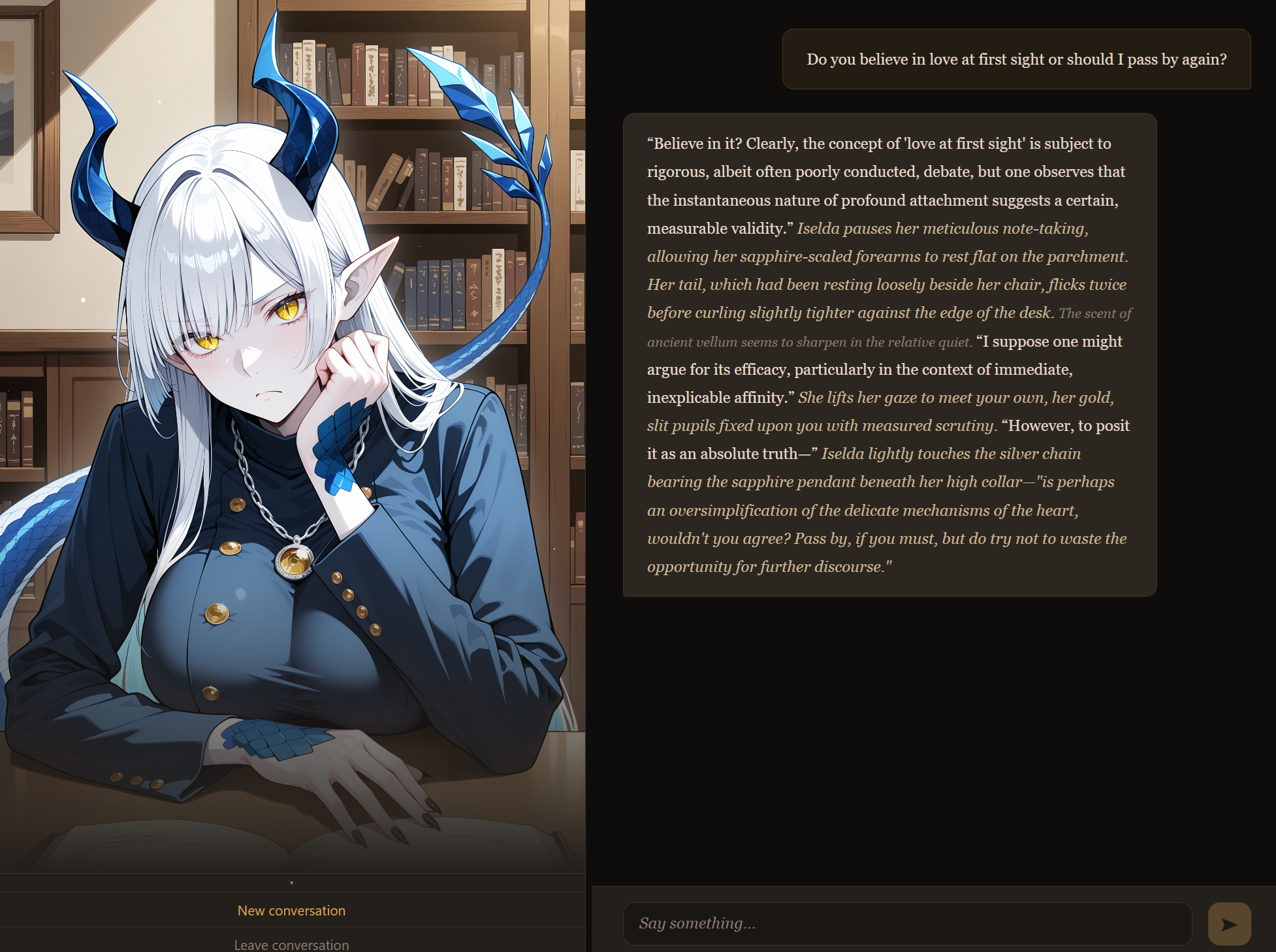
Here's my entry: Cheesy pickup line on Iselda. I think I'm in???

Thank you for reporting the bug, can you send me the logs so I can see what's causing it?

The game does save places other than the folder (like the logs), everything it saves outside the folder is here: %APPDATA%\Monster Girl Chat

Or if that doesn't work, C Drive -> Users -> Your User Name -> AppData (hidden folder) -> Roaming -> Monster Girl Chat
If you want to completely remove the apps data, just delete the whole Monster Girl Chat folder.

There should be a logs folder, can you email me the latest one: FreeRangeSlop@gmail.com

Some other questions that might help me figure out what's going on:

What CPU do you have?
How much RAM do you have?
Do you have a graphics card, if so which one?
What OS are you using? Windows 10 or 11?

I pushed a quick update for error logging, this won't fix anything, but could you grab the latest version and run it again? Either the normal one or the no model, if you grab the no model make sure you grab the 5gb file out of the other model folder and put it in the new model folder. It should be named "Gemma-4-E4B-Uncensored-HauhauCS-Aggressive-Q5_K_P.gguf" and put it directly in the models folder of the new one. Once you do that, can you launch the game from that new download and wait till it errors again, then close it and send me the log/logs from this folder: %APPDATA%\Monster Girl Chat\logs\
If that doesn't work, the log should be in C drive -> users -> AppData (this is a hidden folder) -> Roaming -> Monster Girl Chat -> logs

The log might be kind of long, you can email it to me if it's too big for here: freerangeslop@gmail.com

It's not a bother at all! I'll mess with it tonight after work to see if I can figure out what's going on. How much RAM do you have? 

(1 edit)

Known bugs:

Occasionally tags show up in the text when they shouldn't. If this happens, the tag wont call the right function (like saving a memory

Characters only remember your name in REALLY specific scenarios. I'm working out a better system to track the name you tell them so they remember in other conversation's. 

Nvidia GTX cards with no tensor cores don't work, cuda core fall back in the works but requires a full second binary. 

Of course! Please let me know if you encounter any other bugs! It's super helpful for me, I only have a couple places I can test myself lol

I didn't account for a mixed GPU+CPU fallback but it should be implemented now. I tested virtually on my machine, limiting the VRAM to 3gb and it seemed like it worked so I uploaded the fixes. I also added a "No Model" download, grab that one instead of the zip so you dont have to redownload the 5GB model lol. Once you unzip that one, you'll have to grab the model from the models folder in the first download you did and put it in the models folder for the No Models download. Let me know if you have questions or other issues! 

Thank you! That shows the server can start, but the model is ~6gb and it's trying (and failing) to cram it onto 3gb of VRAM, so it's failing to offload the rest to ram to CPU. I'm going to make some updates to hopefully fix you're issue. Apologies and thank you for reporting!

Are you on Windows 10 or 11? Can you try opening the folder in power shell and trying to run the file called llama-server-x86_64-pc-windows-msvc.exe ? That's the AI engine, if you get any errors can you share them with me? If it looks like it's stuck you can hit ctrl+c in th powershell to cancel it. 

Easiest way to open the folder in powershell will be to go to the folder, click the navigation bar (where it has the whole folder path) and copy that, then in powershell type:
cd <pasted folder path in quotes>
Example:
cd "C:\Users\user\Documents\Monster Girl Chat"
Then type:
 .\llama-server-x86_64-pc-windows-msvc.exe
and enter and let me know what it says. Could be a missing dll file or something, if that's the case I can update the package with it. 

The world currently has 9 known races, Dragon-kin, Lamia, Arachne, Orc, Dogfolk, Werewolves, Slimes, Elves, Catfolk, and Lizardfolk.

Currently these aren't characters: Werewolves, Slimes, Elves, Catfolk, and Lizardfolk

I'm thinking a slime girl for the next one, but completely open to suggestions! Including other races that could turn up in the world (Sycllas? Centaurs? Hellhounds?)

Post what kind of monster girl you want to see next!

Any bugs or issues you run into can go here!

Post your general feedback here! Anything that doesn't fit in other categories.