
Indie game storeFree gamesFun gamesHorror games
Game developmentAssetsComics
SalesBundles
Jobs
TagsGame Engines

Lovely Composer

An 8-bit music creation tool that like a game console music editor · By 1oogames

Can't find exported music files

A topic by TrickeryOfTheCrovv created 28 days ago Views: 42 Replies: 2
Viewing posts 1 to 3

I've been enjoying Lovely Composer but I'm having issues exporting music. It says hat it has exported successfully but I can't seem to find it in my files. I have looked at the online manual to see if it has my solution and potentially it does but I don't understand what it means by  "Check if the music data file has write permission on the OS side."

This has been my only issue so far and other than that I have been having a wonderful time with the program!
Developer (2 edits)

Thank you for using Lovely Composer and question.
I'm not sure what the cause is, but I'd like to point out a few things to check. If that doesn't work, I might have to check the your log files to find out.

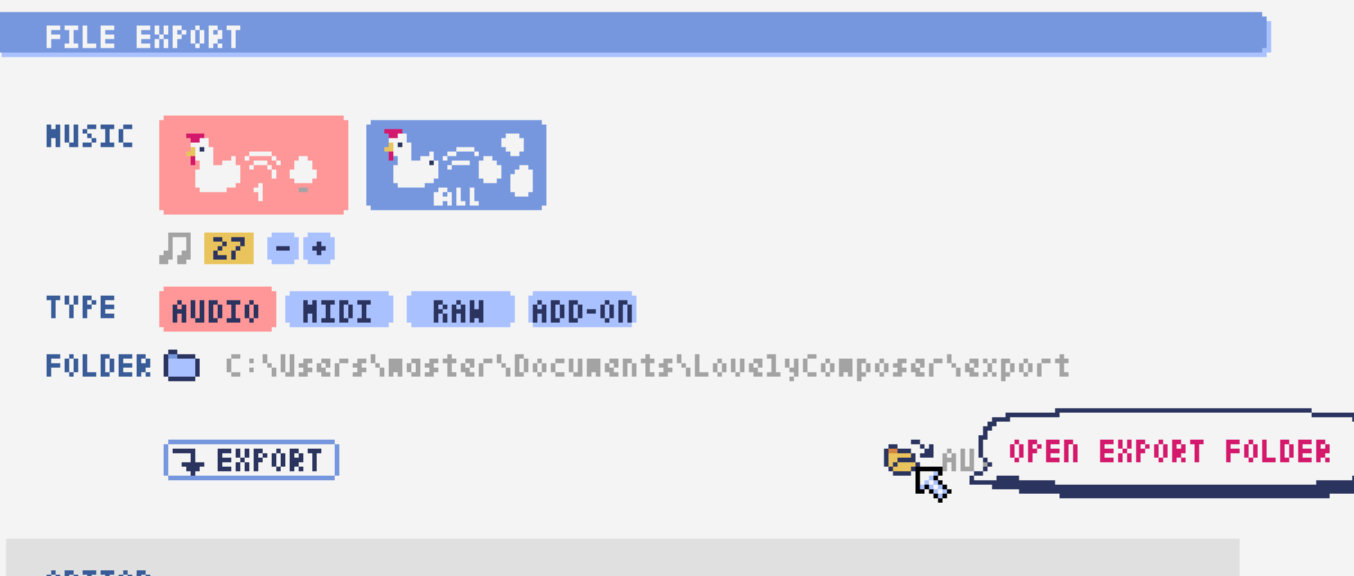
  • At first, is the opened folder location the correct export folder? You can open that folder by clicking the folder icon on the export screen. Also, please make sure it matches the folder path displayed when the export is complete. (Generally C:/Users/UserName/Documents/LovelyComposer/export/ )
  • Is there some kind of abnormality, such as the export folder not being found?
  • There is a slight possibility that file export operations may be interfered with by file syncing software such as OneDrive, or antivirus software, so it may be a good idea to temporarily disable these and check.
  • Most major operating systems today allow users to set permissions to prohibit reading and writing to specific files and folders. If writing is prohibited, the export will fail. (If you don't know what this setting is, it's unlikely to be a problem.)
    You should be able to check this in the "Folder Properties" dialog.

Recently, I often hear about problems caused by OneDrive.

Developer